OpenAI · Image model
GPT Image 2.5 Sunburst
Choose Sunburst for demanding image quality and carefully constrained edits.
From 40 points per image

Pricing on Fiddl
40 points per image at base settings
Price breakdown
- Base per output
- 40 points
- Per output total
- 40 points
- Total for 1
- 40 points
The quote includes selected size, audio, and privacy charges. Points are purchased separately; pack discounts affect their cash cost. View point packs.
Made with GPT Image 2.5 Sunburst
Selected examples
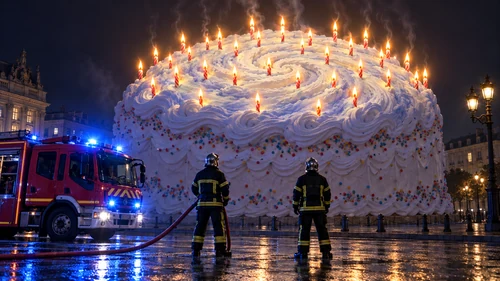
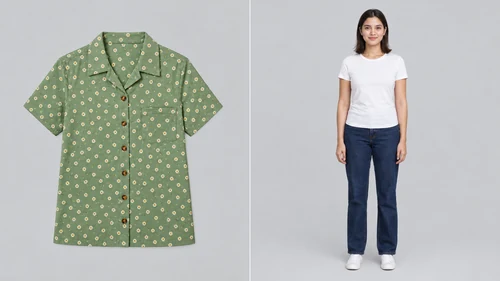
Details
OpenAI positions GPT Image 2.5 Sunburst for its most demanding generation and editing tasks. It is useful for product preservation, detailed layouts, and compositions that need several reference images. Specify which features define the subject so the edit has clear boundaries.
Useful for: Product-preserving edits · Complex visual layouts.
Fiddl uses high quality; the provider’s other quality controls are not exposed here. Exact text and unchanged details are not guaranteed.
- Input
- Text and images
- Reference images
- Up to 16
- Aspect ratios
- 1:1, 16:9, 21:9, 2:3, 3:2, 4:5, 5:4, 9:16, 9:21, 3:4, 4:3
- Output sizes
- Standard · 2K long edge · Up to 3840px
Prompt guide
Separate Change and Preserve instructions. Number references and name the identity, label, geometry, and framing to retain.
Choose the settings above, open the creator, and add a prompt and any supported references. Review the estimate before generating.
Change the scene to evening light while preserving the bottle shape, printed label, camera angle, and table arrangement.Use this prompt
Consider another model
Questions
Was the starter prompt used for the examples above?
The starter prompt is an independent writing example. Gallery images are curated public examples; their exact prompts, settings, and historical costs are not implied by this guide.
Does choosing private output change the price?
Yes. Select Private output in the calculator to see the current surcharge and total. This option changes the visibility of your creation; it does not select a private model.