Updated September 22, 2026
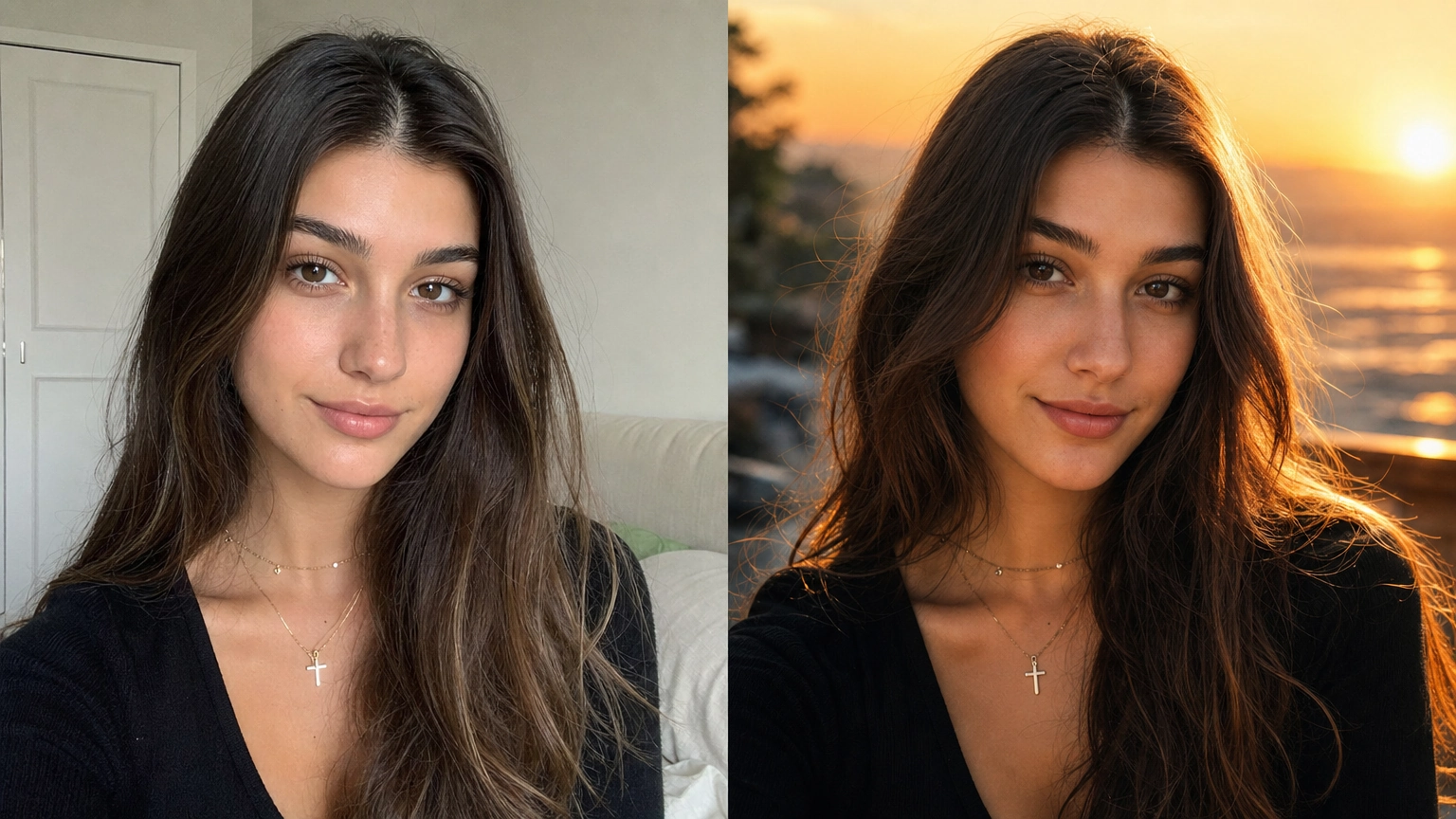
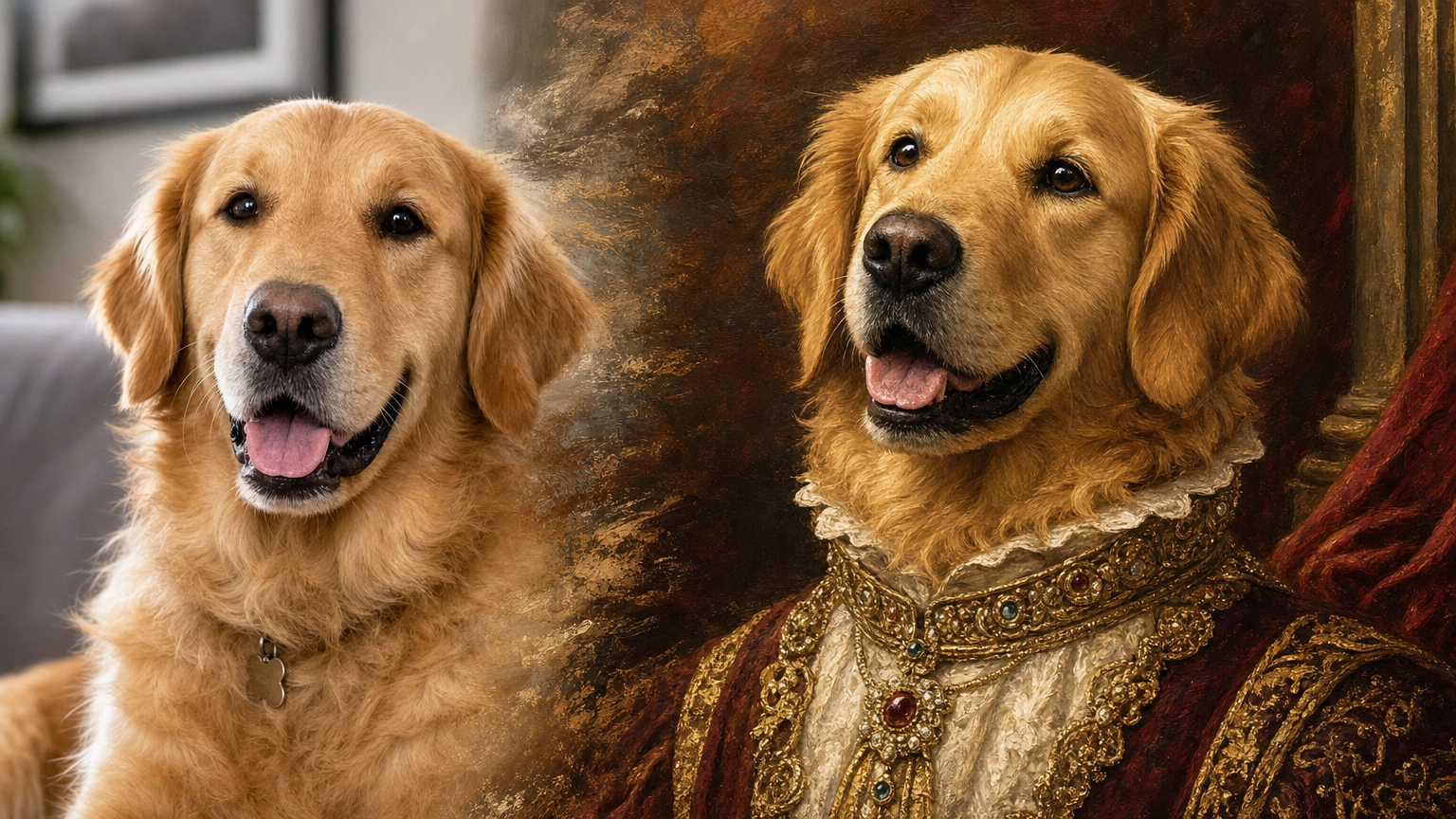
Creating a single compelling AI character is easy. Keeping that same character consistent across multiple images, scenes, poses, and environments is where most creators struggle.
If you've ever generated a perfect character—only to see their face, proportions, or style change in the next image—you're not alone. AI image generators don't remember previous outputs, which makes character consistency ai one of the biggest challenges in AI art.
This step-by-step guide explains how to create consistent AI characters using reference images, visual reference sheets, the right model choice, structured prompts, and custom model training. Whether you're designing fantasy heroes, anime characters, game NPCs, or realistic portraits, these techniques will help you maintain visual continuity across your project.
Why AI Character Consistency Is Difficult
AI image generators don't remember characters between generations. Most models begin from random noise and refine the image based on your prompt. Without strong constraints, the AI has wide creative freedom—leading to different interpretations of the same character.
Even small changes in wording, lighting, or composition can cause noticeable shifts in facial features, body shape, or style. The key to consistency is reducing randomness and giving the model clear, repeatable guidance.
Step 1: Define Your Character for Consistency
Before writing a single prompt, define your character in detail. Think of this as a digital character sheet that you'll reference throughout the project.
Include:
- Name: Use a unique, fictional name (avoid well-known characters)
- Physical traits: Be precise (eye color, facial features, age range)
- Clothing & gear: Materials, colors, and recurring details
- Signature elements: Scars, jewelry, weapons, tattoos, or symbols
Example character blueprint:
Lyra Meadowlight — a halfling druid with honey-blonde curly hair tied with a leather cord, bright green eyes, light freckles, a linen tunic, barefoot, carrying an oak staff with a softly glowing crystal.
This description becomes your consistency anchor. If you're building a D&D character specifically, our DnD AI Art Generator guide walks through backstory prompts and visual hooks for turning a full character concept into art-ready descriptions like this one.
Step 2: Create a Strong Base Image Prompt
Your goal here is to create one strong base image that clearly represents your character.
A reliable base prompt usually includes:
- Subject: The character's defining traits
- Style: Illustration, digital painting, cinematic, photorealistic, etc.
- Composition: Keep it simple (portrait, neutral background)
Example base prompt:
Portrait of Lyra Meadowlight, a halfling druid with curly honey-blonde hair, bright green eyes, and freckles. Wearing a simple earth-toned linen tunic. Soft cinematic lighting, plain grey background, detailed fantasy illustration.
Generate variations until one image matches your vision closely. Save this image—it will serve as your primary reference.
For more on crafting effective prompts, see our AI image prompts guide.
Use Negative Prompts to Prevent Drift
Telling the AI what to avoid is just as useful as describing what you want. Add a short negative prompt naming the specific traits that tend to shift between generations, like "no beard, no glasses, do not change hair color." This is especially useful for facial hair, eye color, and hairstyle, three of the most common places consistency breaks down.
Keep Your Prompt Structure Consistent
Beyond the wording itself, use the same prompt structure every time: character description first, then scene details, then style. Save prompts that work well as templates, and reuse that structure for every new scene rather than writing each prompt from scratch. Consistent structure makes it easier to spot exactly what changed when a result doesn't match, and it saves time across a long project.
Step 3: Use Reference Images for Character Consistency
Uploading your base image as a reference is the most effective way to preserve facial structure and style across new generations. This is the technique behind most modern character-consistency workflows, and it's where model choice matters most.
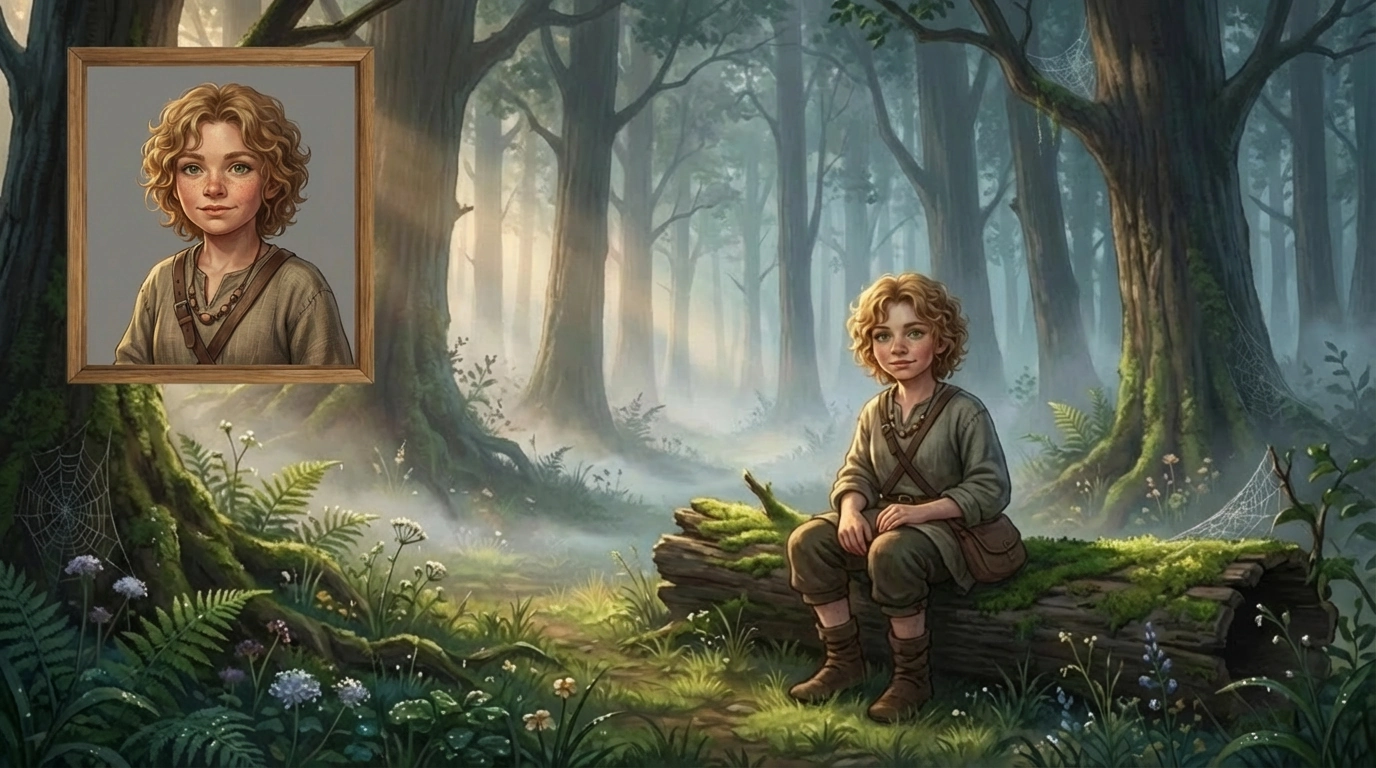 A base image guides the generation of the same character in a new fantasy environment.
Which Fiddl.art Models Handle Reference Images Best
Not all models handle reference-image consistency equally well. On Fiddl.art, Seedream 4.5 and GPT-Image 2 are the strongest choices for keeping a character's face, proportions, and style stable across new scenes and poses. If you're specifically working with Gemini-based prompting, see our Gemini AI photo prompts guide for more on getting consistent results, or check our GPT-Image 2 prompts guide for prompting tips specific to that model.
To use this approach:
- Upload your base character image as a reference in the Create interface
- Select Seedream 4.5 or GPT-Image 2
- Prompt the new scene, pose, or setting while keeping your character description consistent
Example prompt with a reference image uploaded:
Lyra Meadowlight in a quiet forest clearing at dawn, light mist between tall trees, detailed fantasy illustration.
This approach dramatically improves consistency compared to text-only prompts, and pairing it with a reference-capable model is what makes the difference between a rough resemblance and a reliably consistent character.
Use a Visual Reference Sheet for Multiple Poses
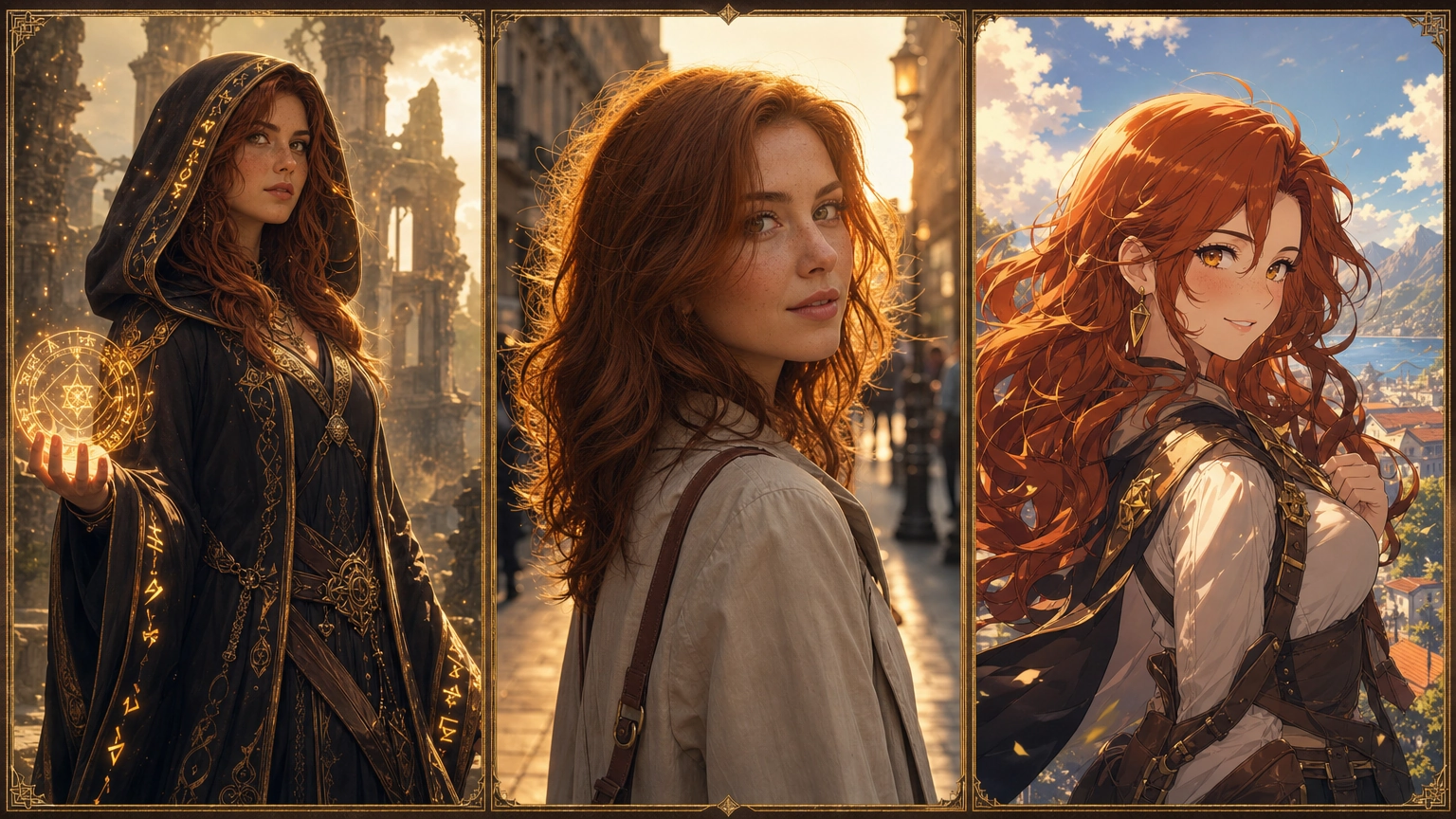
A single reference image works well for similar scenes, but it can struggle once you need your character from a different angle or in a very different pose. A visual reference sheet solves this: instead of one portrait, compile 3-4 images of your character into one composite, a front view, a side or three-quarter view, and a different expression or pose, and upload that combined sheet as your reference.
Feeding the model multiple angles in a single reference gives it a fuller picture of your character's proportions and features, which tends to hold up better across a wider range of poses and scenes than a single portrait reference alone. This is especially useful for action scenes, group compositions, or any pose that differs significantly from your original reference image.
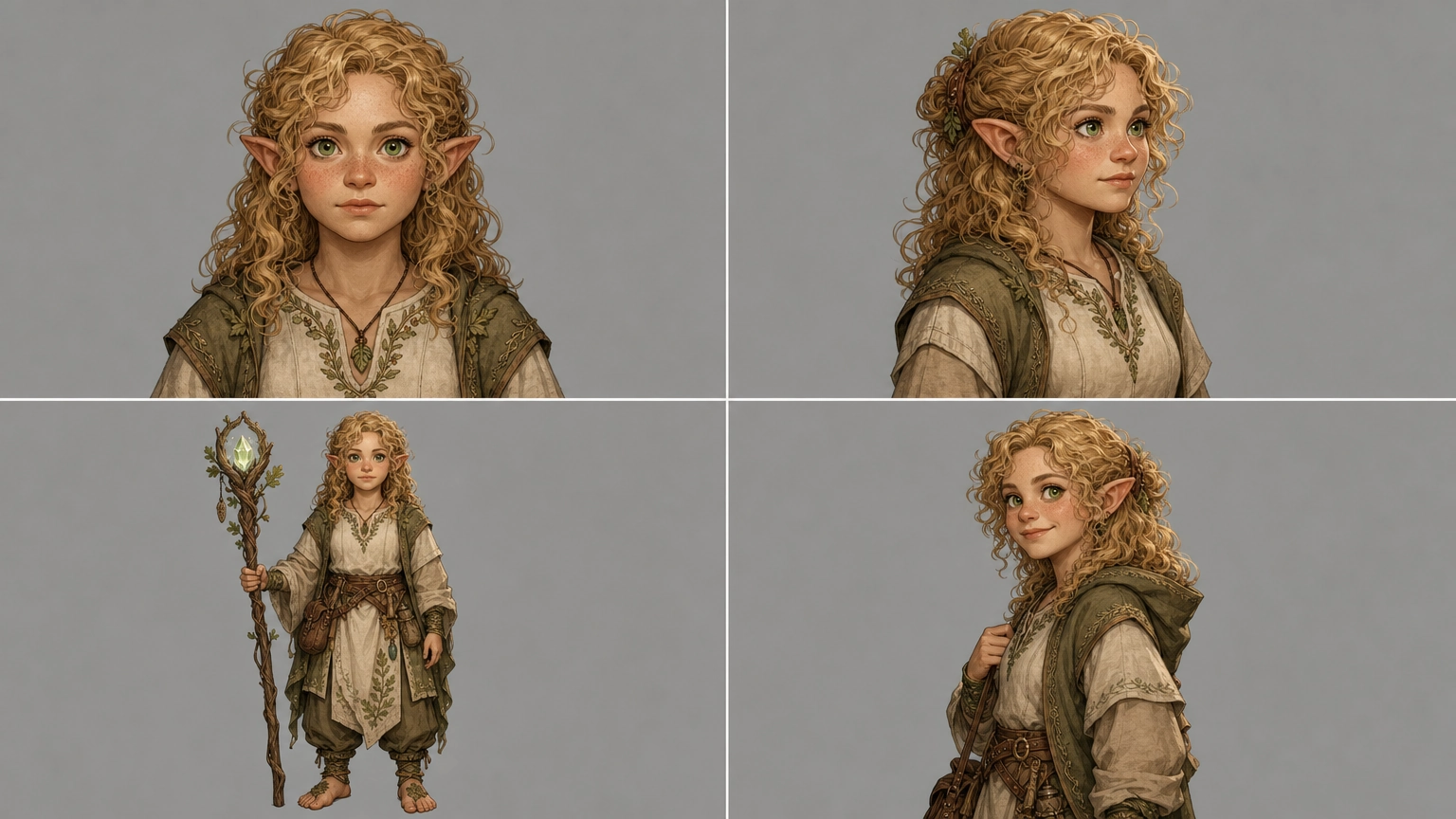 A visual reference sheet combining multiple angles of the same character into one image for stronger consistency across poses.
Step 4: Train a Custom Model for Long-Term Projects
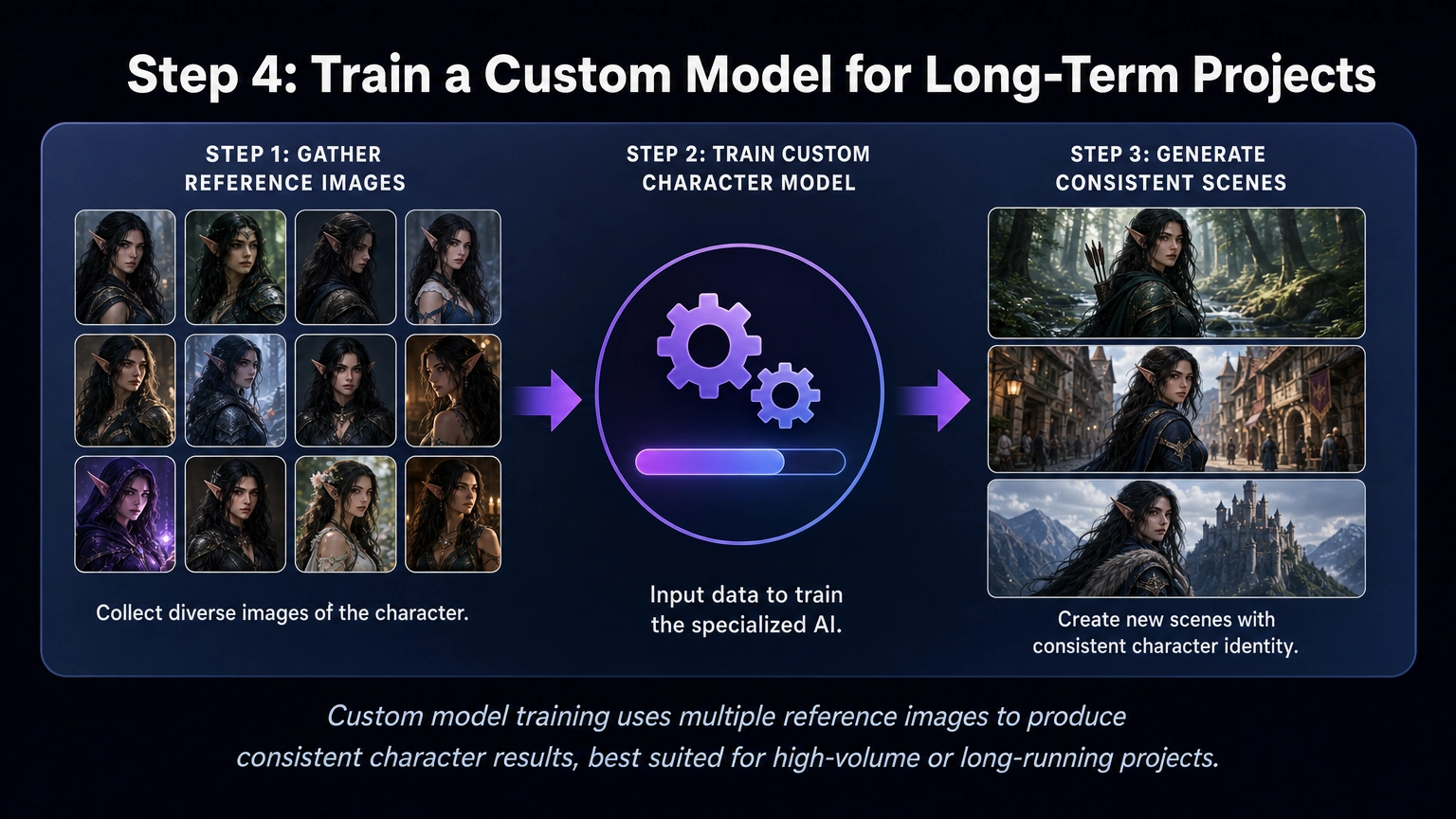 Custom model training uses multiple reference images to produce consistent character results, best suited for high-volume or long-running projects.
For most projects, a reference-capable model like Seedream 4.5 or GPT-Image 2 will get you reliable consistency without any extra setup. But for very large, long-running projects, custom model training is still an option worth knowing about.
If you're working on:
- A novel or illustrated series with dozens of scenes
- Game assets or NPCs at scale
- Reusable character libraries
Training a character model can save time across a high volume of generations.
How Custom Training Works
Instead of reinterpreting a description each time, the model learns your character as a concept. This can improve consistency across poses, scenes, and styles for large-scale projects.
A typical workflow:
- Gather 10–20 images of the same character (different angles and expressions)
- Train a custom model using a unique trigger word
- Generate new scenes using that trigger word in your prompts
Forge on Fiddl.art supports this kind of character-focused training and can be useful for high-volume projects. For most creators, though, starting with a reference-capable model like Seedream 4.5 or GPT-Image 2 is the faster and simpler path to a consistent character.
Troubleshooting: When Your Character Stops Looking Right
If your character starts drifting after a few generations, don't rewrite the whole prompt from scratch. Work through it step by step:
- Check your prompt against earlier successful ones. Look for missing details or accidental wording changes. Inconsistency usually shows up in the face, hair, clothing, or body proportions first.
- Identify exactly which feature is drifting. Is it the face shape, the hair color, the outfit, or the body proportions? Target your fix to that specific part instead of changing the whole prompt.
- Strengthen the weak description. Add more precise language to the part that's drifting. "Dark auburn hair" holds up better than "red hair." Naming exact eye shape, nose shape, or clothing details helps more than general terms.
- Re-upload your best reference image if you haven't already, or swap in a stronger one from an earlier successful generation. Well-lit images with a clear, unobstructed view of the face work best, and using more than one angle helps.
Most consistency problems come down to one of these four fixes rather than needing a completely new approach.
Keeping Multiple Consistent Characters in One Scene
Group scenes add a layer of difficulty, since the AI can blend features between characters that are close together in the frame. A few ways to handle it:
- Design each character separately first. Get each one consistent on its own using the steps above before trying to combine them.
- Keep separate prompt templates for each character, and reuse those exact descriptions when writing the group scene prompt.
- Place characters carefully in the composition to reduce the chance of features merging, avoid overlapping poses or characters standing too close together in the frame.
- Composite as a fallback. For complex scenes with several detailed characters, some creators generate each character separately and combine the images afterward using editing software, trading some spontaneity for full control over how each character looks.
Best Practices & Common Pitfalls
Best practices
- Be specific and consistent in wording
- Start with neutral lighting and backgrounds
- Change one variable at a time
- Save prompts and reference images that work well
Common mistakes
- Overloading prompts with conflicting styles
- Switching art styles mid-project
- Ignoring lighting and camera framing
- Regenerating without reference anchors
Beyond Fantasy: Using These Techniques in Other Genres
These consistency principles apply well beyond fantasy. They work for:
- Realistic human characters
- Anime or stylized designs
- Creatures, robots, or sci-fi characters
If you're specifically creating anime-style characters, explore our guide to the best AI anime generators to find tools optimized for anime art workflows.
The genre changes, but the process remains the same: define clearly, establish a base, and reduce randomness.
Frequently Asked Questions About AI Character Consistency
What is the best AI for character consistency?
Models with strong reference-image support tend to give the most reliable results. On Fiddl.art, Seedream 4.5 and GPT-Image 2 are the best choices for keeping a character consistent across scenes, since they preserve facial structure and style from an uploaded reference image more reliably than text-only prompting.
How do I keep the same character consistent across multiple AI images?
To keep the same character consistent across multiple AI images, you need to reduce randomness in the generation process. Upload a reference image, or a visual reference sheet with multiple angles, using a model built to support it, and use structured prompts with consistent wording. For very large or long-running projects, training a custom model is also an option.
Why does my AI character's face change every time I generate a new image?
AI image generators start from random noise for each generation. Because the model does not "remember" previous outputs, even small prompt changes can result in different facial features, proportions, or styles. Using a reference image with a model that supports it, like Seedream 4.5 or GPT-Image 2, helps maintain facial consistency.
What is the best way to create consistent AI characters?
The best method combines three things:
- Start with a clearly defined character blueprint.
- Create a strong base image with a structured prompt.
- Upload that base image as a reference using a model built for it, like Seedream 4.5 or GPT-Image 2.
For very large projects with many scenes, custom training is also worth considering.
Can I create consistent AI characters without training a custom model?
Yes. Most creators can maintain character consistency using reference images with a model that supports them, combined with a visual reference sheet for multiple poses and carefully reused prompts. Custom training is generally only needed for large-scale or long-running projects.
Does character consistency work with anime AI generators?
Yes. The same consistency techniques apply to anime AI generators, fantasy models, realistic portrait tools, and other AI art platforms. Reference-based workflows and structured prompts are effective across styles.
How many reference images do I need to train a consistent AI character model?
Most custom training workflows recommend using 10–20 high-quality images of the same character from different angles and expressions. More varied and consistent reference data typically produces better results.
Is one reference image enough to keep a character consistent?
A single reference image works well for scenes similar to the original. For a wider range of poses or angles, a visual reference sheet, multiple views of the character combined into one image, tends to hold up better, since it gives the model more information about your character's proportions and features to work from.
Why is AI character consistency important for writers and game designers?
Consistent visuals strengthen immersion and brand identity. When characters appear repeatedly across illustrations, covers, marketing materials, or game assets, visual continuity makes them more recognizable and professional.
How long does it take to get a consistent AI character?
Most creators spend a couple of hours on the first pass, writing a detailed character description, testing prompt styles, and finding a strong reference image. Once that foundation is set, producing new consistent scenes gets much faster, often just a generation or two to get a usable result.
How do I update a consistent character's look partway through a project?
Change gradually rather than all at once. Start from your existing character description and add the new detail, an aged appearance, a new outfit, a different hairstyle, as a single change rather than several at the same time. Test it before adding anything else, and save each successful version as a new reference so you can move between looks without losing consistency.
Conclusion
Consistency in AI character generation is achievable with the right approach. By planning your character carefully, building a strong base prompt, and using a reference-capable model like Seedream 4.5 or GPT-Image 2, you can maintain a stable visual identity across any project. Custom training remains an option for very large or long-running projects.
Strong characters deserve consistent visuals—especially when they appear again and again in the worlds you create.
Ready to start building consistent characters? Explore AI creation tools designed for structured, repeatable workflows.
Start creating on the Fiddl.art platform today.