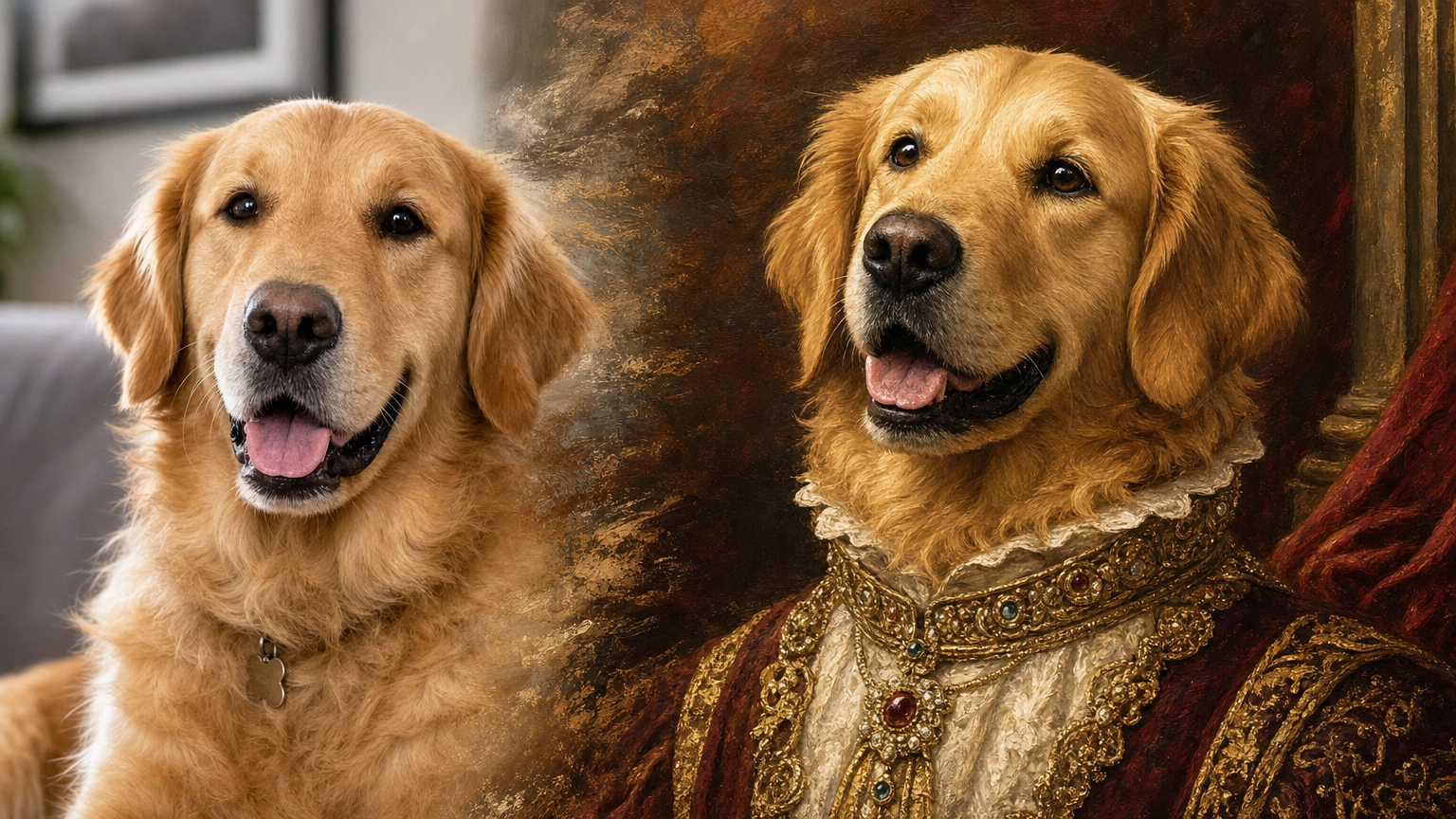
If you’re searching for a pay as you go AI image generator, the job is simple: create images when you need them, control spend, avoid monthly lock-in, and stop losing unused credits to billing cycles.
That matters for engineers, marketers, agencies, and solo creators because AI image generation is rarely perfectly steady. One week you may need hundreds of concepts for a campaign. The next week you may need none. A pay-per-use AI art tool makes the cost follow the workload.
The Cost of the Unused Feature Tax
Generative AI subscriptions often create an “unused feature tax.” You upgrade because a sprint needs high-resolution renders, a premium model, or a burst of API calls. The sprint ends, usage drops, and the recurring bill keeps running.
A pay as you go AI image generator solves that by tying spend to actual compute. If your team generates 500 images this week and zero next week, your budget reflects that pattern instead of forcing a fixed monthly fee.
This shift is part of a broader pricing change. Subscription fatigue is now a real retention problem. One recent survey summary reports that 53% of AI subscribers cancel and restart tools as needed, treating churn as a budget tactic (Bango via Readless). Revenera’s 2026 Monetization Monitor also points to usage-based and blended pricing replacing older license models, projecting that they will make up 62% of AI product pricing strategies by 2027 (Revenera).
For AI image generation, that direction makes sense. The unit of value is not a login. It is a generation, edit, upscale, video render, or model training run.
The Core Benefits of a No Monthly Fee AI Generator
A no monthly fee AI generator changes how you plan creative work. The value is not only “cheaper.” It is more controllable.
1. Persistent Value
Many subscriptions use a strict expiration schedule. You receive a monthly allotment of credits, but unused credits disappear at the end of the cycle.
A genuine pay-as-you-go model behaves more like a digital wallet. You purchase credits or points, then spend them when a real project needs them. That reduces the pressure to generate filler assets just to “use up” a subscription.
2. Better Access to Premium Models
Some platforms gate their best models behind higher subscription tiers. That is frustrating if you only need a few premium generations.
Flexible AI image generation lets you prototype with standard models, then switch to more compute-heavy options for final output. For example, you might use a faster model for composition tests, then move to a higher-fidelity model for the final hero image. You pay for the generation you actually run, not for a month of access you may not use.
If model choice is central to your workflow, Fiddl.art’s AI models guide explains how to match models to speed, style, and output goals.
3. Cleaner API Economics
For developers, subscriptions can make unit economics messy. If you are testing an internal tool or exposing image generation inside an LLM workflow, a fixed monthly cost hides the real price of each request.
Usage-based pricing is easier to reason about. If your app calls an image endpoint such as POST /create/image, you can estimate the cost per successful output, add guardrails, and price your downstream workflow accordingly.
That is especially useful for:
- LLM agents that call image tools conditionally
- Programmatic SEO pipelines generating visual assets at scale
- Marketing automation workflows with unpredictable volume
- Internal creative tooling used by multiple teams
Who Benefits Most from Flexible AI Generation?
A flexible AI image generation model helps almost anyone who wants budget-friendly AI images, but a few groups benefit most.
Technical Marketers and Agencies
Agency demand comes in waves. A product launch may require hundreds of ad concepts, landing page visuals, social variants, and brand-style experiments. The following month may focus on analytics and strategy.
A pay per use AI art tool lets agencies scale during production bursts without dragging subscription overhead into quiet periods. It also makes client billing cleaner because usage can map to project work.
Developers and Engineers
Engineers need predictable unit costs. If you are building an app that includes AI image generation, you need to understand the cost of each model call, retry, upscale, and failed prompt.
Pay-as-you-go pricing helps teams:
- Budget API usage during staging
- Add per-user limits
- Set internal cost caps
- Compare model quality against cost
- Avoid paying for idle capacity
Solo Creators and Freelancers
Freelancers rarely have perfectly predictable AI usage. One client may need a large batch of concepts. Another may need only one polished image.
For creators comparing tools, a no-subscription workflow can be a practical alternative to platforms built around mandatory monthly plans. We cover that angle in more detail in our Midjourney alternative guide.
Teams Testing AI Before Committing
Many teams are still figuring out where image generation belongs in their stack. A pay-as-you-go setup lets them experiment without committing to a long-term subscription before usage patterns are clear.
For a broader overview of no-subscription options, see Free AI Image Generator: No Subscription Required, Pay-As-You-Go Pricing (2026).
Key Features to Look For Beyond Price
The cheapest AI image generator is not always the most cost-effective one. Failed generations, weak editing tools, and poor model selection can burn more credits than a slightly more expensive platform with better workflow controls.
Look for these features.
Transparent Credit Usage
You should understand what each action costs:
- Text-to-image generation
- Image-to-image generation
- Upscaling
- Video generation
- Custom model training
- Premium model usage
If the platform hides usage behind vague limits, it is hard to optimize spend.
Multiple Models
Different models serve different jobs. Fast models are useful for ideation. Higher-fidelity models are better for polished output. Specialized models can help with portraits, products, anime, fantasy, or brand-specific looks.
Fiddl.art’s models catalogue is designed around that choice, with base and custom models available from one place.
Remix and Reference Workflows
A strong pay-as-you-go platform should reduce wasted generations. Discovery, remixing, and input-image workflows help you start from proven outputs instead of guessing from scratch.
On Fiddl.art, the Browse feed lets you explore recent public creations and use existing work as input for your own generation flow.
Custom Model Training
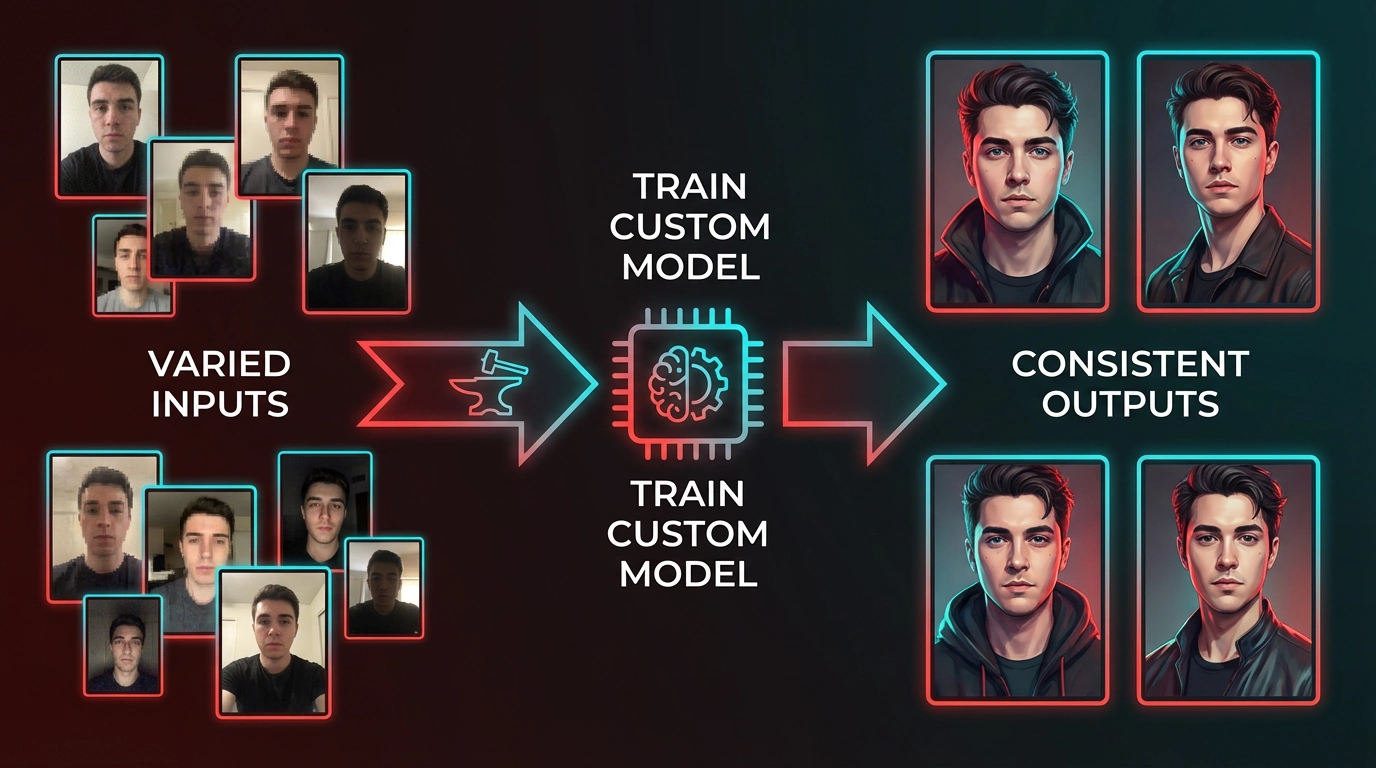
If you repeatedly generate the same person, product, mascot, brand style, or character, custom model training can save credits over time. The upfront training cost can reduce the number of failed attempts later.
For a deeper walkthrough, see Forge Tool: Power of Training Custom AI Models.
API and Automation Support
For technical teams, the platform should support programmatic workflows. That includes predictable endpoints, readable media retrieval, and a pricing model that works for automation rather than only manual use.
Maximizing Your Budget: A Practical AI Generation Strategy
A flexible pricing model helps, but your workflow matters just as much. Here is a practical way to reduce waste.
Step 1: Prototype Cheaply
Do not run your first rough prompt through an expensive model. Early attempts are usually about composition, subject, camera angle, and style.
Start with a faster or lower-cost model. Iterate until the prompt reliably produces the right structure. Then move to a premium model for final output.
A simple workflow:
- Draft the prompt.
- Generate small batches on a fast model.
- Fix composition and subject details.
- Add style, lighting, and camera language.
- Switch models only when the concept is stable.
- Upscale only the best candidate.
Step 2: Use Proven Prompt Patterns
Prompting from a blank page is expensive. Community examples can save time and credits.
Instead of guessing how to describe cinematic lighting, product photography, fantasy characters, or studio portraits, start with proven structures. Our AI image prompt examples include copy-and-paste patterns you can adapt quickly.
A good prompt usually includes:
- Subject
- Environment
- Composition
- Style or medium
- Lighting
- Camera or lens cues
- Constraints or negative prompt details
Step 3: Anchor with Input Images
Created by @jd.
Text-to-image generation has variance. If you need a specific layout, pose, or spatial relationship, text alone may take several attempts.
Use image-to-image when possible. Upload a sketch, wireframe, reference photo, or previous generation to anchor the request. This can reduce iteration count because the model has visual structure to follow.
On Fiddl.art, you can start from the Create image surface, add inputs, and refine from there.
Step 4: Save Premium Models for Final Candidates
Premium models are most valuable when you already know what you want. Use them for:
- Final hero images
- Client-facing concepts
- Portrait realism
- Brand-sensitive assets
- High-detail scenes
- Outputs that need stronger prompt adherence
For example, if you are working with a premium portrait model, first solve wardrobe, pose, and framing with cheaper iterations. Then spend premium credits on the final render. Our guide to Nano Banana Pro on Fiddl.art covers this value-first approach in more detail.
Step 5: Train When Repetition Becomes Expensive
If you keep writing long prompts to recreate the same subject, stop and evaluate training.
Custom models are useful when you need consistency across:
- AI influencers
- Game characters
- Product mockups
- Brand campaigns
- Founder or team headshots
- Mascots and recurring characters
The break-even point depends on your volume, but the pattern is simple: when repeated prompting costs more than training, train the model.
Fiddl.art’s Pay-As-You-Go Approach
Fiddl.art uses a points-based ecosystem for image generation, video creation, custom models, and unlocks. The goal is to make creative spend flexible while still supporting advanced workflows.
Fiddl Points
Fiddl Points power generation and other creative actions across the platform. You can buy points when you need them instead of committing to a mandatory monthly plan.
For the full breakdown, read Fiddl Points 101: Everything You Need to Know.
Discovery, Remixing, and “Use as Input”
Fiddl.art is not only a generation form. The public Browse feed helps creators discover recent work, inspect styles, and use public creations as a starting point.
This matters for cost control. Starting from a strong reference often takes fewer generations than inventing the entire structure from text.
Points, Unlocks, and Creator Rewards
Fiddl.art also includes a social, points-based economy. When other users unlock your public art, prompts, or custom models, you can earn points. That lets successful creators offset some of their own generation costs through the value they add to the community.
Missions and Rewards
You can also earn points through activity-based rewards. If you want to stretch your budget, Fiddl.art Missions are a practical way to get more room for experimentation without immediately buying more credits.
Pay-As-You-Go vs. Subscription: Cost-Benefit Breakdown

Created by @seth.
Use this comparison when choosing an AI art pricing model.
Subscription Model
Best fit: Predictable, sustained, high-volume generation.
Pros:
- Simple monthly budget
- May be convenient for heavy daily users
- Sometimes includes bundled features
Cons:
- Unused credits may expire
- Premium models may be tier-gated
- Harder to match cost to project work
- Easy to forget active subscriptions
- Poor fit for irregular usage
Pay-As-You-Go Model
Best fit: Developers, agencies, freelancers, and teams with variable demand.
Pros:
- Cost follows usage
- Better for project-based billing
- Easier to test new workflows
- Good fit for API-driven products
- Helps avoid idle subscription spend
Cons:
- Requires tracking usage
- Poor prompts can still waste credits
- Heavy daily users should compare against subscription bundles
- Teams may need internal limits or approval flows
The right answer depends on usage shape. If your team generates assets every day at predictable volume, a subscription may be efficient. If usage spikes around launches, campaigns, client work, or experiments, pay-as-you-go is usually easier to control.
Common Pitfalls That Waste Credits
Using Premium Models Too Early
Premium models should not be used for vague exploration. Solve the concept first, then spend on fidelity.
Upscaling Everything
Upscaling every output is expensive and unnecessary. Upscale only images that are likely to be used.
Ignoring Reference Images
If layout matters, use an input image. Text-only prompting is often slower for precise composition.
Changing Too Many Variables at Once
If you change the model, prompt, aspect ratio, style, and reference image all at once, you will not know what improved or broke the output. Iterate one or two variables at a time.
Skipping a Prompt Library
A reusable prompt library saves money. Store prompts that worked, note the model used, and record what each variation changed.
Forgetting Team Guardrails
For API and team workflows, add controls:
- Per-user budgets
- Daily generation limits
- Model restrictions for prototypes
- Logging by project or client
- Approval rules for premium models
What’s Next for Flexible AI Art Pricing?
The direction is clear: AI pricing is moving toward usage-based and blended models, especially as teams demand better cost alignment. Revenera’s projection that usage-based and blended pricing will represent a large share of AI pricing strategies by 2027 supports that shift (Revenera).
For creators and technical teams, expect more emphasis on:
- Clear per-action credit costs
- Wallet-style balances
- Optional subscriptions rather than mandatory ones
- Model-specific pricing
- Built-in usage analytics
- API cost controls
- Creator reward systems
- Workflows that reduce failed generations
The best platforms will not only sell compute. They will help users spend it wisely.
Conclusion
A pay as you go AI image generator gives creators and teams more control over how they spend. You can prototype cheaply, save premium models for final output, train custom models when repetition becomes costly, and avoid paying for idle months.
For engineers and technical marketers, the larger benefit is predictable unit economics. You can connect image generation to real workflows, measure cost per output, and scale only when demand appears.
If you want to explore flexible AI image generation, start with the Fiddl.art Browse feed, remix an existing creation, or jump straight into Create and test a workflow with points you control.
Frequently Asked Questions
What is a pay as you go AI image generator?
It is an AI image tool where you spend credits or points per generation instead of paying a mandatory monthly subscription. You pay for the compute you use.
Is pay-as-you-go better than a subscription?
It depends on usage. Pay-as-you-go is better for variable workloads, client projects, testing, and API workflows. Subscriptions can work for teams with steady daily volume.
How can I reduce AI image generation costs?
Prototype on faster models, use reference images, reuse proven prompts, upscale only final candidates, and train custom models for repeated subjects.
Can I use premium AI models without a subscription?
On flexible platforms like Fiddl.art, premium models can be accessed with points. More compute-heavy models may cost more points per generation, but you do not need to upgrade to a mandatory monthly plan just to try them.
Who should use a no monthly fee AI generator?
Freelancers, agencies, technical marketers, developers, and teams with unpredictable generation volume are the strongest fit.