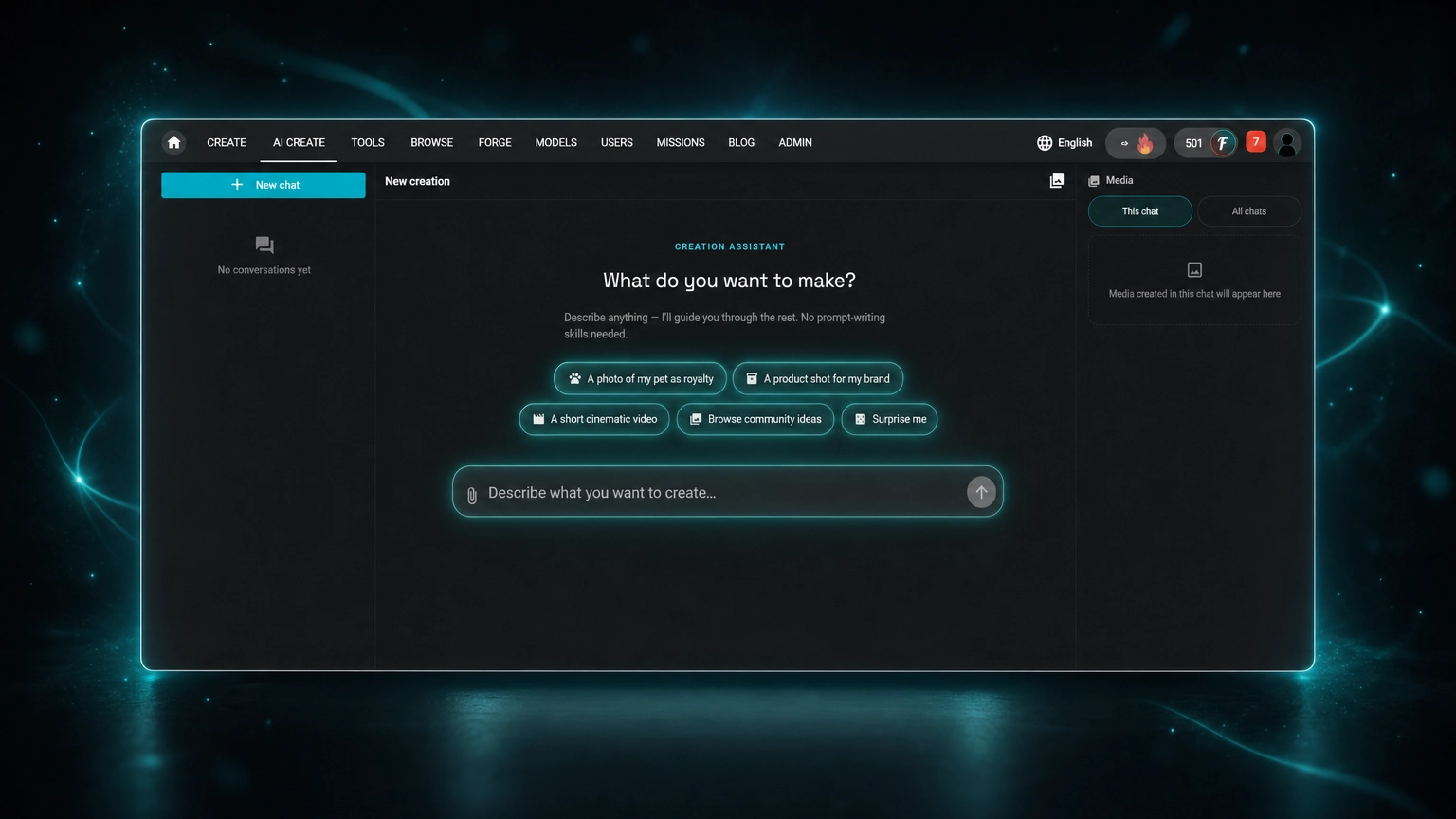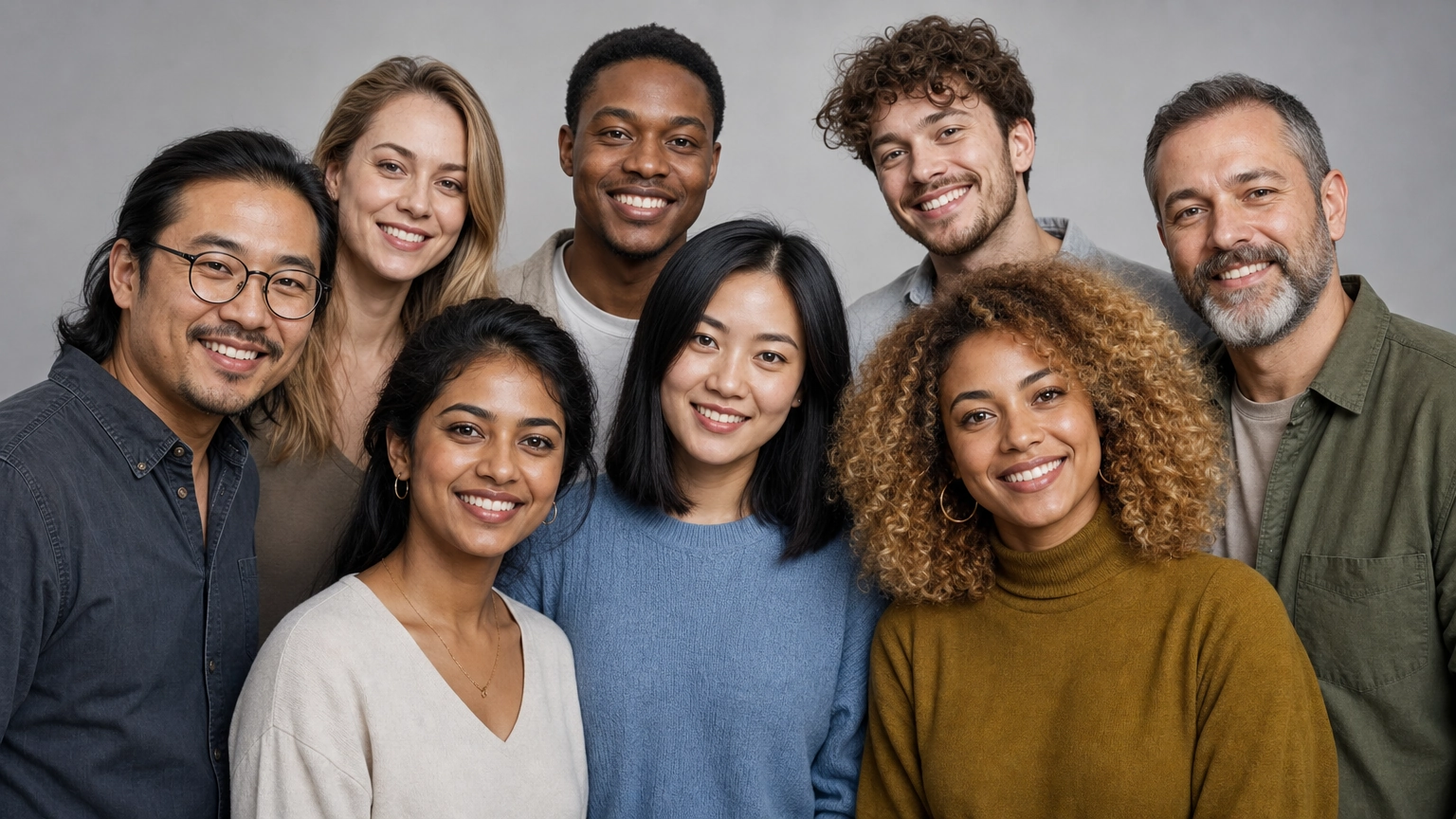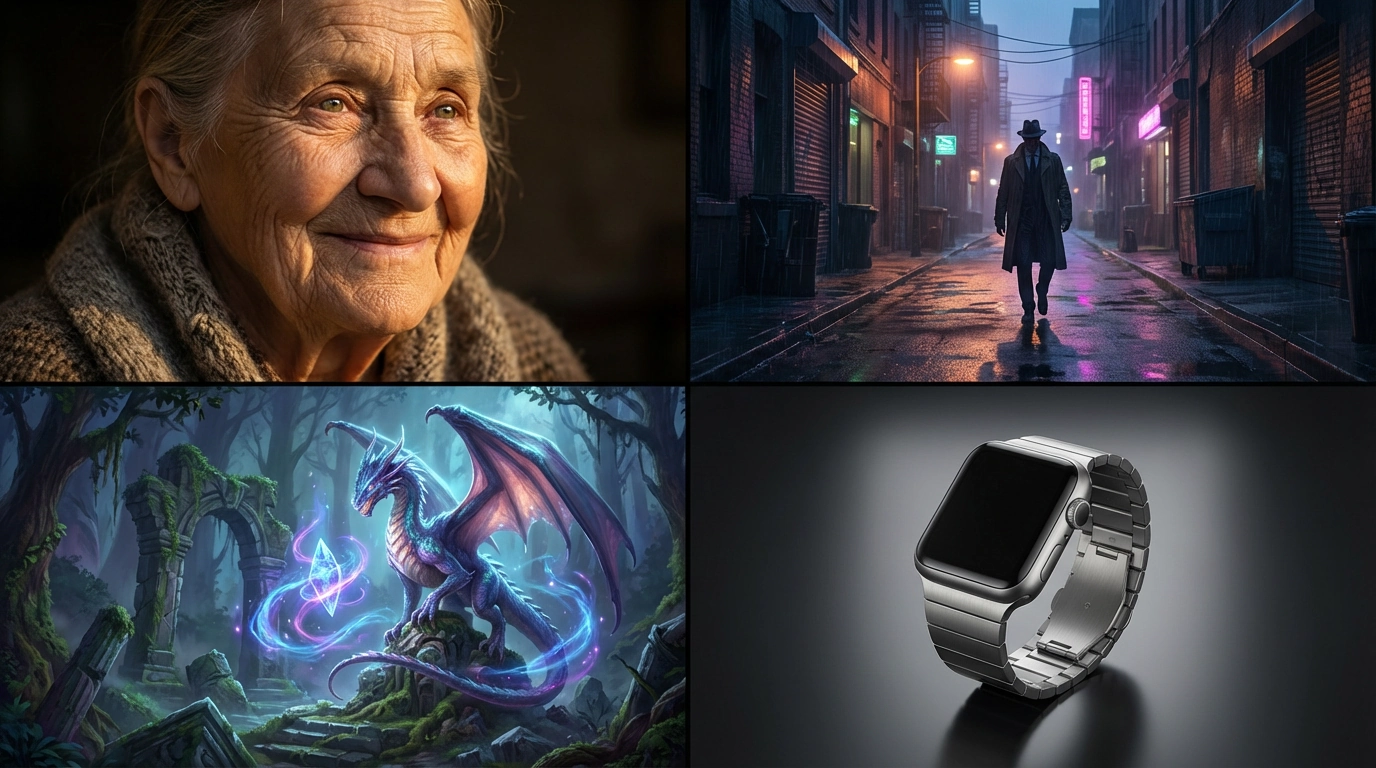
Finding the right words shouldn't slow down your creative process. This guide gives you 69 AI image prompt examples organized by style and use case — copy, paste, and generate instantly with any AI image generator, including GPT-Image 2, Nano Banana 2, Seedream 4.5, and FLUX on Fiddl.art.
For portrait-specific prompts, see our dedicated AI portrait prompts guide. Looking for photo-realistic prompts specifically? See our Realistic Photo Prompts guide.
Jump to: AI Photo Editing Prompts · 69 Prompt Library
What Is an AI Image Prompt?
An AI image prompt is a text description that instructs an AI model what to generate. Think of it as a creative brief you hand to a visual artist: the more specific your instructions, the more accurately the result matches your vision.
A simple prompt like "a cat" produces a generic image. A detailed prompt like "a tabby cat sleeping on a sun-warmed windowsill, shallow depth of field, soft morning light, photorealistic, shot on 85mm" produces something specific, atmospheric, and usable.
A well-written prompt guides the AI on five things: subject, style, lighting, mood, and technical specs. Master those five and you'll get predictable, high-quality results every time.
For a full beginner's walkthrough, see our complete starter guide to AI art prompts.
How to Write a Good AI Image Prompt
A strong prompt follows a simple structure:
Subject → Style → Lighting → Mood → Technical specs
- Subject — Who or what is in the image. Be specific. "A woman" is vague; "a young woman with curly red hair wearing a vintage leather jacket" gives the AI something to work with.
- Style — The visual language. Photorealistic, cinematic, oil painting, anime, illustration, 3D render.
- Lighting — One of the most underrated elements. Golden hour, studio lighting, neon backlight, overcast natural light — lighting defines mood more than almost anything else.
- Mood — The feeling of the image. Melancholic, dramatic, serene, mysterious, vibrant.
- Technical specs — Camera details, aspect ratio, quality modifiers. Examples: shot on 85mm lens, shallow depth of field, 4K, ultra-detailed.
Quick comparison:
- Simple:
A knight - Detailed:
An old knight with a grizzled beard, wearing ornate silver armor with golden engravings, holding a massive greatsword, standing on a misty mountaintop at sunrise, cinematic lighting, concept art, ultra-detailed
Choosing the Right Model
Different models produce meaningfully different results from the same prompt. On Fiddl.art, you can switch between models to match your vision:
| Model | Best For |
|---|---|
| GPT-Image 2 | Sharp in-image text rendering, world-knowledge-aware scenes, precise edits |
| FLUX.2 [max] | Photorealistic skin, complex lighting, high-detail scenes |
| Nano Banana 2 | 4K output, multi-image grounding, expanded aspect ratios |
| FLUX Pro Ultra | Photorealistic images, studio-quality product images, complex prompts |
| Seedream 4.5 | Portrait realism, consistency across sequences |
- GPT-Image 2 on Fiddl.art: what it does well and where it falls short
- Nano Banana 2 on Fiddl.art: create photorealistic portraits
- Seedream 4.5 in action: advanced consistency and realism
- Full catalogue: Fiddl.art models
AI Photo Editing Prompts (Copy & Paste)
17 ready-to-use photo editing prompts below. The prompts above generate a brand-new image from text alone. These work differently: upload a photo of yourself, and the model edits that exact photo, keeping your face while changing the style, setting, or outfit around it. Nano Banana Pro and Nano Banana 2 hold identity through a heavy restyle better than any other model on Fiddl.art, which is why every prompt below is written for them.
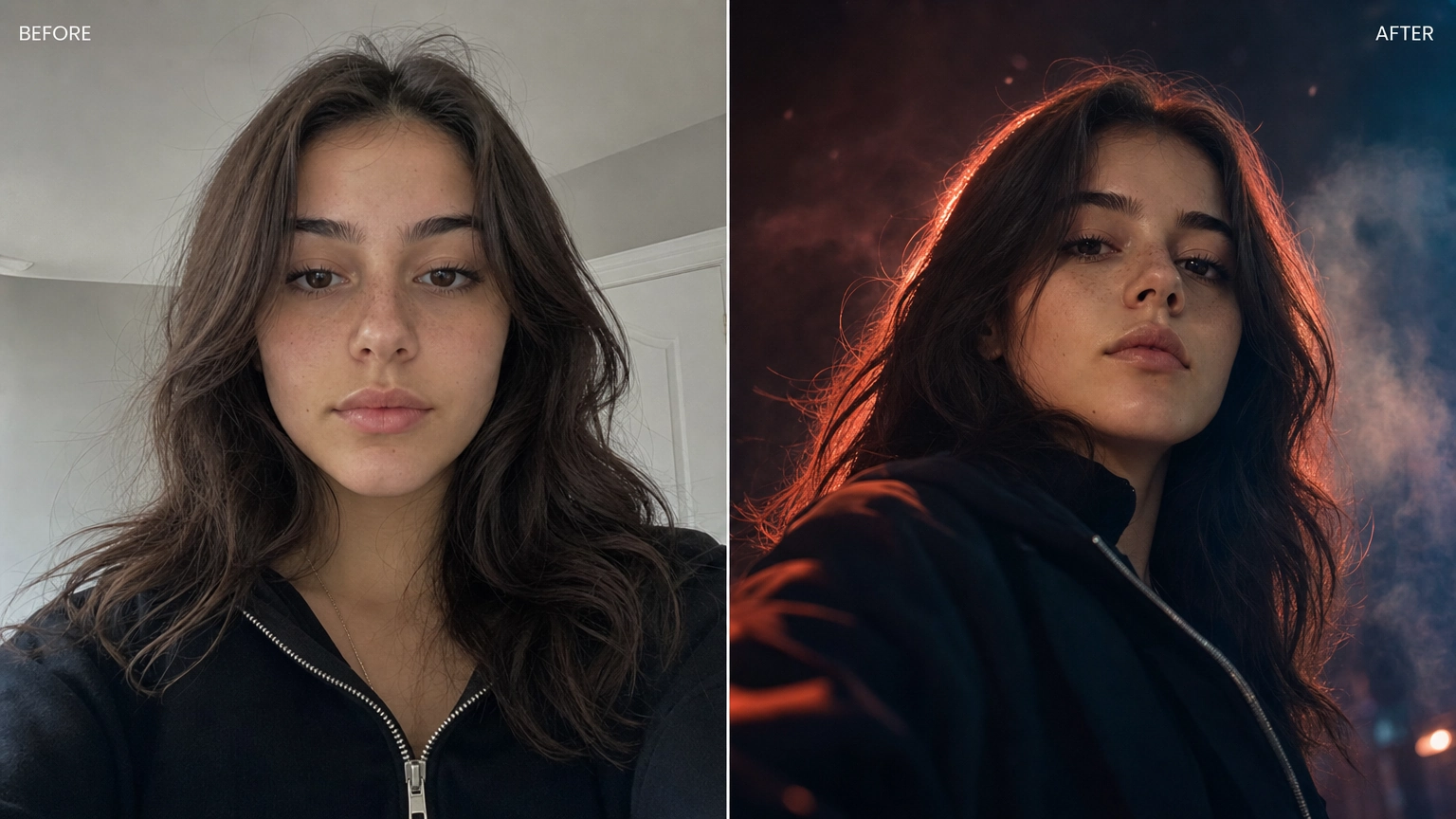
Before and after, same face, generated on Fiddl.art
Y2K flash portrait
Edit the uploaded photo. Keep the same face, features, and expression
exactly, preserve the original identity. Restyle into a Y2K early-2000s
digital-camera look: harsh direct on-camera flash, slightly washed cool
color, fine digital grain, candid party-photo framing. Keep skin
texture natural.
3D collectible figure
Edit the uploaded photo. Turn the person into a realistic 3D collectible
figure standing on a wooden desk next to a keyboard and a coffee mug for
scale. Keep their face, hairstyle, and outfit recognizable. Add subtle
plastic-model texture, soft desk lighting, shallow depth of field.
Aura-farm portrait
Edit the uploaded photo. Keep the same face and identity exactly.
Restyle into an aura-farm aesthetic portrait: dramatic colored rim
light glowing around the subject, moody dark background, soft
volumetric haze, confident low-angle framing, cinematic color grade.
Keep skin texture natural.
Cinematic couple portrait
Edit the uploaded photo of two people. Keep both faces, skin tones, and
expressions exactly as they are, preserve both identities. Restyle into
a cinematic couple portrait: coordinated neutral-tone outfits, soft
directional lighting, blurred city-evening background, warm film color
grade.
Old photo restoration and colorization
Edit the uploaded old photo. Restore it: remove scratches, dust, and
creases, repair torn areas, sharpen soft detail, and correct fading.
Keep every face true to the original. Add realistic, era-accurate
color: natural skin tones, believable fabric colors, subtle and true to
life.
Professional headshot conversion
Edit the uploaded photo. Keep the same face and identity exactly. Convert
into a professional corporate headshot: neutral gray or blue backdrop,
soft even studio lighting, business attire, confident closed-mouth
smile, sharp focus, LinkedIn-ready.
Background teleport
Edit the uploaded photo. Keep the subject, pose, and identity exactly as
they are. Replace the background with a sunlit Santorini street, warm
Mediterranean light matching the subject's existing lighting direction,
natural shadow cast on the ground.
Formal outfit swap
Edit the uploaded photo. Keep the same face and identity exactly.
Replace the outfit with a tailored black tuxedo (or evening gown for a
female subject), studio lighting, elegant neutral background, sharp
focus on fabric texture.
Vintage film photo
Edit the uploaded photo. Keep the same face and identity exactly.
Restyle into a 1990s disposable-camera photograph: warm color cast,
visible film grain, slight motion blur, on-camera flash falloff,
timestamp-style corner text optional.
Graduation portrait
Edit the uploaded photo. Keep the same face and identity exactly. Add a
cap and gown in navy blue, diploma held in hand, soft outdoor golden
hour lighting, celebratory but composed expression, shallow depth of
field.
Holiday card family style
Edit the uploaded photo. Keep all faces and identities exactly as they
are. Restyle into a cozy holiday card aesthetic: matching neutral
sweaters, warm string lights softly blurred in the background, gentle
golden lighting, relaxed candid poses.
Fantasy cosplay transformation
Edit the uploaded photo. Keep the same face and identity exactly.
Transform into a fantasy elf character: pointed ears, silver circlet,
flowing embroidered cloak, ethereal forest background, soft magical
rim lighting.
Fine art black and white portrait
Edit the uploaded photo. Keep the same face and identity exactly.
Convert to a high-contrast black and white fine art portrait, dramatic
directional studio lighting, deep shadows, sharp focus on the eyes,
timeless editorial feel.
Fitness glow-up
Edit the uploaded photo. Keep the same face and identity exactly.
Restyle into an athletic gym setting: fitted workout attire, warm
motivating gym lighting, slight sheen suggesting a workout, confident
posture, shallow depth of field.
Pet-inclusion portrait
Edit the uploaded photo. Keep the same face and identity exactly. Add a
golden retriever sitting beside the subject, natural outdoor park
setting, soft afternoon light, both subject and dog in sharp focus,
candid warm mood.
Group photo style match
Edit the uploaded group photo. Keep every face and identity exactly as
they are. Unify the lighting and color grade across all subjects so it
looks like one cohesive shot, correct any mismatched exposure, natural
skin tones throughout.
Newborn announcement style
Edit the uploaded photo. Keep the same face and identity exactly. Add a
swaddled newborn being held gently, soft warm nursery lighting, neutral
cream tones, tender close framing, shallow depth of field.
💡 Upload a clear, well-lit photo before pasting any of these. The model edits the image you give it, so a sharp source photo produces a cleaner result. For more portrait-specific formats, see our AI portrait prompts guide.
69 AI Image Prompt Examples (Copy and Paste)
Realistic Portraits
These use camera and lighting terms for photorealistic results. For a full library of portrait-specific prompts, see our AI portrait prompts guide.
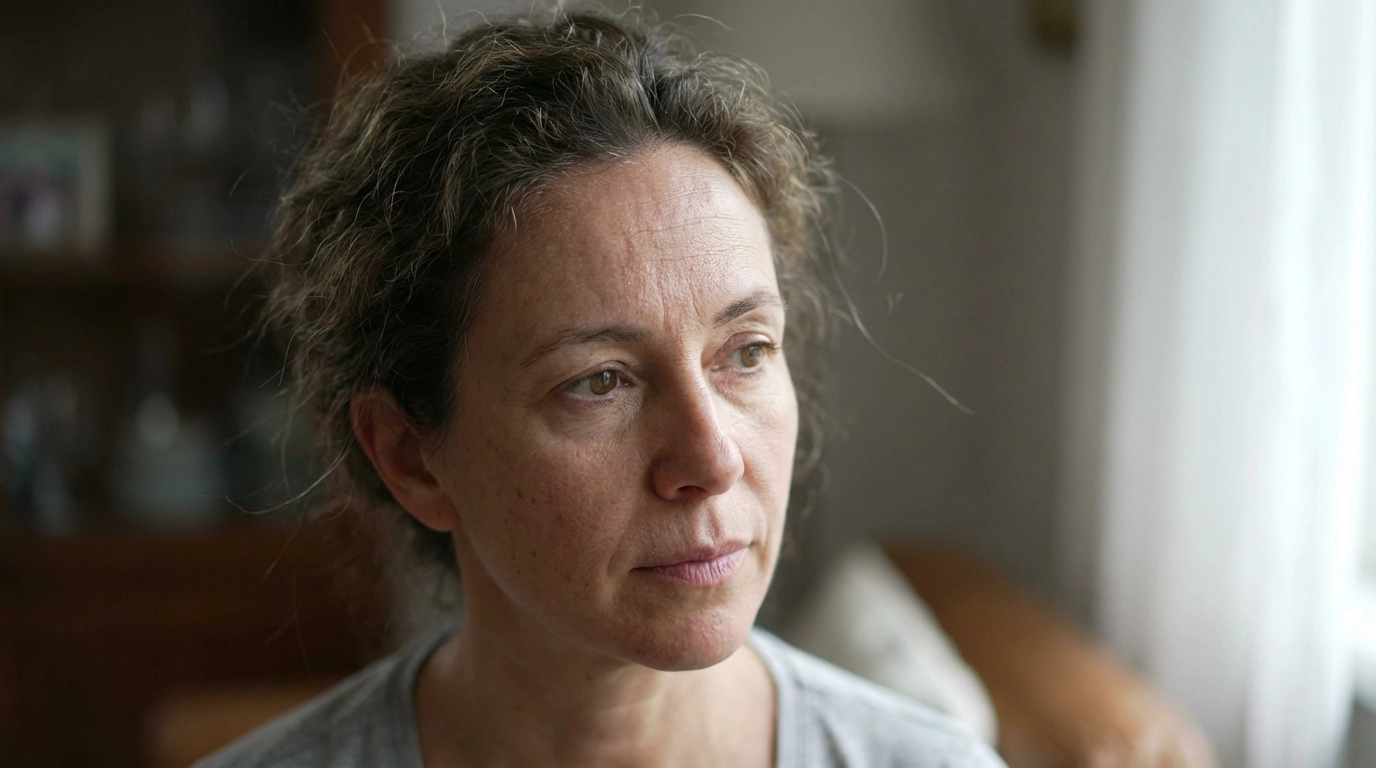
Photorealistic portrait generated on Fiddl.art
Close-up portrait of a laughing young woman with freckles, natural light, shallow depth of field, shot on a Canon 5D Mark IV with an 85mm f/1.4 lens, photorealisticStudio headshot of a confident middle-aged man with graying hair, wearing a dark suit, dramatic side lighting, plain gray background, sharp focusCandid street photography portrait of an elderly woman in Tokyo, neon lights reflecting in her eyes, thoughtful expression, film grain, 35mm lensPortrait of a firefighter covered in soot, looking directly at the camera, intense expression, gritty, cinematic lighting, photorealisticBlack and white portrait of a ballet dancer mid-pose, soft studio lighting, high contrast, sharp focusGolden hour portrait of a young woman in a field of wheat, backlighting creating a natural halo effect, shallow depth of field
💡 Try these with Photon or FLUX.2 [max] on Fiddl.art for the strongest photorealistic results.
Cinematic Scenes
Film language for narrative stills with mood and composition.
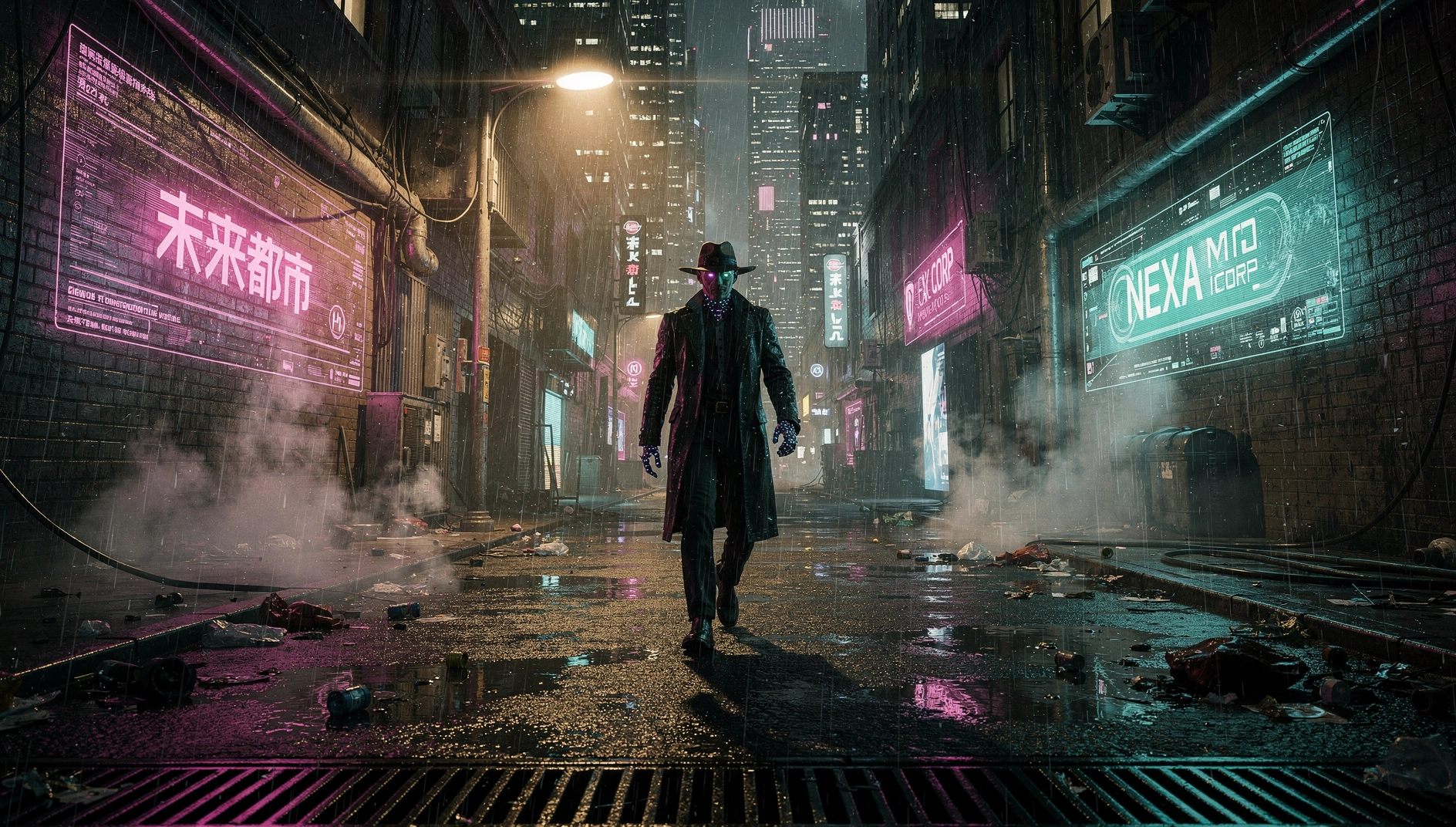
Cinematic scene generated on Fiddl.art
Wide shot of a lone astronaut on a desolate red planet, two suns setting, cinematic, anamorphic lens flare, 21:9 aspect ratioA noir detective on a rain-slicked city street at night, illuminated by a neon sign, deep shadows, film grain, cinematicInterior of a cozy wizard's study with glowing potions and books, fire crackling, volumetric light, fantasy, highly detailedEpic shot of a Viking longship battling a kraken in a stormy sea, dramatic lighting, cinematic scale, concept artCyberpunk street market at night, crowded with people and androids, neon-drenched, Blade Runner aesthetic, 21:9Tense scene in a submarine control room, red emergency lights, crew looking at sonar screens, cinematic, ultra-detailed
FLUX AI Prompt Examples
FLUX models — including FLUX.1 [dev] and FLUX.2 [max] — are especially strong at natural detail, realistic skin, and following complex prompt instructions. Write in full descriptive sentences rather than keyword strings for best results.
For a full breakdown of FLUX capabilities, see our FLUX.2 creative art guide.
A photorealistic portrait of a South Asian woman in her late 20s, wearing a silk blouse, soft studio lighting with a warm key light and cool fill, sharp focus on facial features, natural skin texture, no digital smoothingA cinematic wide shot of a coastal cliff at storm's edge, dark churning sea below, dramatic overcast sky, sea spray catching the last light, photorealisticA product shot of a brown leather wallet on a raw oak surface, warm side lighting, realistic material texture — stitching, grain, and patina all visible, commercial photography styleA misty forest path at dawn, soft diffused light filtering through ancient trees, dew on the ferns, photorealistic, breathtaking natural detail
💡 FLUX works best with descriptive sentences, not keyword lists. Include lighting and material detail for the strongest results.
GPT-Image 2 Prompt Examples
GPT-Image 2 stands out for sharp in-image text rendering and scenes that reflect real-world context without over-specifying every detail. It's a strong pick for infographics, signage, and product mockups where legible text matters. For a full breakdown of its strengths and limitations, see our GPT-Image 2 guide.
A coffee shop chalkboard sign reading "Fresh Roasted Daily — $4" in elegant hand-lettered script, warm cafe interior, soft morning light, photorealisticAn infographic-style illustration comparing three smartphone models side by side, clean labeled sections, minimal flat design, legible headersA vintage travel poster for Kyoto with bold retro typography reading "Visit Kyoto" over a cherry blossom skyline, 1960s print styleA product mockup of a skincare box on a marble counter, brand name "LUMÉ" printed clearly on the packaging, soft studio lightingA street food cart with a hand-painted menu board listing prices in clear lettering, bustling night market background, cinematic lighting
💡 GPT-Image 2 is the strongest choice here when your prompt requires legible text inside the image itself — most other models still struggle with this.
Fantasy Art
Build epic worlds and characters. For maintaining visual consistency across a project, see our guide to consistent AI fantasy characters.
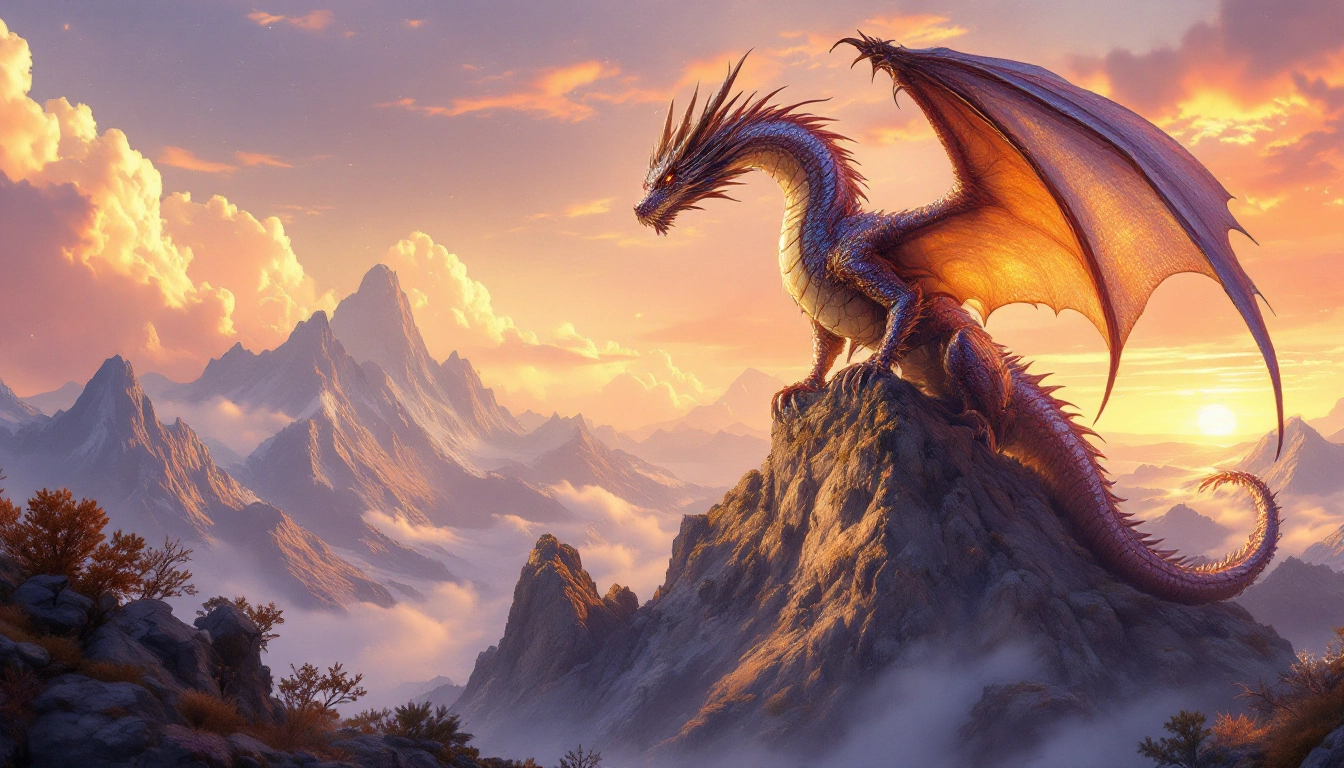
Fantasy illustration generated on Fiddl.art
Digital painting of a dragon with iridescent scales on a mountain peak, breathing fire, epic fantasy concept art, highly detailedElven queen with silver circlet in an ethereal forest, Lord of the Rings aesthetic, soft magical light, detailed digital illustrationFantasy city built into a giant ancient tree, rope bridges between branches, warm golden light filtering through leaves, concept artSorceress casting a spell, glowing runes surrounding her, dynamic pose, dramatic magical lighting, fantasy concept artDwarven blacksmith forging a glowing sword in a fiery underground workshop, sparks flying, cinematic, highly detailedAncient temple deep in a jungle, overgrown with vines, glowing artifacts, atmospheric mist, adventure concept art
For more fantasy workflows, see our fantasy AI image generators guide.
Anime Style
Create vibrant characters and scenes with anime-inspired prompts. More tools in our anime art tools guide.
Anime girl with long silver hair and blue eyes, in a magical glowing forest, Studio Ghibli style, soft ethereal lightingAction shot of an anime hero with spiky red hair, wielding a flaming sword, dynamic pose, 90s cel shading styleTwo anime students sharing an umbrella in Tokyo rain, Makoto Shinkai style, light reflections on wet pavement, melancholic moodAnime mecha pilot in a high-tech cockpit, Gundam-inspired, dramatic lighting, highly detailed interiorDark fantasy anime knight with glowing purple eyes, intricate black armor, Berserk-inspired, dramatic rim lightingAnime girl on a bullet train watching the countryside pass, detailed interior, soft golden light, melancholic and peaceful
Product Photography
Clean, professional product shots for commercial use.
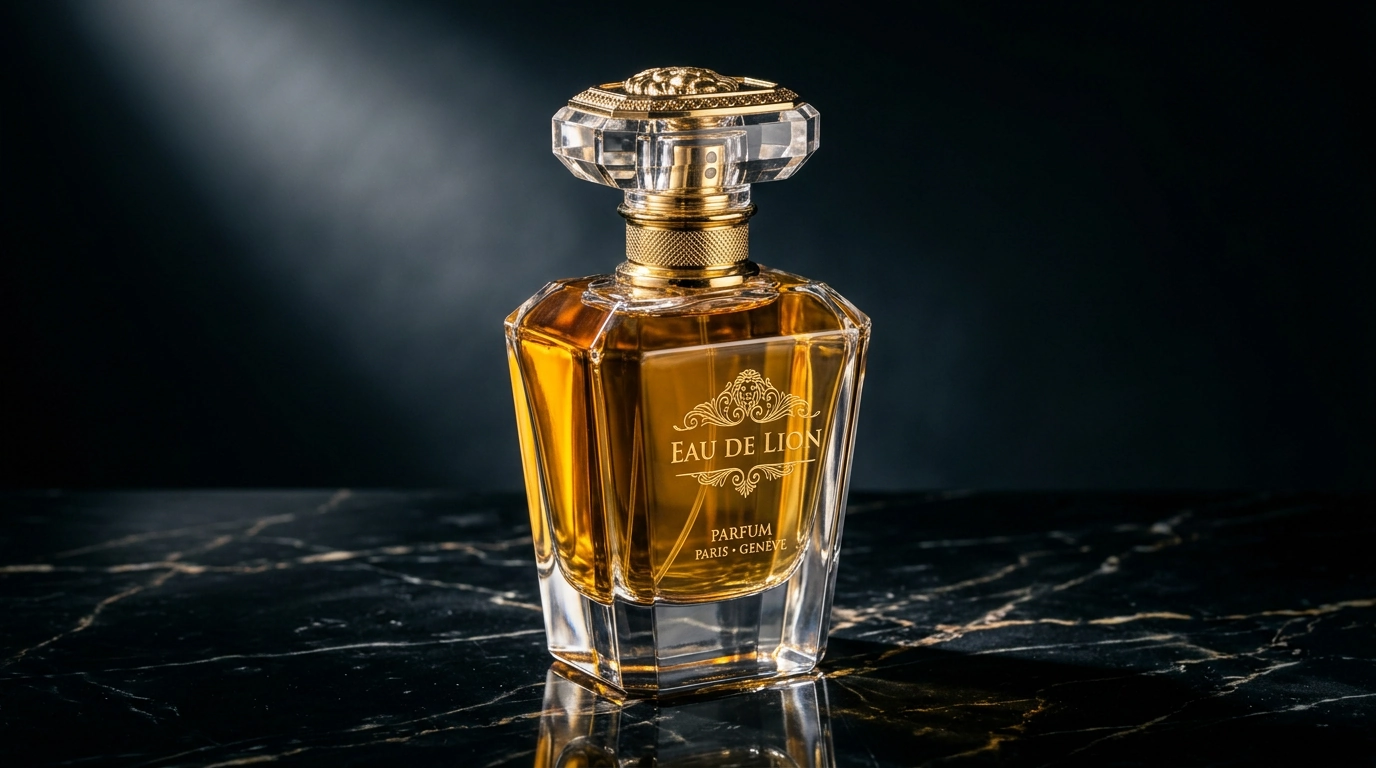
Product shot generated on Fiddl.art
Minimalist shot of a smartwatch on white marble, soft studio lighting, sharp detail, commercial product photography, 4KLuxury perfume bottle surrounded by fresh flowers, soft natural light, macro lens, editorial product photographyGourmet cheeseburger on a wooden board, shallow depth of field, warm restaurant lighting, editorial food photographyFlat lay of skincare products on pastel pink surface, top-down view, soft diffused light, clean editorial styleAction shot of a sports drink bottle with water splashing, high-speed photography style, dramatic studio lightingGaming mouse with RGB lighting on a dark textured surface, product photography, sharp detail, 4K
Hyper-Detailed & Macro Photography
Extreme detail and realism for close-up subjects.
Macro of a dewdrop on a spider web at dawn, rainbow refractions visible, sharp focus, photorealisticBee covered in pollen landing on a sunflower, every hair and grain visible, macro lens, natural lightClose-up of deeply weathered bark on an ancient redwood tree, texture and detail, natural light, photorealisticMacro of a mechanical watch interior, intricate gears and cogs, studio lighting, photorealistic, ultra-detailedClose-up of a cat's eye, detailed iris, window reflection visible, macro lens, sharp focusSingle snowflake resting on dark wool, every crystal branch visible, macro photography, soft natural light
Social Media & Lifestyle Content
Eye-catching visuals for Instagram, Pinterest, and blogs.
Aesthetic flat lay of a laptop, coffee cup, notebook, and succulent on a white desk, top-down view, soft morning light, clean and minimalVibrant açai bowl topped with fresh berries, granola, and honey, overhead flat lay, soft natural light, editorial food photographyCozy autumn scene — knitted sweater, fallen leaves, warm cup of tea, soft natural light, lifestyle photographyMinimalist architectural photo of a modern building facade, clean geometric lines, overcast natural lightTravel lifestyle shot — feet dangling over a cliff edge, mountain valley below, golden hour light, candid
Architecture & Interiors
Great for design, real estate, and architectural visualization.
Photorealistic interior of a minimalist Japandi living room, warm diffused natural light through floor-to-ceiling windows, tatami floors, neutral palette, ultra-detailedAerial shot of a modernist villa nestled in a Tuscan hillside at golden hour, terracotta roof, infinity pool, cinematic, photorealisticMoody interior of an industrial loft converted to a creative studio, exposed brick, Edison bulbs, high ceilings, editorial architecture photographyFuturistic smart home kitchen with integrated LED lighting, seamless surfaces, and holographic controls, concept render, ultra-detailedGrand staircase in a Baroque palace, marble steps, gilded banisters, dramatic natural light from a skylight above, ultra-detailed
Dark, Horror & Atmospheric
Moody and unsettling imagery for editorial, game art, and creative projects.
An abandoned Victorian mansion at night, broken windows, overgrown ivy, fog rolling across the lawn, atmospheric horror, cinematic lightingShadowy figure standing at the end of a long hospital corridor, flickering fluorescent lights, psychological horror, film grainAncient skull half-buried in forest soil, moonlight filtering through dark trees, macro lens, highly detailed, eerie atmosphereStorm-ravaged cemetery at dusk, silhouetted trees, dramatic dark sky, gothic horror, cinematic
Minimalist & Abstract
Clean compositions and geometric art.
Minimalist geometric composition — three overlapping translucent circles in muted earth tones on a white background, fine art print, ultra-cleanAbstract fluid art, deep navy and gold pour painting, high resolution, macro, photorealistic textureSingle red origami crane on a pristine white surface, top-down view, soft diffused studio light, minimalist product photographyBlack ink brushstroke on white rice paper, Japanese calligraphy style, extreme close-up, fine art
AI Video Prompts
Short prompts for text-to-video generation. For a full breakdown of video tools, see our text-to-video AI tools review.
Drone footage flying slowly over a misty pine forest at sunrise, cinematic, smooth motionTime-lapse of storm clouds moving over a mountain landscape, dramatic light changes, cinematicCat batting at a dangling string in slow motion, soft natural light, playful moodRaindrops falling on a city puddle in close-up, ripples expanding, overcast light, slow motionFuturistic sports car speeding down a neon-lit highway at night, motion blur, cinematicCrackling medieval campfire at night, sparks flying upward, warm light, atmospheric
How to Write Photorealistic AI Image Prompts
Getting truly photorealistic results means thinking like a photographer.
Use real camera and lens language
Terms like shot on 85mm f/1.4, shallow depth of field, Canon EOS R5 signal to the model that you want photography, not illustration.
Specify lighting precisely
Instead of "good lighting," use: soft diffused window light, golden hour backlight, three-point studio lighting, dramatic chiaroscuro.
Include material and texture detail
Natural skin texture, visible pores, realistic fabric weave, subtle subsurface scattering — these push the model toward realism and away from the "AI look."
Anchor with quality modifiers
Close your prompt with: ultra-detailed, photorealistic, 4K, RAW photo, no artifacts.
For more on current techniques and model capabilities, see our AI art trends 2026 overview.
Negative Prompt Examples
Negative prompts tell the AI what to leave out — essential for avoiding the most common problems.
General negative prompt (use as a base):
blurry, low quality, pixelated, watermark, text, signature, deformed, extra limbs, bad anatomy, disfigured, noise, artifacts
For photorealistic images:
anime style, cartoon, illustration, painting, plastic skin, airbrushed, unnatural lighting, oversaturation
For product photography:
shadows in wrong places, lens distortion, reflection errors, floating objects, blurry edges, overexposed highlights
For cinematic scenes:
flat lighting, amateur composition, stock photo look, low contrast, washed out colors, missing depth of field
Text-to-Image Prompt Templates
Fill in the brackets and copy directly into Fiddl.art.
Portrait template
A [age/ethnicity] [gender] with [hair description], wearing [outfit], [lighting type] light, [mood/expression], shot on [lens], photorealistic, ultra-detailed
Example: A 40-year-old Japanese woman with silver-streaked hair, wearing a tailored blazer, soft side lighting, confident expression, shot on 85mm, photorealistic, ultra-detailed
Cinematic scene template
A [wide/medium/close] shot of [subject] in [location/setting], [time of day], [lighting description], [mood], cinematic composition, [color grade or film style]
Example: A wide shot of a lone traveler in a foggy Scottish highland at dawn, diffused morning light, melancholic, cinematic composition, desaturated teal-orange grade
Product shot template
A [product name] on [surface], [lighting type], [material detail notes], [camera angle], commercial product photography, ultra-detailed, 4K
Example: A glass perfume bottle on brushed silver, dramatic directional light, sharp specular highlights and soft shadows, front-facing, commercial product photography, ultra-detailed, 4K
Fantasy / illustration template
A [character or creature description] in [environment], [time of day or lighting], [art style], [mood], [detail level]
Example: A young witch surrounded by floating spell books in a candlelit library at midnight, warm amber glow, detailed digital illustration, mysterious and magical, highly detailed
Architecture / interior template
[Interior/exterior] of a [style] [building type], [lighting description], [key design details], [camera angle or lens], [render style or photography style], ultra-detailed
Example: Interior of a minimalist concrete loft, overcast natural light from skylights, raw cement floors, pendant Edison lighting, wide-angle lens, editorial architecture photography, ultra-detailed
If you want consistent results across multiple images, look into training a custom model with Forge on Fiddl.art.
FAQ
What is the best AI image prompt generator?
The best platforms offer control and flexibility — write your own prompts, choose between models, use negative prompts, and upload references. Fiddl.art lets you do all of this while also browsing and remixing top-performing prompts from the community.
How do I write good AI image prompts?
Be specific and descriptive. Start with the subject, then add setting, style, lighting, and composition. Use photography vocabulary for realism. Always include a negative prompt to eliminate common errors. Iterate — your first prompt is rarely your best.
Can I generate realistic photos with AI prompts?
Yes. Use photographic terms: specify camera models, lenses, lighting, and detailed subject descriptions. FLUX.2 [max] and Nano Banana 2 on Fiddl.art are the strongest choices for photorealistic results.
Are there free AI image prompts available?
Yes — this guide includes 60+ free prompts you can copy and paste instantly. You can also explore public creations on Fiddl.art's Browse page where creators share their prompts and generation settings.
Do these prompts work on other generators?
Most prompts are compatible with modern text-to-image tools, though results vary by model. On Fiddl.art, you can switch between models to see how different engines interpret the same prompt — useful for finding the best fit.
What are good AI photo prompts for copy and paste?
The most reliable AI photo prompts include camera specs (e.g. shot on 85mm, f/1.4), lighting descriptions (golden hour, soft diffused window light), and subject detail. The Realistic Photo Prompts guide has 100+ ready-to-paste examples.
Can I edit my own photo with AI, or only generate new images?
Both. Upload a photo and Nano Banana Pro or Nano Banana 2 edits it in place, keeping your face and identity while changing the style, background, or outfit around it. Every prompt in the AI Photo Editing Prompts section above works this way. The rest of this guide's prompts generate a brand-new image from text alone, with nothing uploaded.
Try These Prompts on Fiddl.art
Fiddl.art gives you access to the most powerful AI image models — GPT-Image 2, FLUX.2 [max], Nano Banana 2, Nano Banana Pro, Seedream 4.5, and more — right in your browser. No complicated setup, no installations.
Copy any prompt from this guide, paste it into the generator, and start creating. You can also earn credits by sharing your creations — one of the few platforms where generating actually pays you back. Learn more about how free credits and rewards work on Fiddl.art.