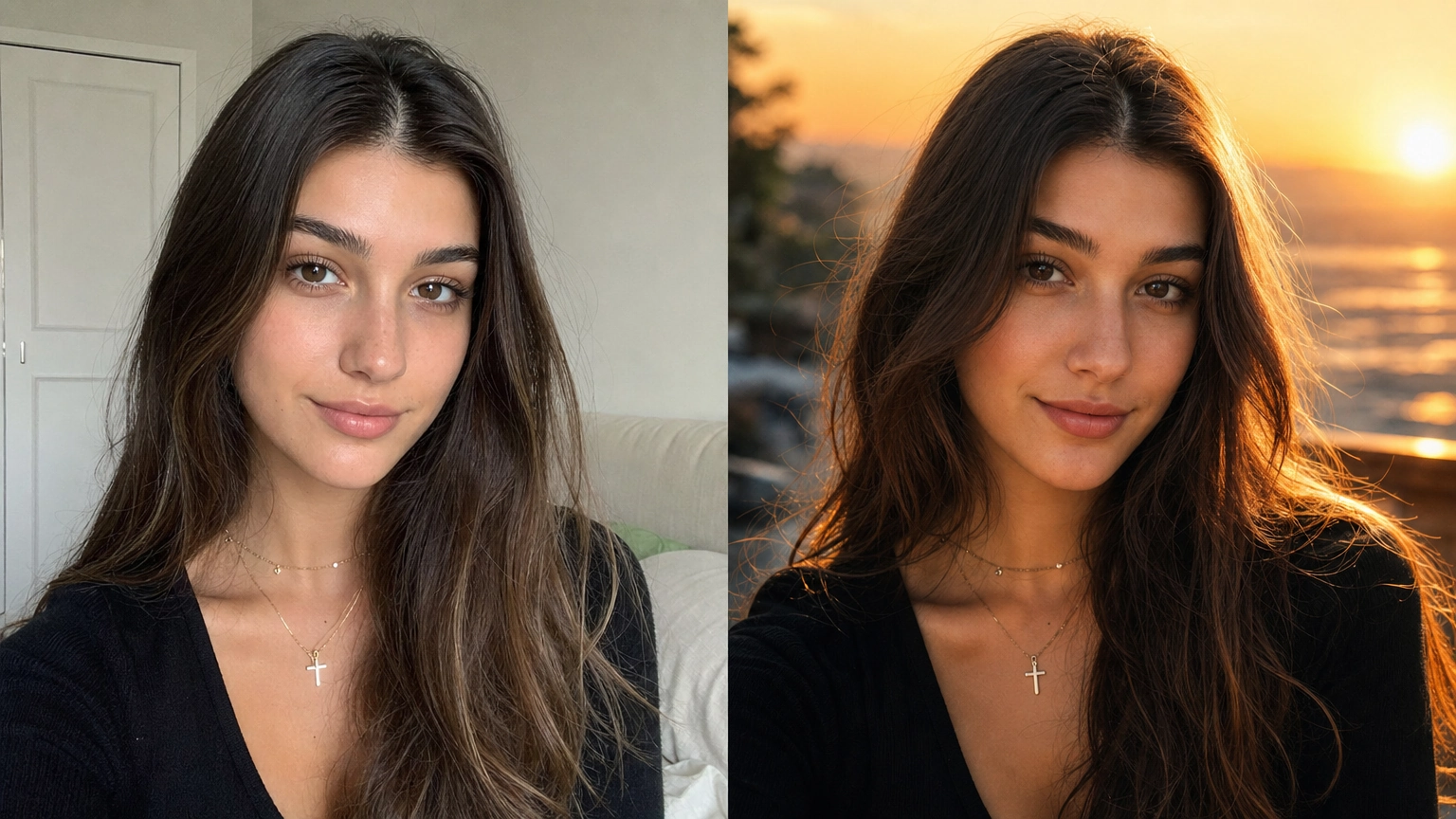
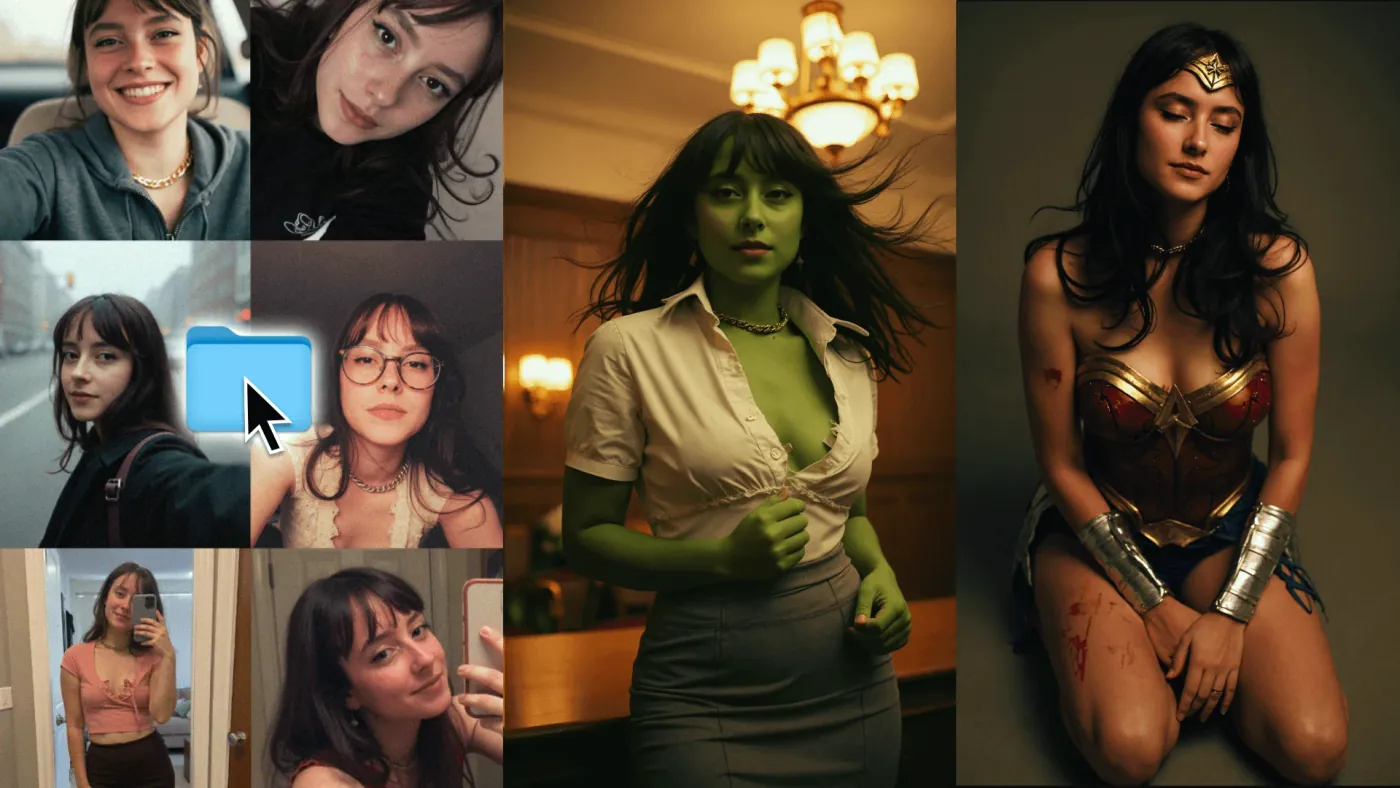
AI portrait prompts are structured text instructions that tell an image-generation model exactly how to render a face, including lighting, skin texture, lens settings, and mood. When written correctly, they eliminate the plastic, over-smoothed look that makes most AI portraits immediately recognizable as artificial.
Need a professional headshot rather than a prompt? Fiddl's AI LinkedIn photo generator does it from one selfie, no prompt writing needed.
If you've ever generated a portrait that looked like a wax figure or a beauty filter gone wrong, the problem almost always lives in your prompt. This article breaks down what separates a mediocre portrait prompt from one that produces magazine-quality results, with specific copy-paste examples for studio shots, cinematic lighting, daylight photography, and professional headshots.
Why Most AI Portrait Prompts Fail (And What to Fix)
The single biggest mistake people make when writing AI portrait prompts is keeping the description vague. "A beautiful woman with good lighting" gives the model almost nothing to work with. The model fills in the gaps with whatever its training data considered "average" which usually means over-smoothed skin, symmetrical perfection, and flat, featureless lighting.
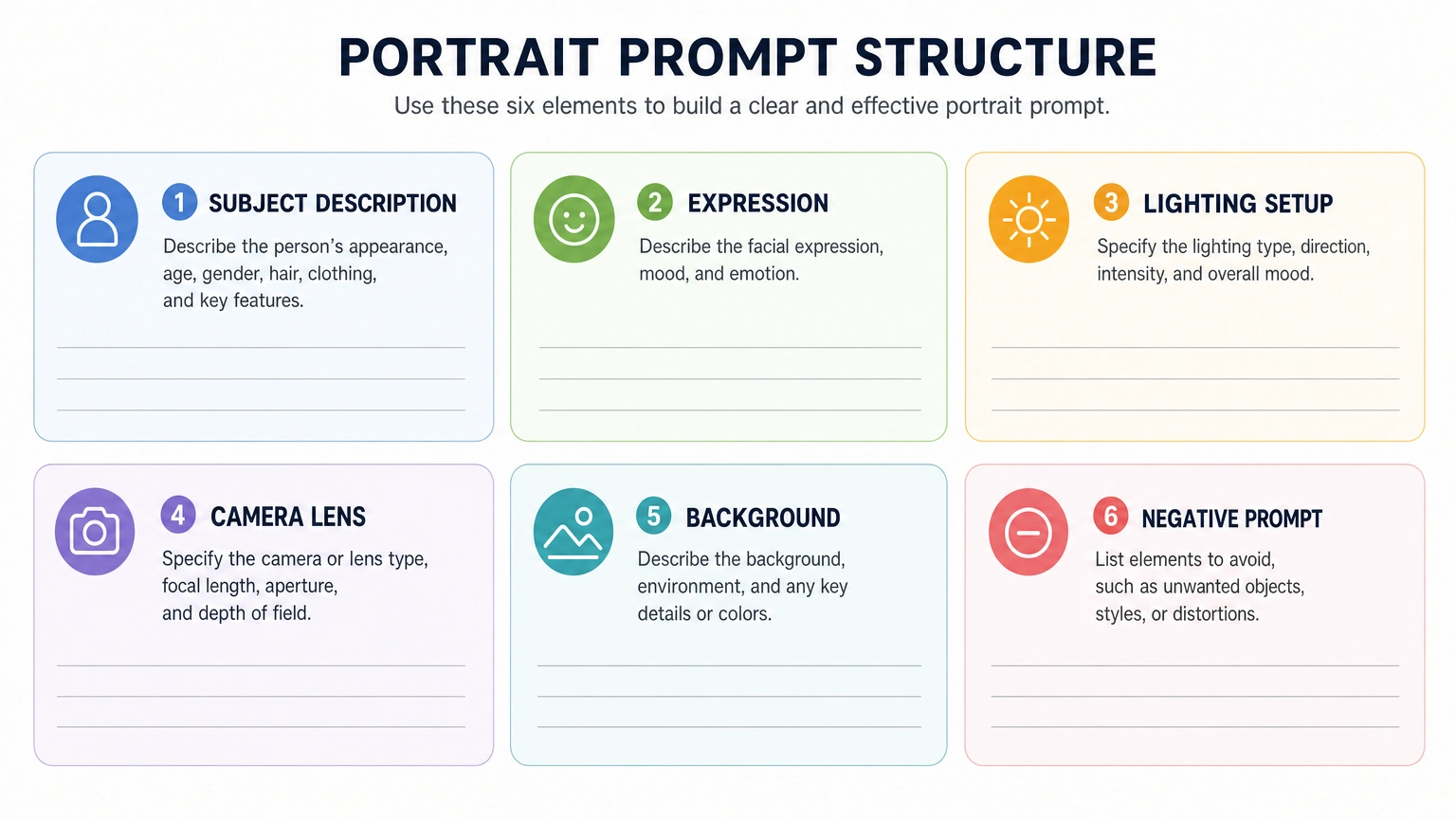
High-performing AI portrait prompts succeed because they specify details across six core layers:
- Subject description: Age range, facial structure, distinguishing features
- Skin detail: Visible pores, subtle lines, natural imperfections (not flaws, just realism)
- Expression: Calm, confident, introspective, candid. Be specific.
- Lighting setup: Key light direction, shadow falloff, rim lighting, ambient tone
- Camera and lens: 85mm, f/2.8, shallow depth of field, DSLR or mirrorless look
- Background and color grading: Neutral seamless, editorial gray, warm indoor, film-grade
Negative prompts matter just as much. Without them, models often drift toward teenage proportions, plastic skin, or artificial glow. Always include terms like "no over-smoothing, no plastic skin, no AI artifacts, no heavy beauty filters."
For a broader foundation on how these prompts work across different image types, the resource on ai image prompts covers the core mechanics in detail.
If your focus is broader photo realism rather than faces specifically, our realistic photo prompts guide covers lighting, camera, and texture techniques for full scenes and full-body shots.
Copy-Paste AI Portrait Prompts by Style
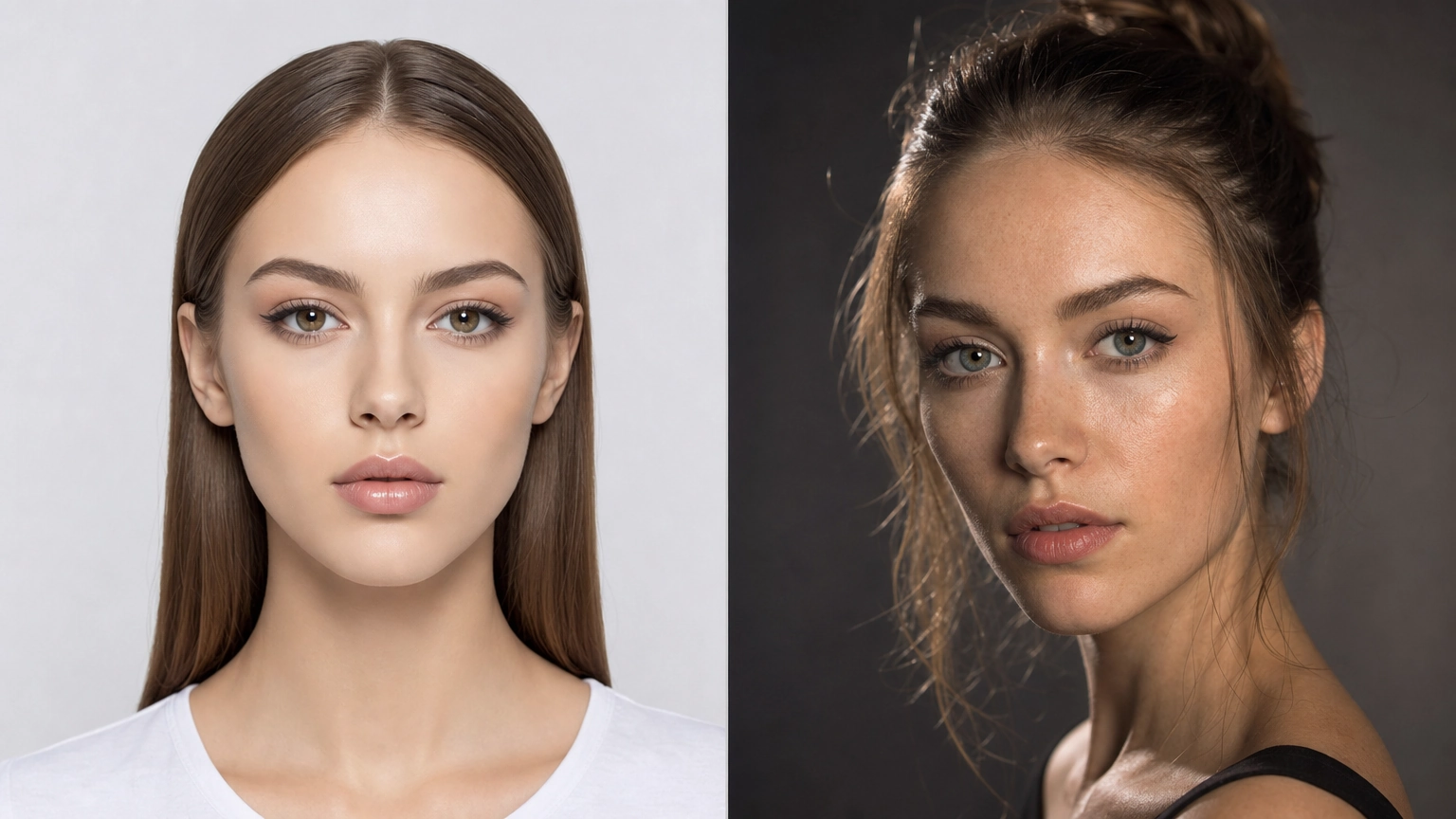
These AI portrait prompts are organized by use case, and each one includes specific technical parameters so you understand what each element contributes.
Ultra-Realistic Studio Portrait
Ultra-realistic studio portrait of a woman in her late 20s, mature facial structure, balanced facial proportions, natural skin texture with visible pores and faint smile lines, healthy complexion without over-smoothing, soft directional key light with gentle falloff, clean neutral seamless background, sharp focus, shallow depth of field, DSLR, 85mm lens, f/2.8, true-to-life colors. Negative prompt: teenage appearance, plastic skin, blur, distortion, heavy retouching
Why it works: The phrase "mature facial structure" prevents the model from defaulting to a teenage or childlike face. Specifying "visible pores and faint smile lines" directly counters over-smoothing tendencies.
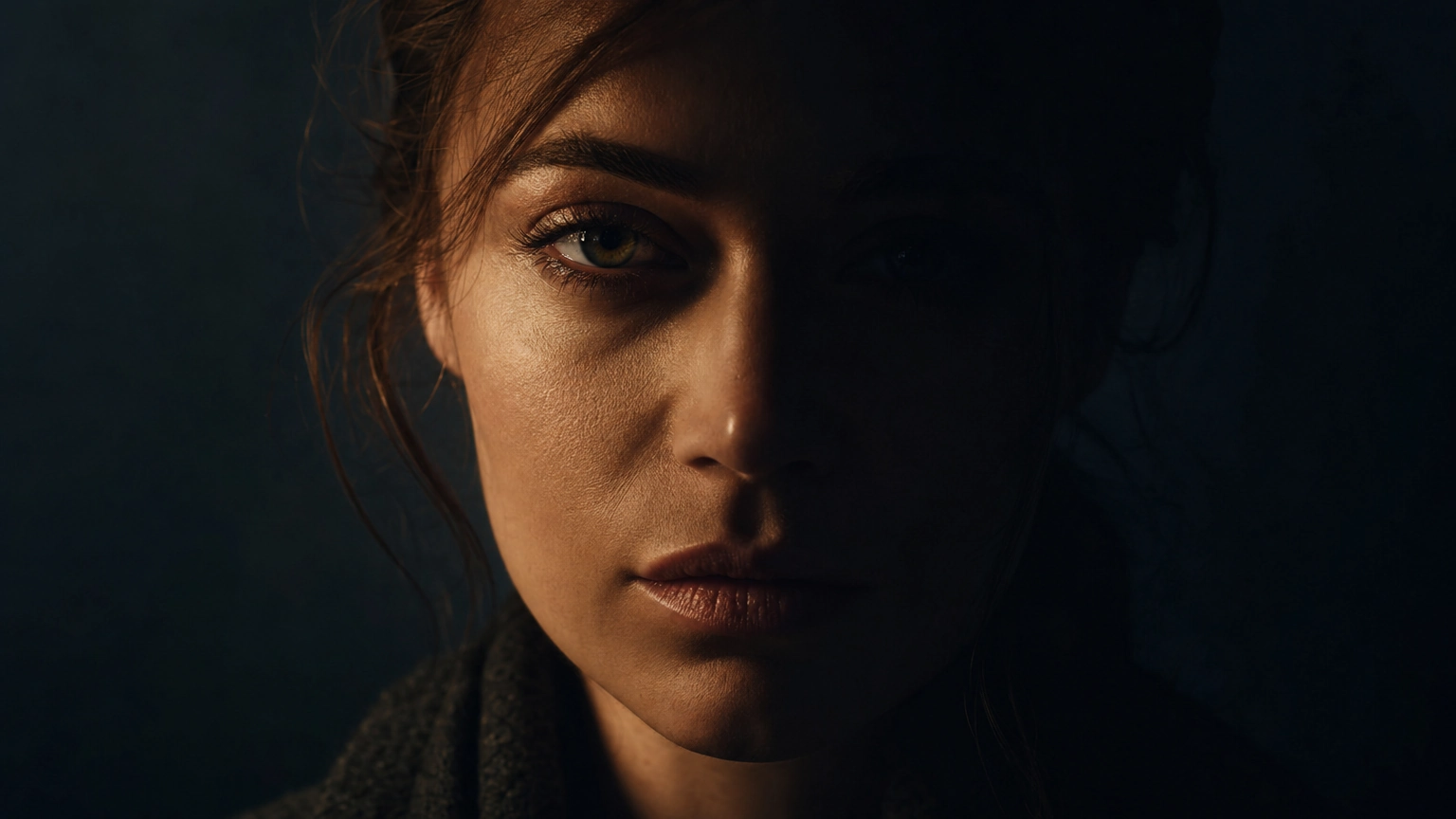
Cinematic Portrait
Cinematic close-up portrait of a woman in her early 30s, strong facial definition, subtle expression lines, realistic skin texture, dramatic side lighting creating deep shadows, film-inspired color grading, shallow depth of field, cinema-grade lens look, moody atmospheric realism. Negative prompt: flat lighting, overly smooth skin, artificial glow, digital noise
Why it works: "Film-inspired color grading" and "cinema-grade lens look" push the model toward a specific visual register rather than generic photography.
Natural Daylight Portrait
Natural daylight portrait of a man in his late 20s, relaxed casual posture, youthful but mature facial features, authentic skin texture with slight imperfections, soft window light, gentle facial shadows, candid photography feel, mirrorless camera aesthetic, neutral indoor background. Negative prompt: studio lighting, teenage face, artificial smoothing, oversaturation
Low-Light Moody Portrait
Moody low-light portrait of a woman in her early 40s, refined facial structure, visible natural skin texture with subtle age lines, calm introspective expression, soft rim lighting defining facial contours, deep cinematic shadows, shallow depth of field, high-end dramatic photography. Negative prompt: over-smoothing, youthful skin, harsh highlights, overexposure
Editorial Magazine Portrait
Editorial portrait of a man in his late 30s, refined mature facial features, subtle forehead and eye lines, confident composed expression, professional studio lighting with controlled contrast, neutral background, sharp focus, high-detail fashion magazine photography. Negative prompt: youthful face, flat lighting, low detail, plastic skin
AI Headshot Prompts for Professional Use
Professional headshots represent one of the most practical applications for AI portrait prompts. A well-crafted headshot prompt can replicate a $400 studio session, and these prompts are optimized for exactly that.
Corporate Executive Headshot
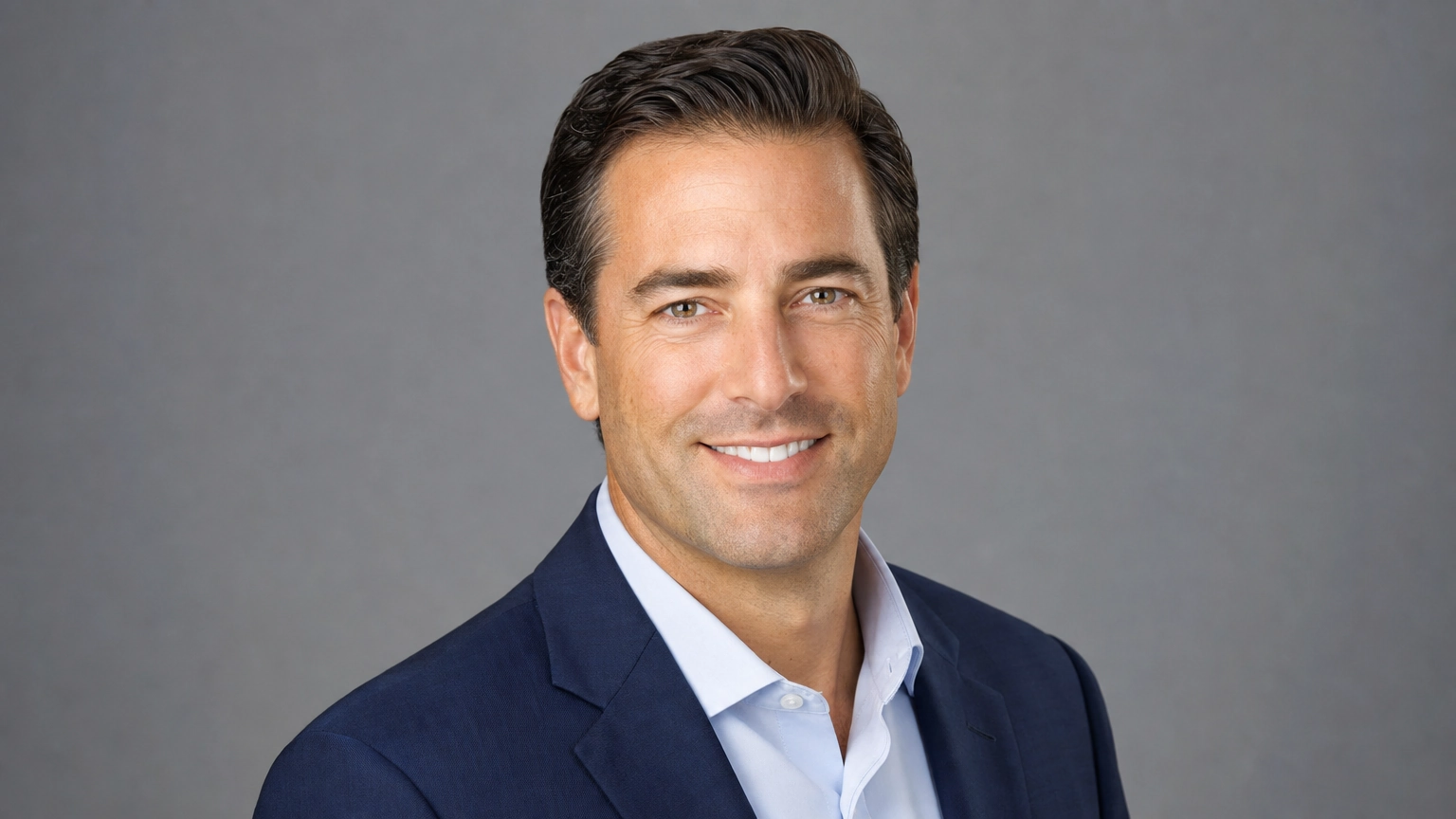
Professional executive headshot of a business leader in their early 40s, confident expression, tailored navy suit, subtle professional smile, even studio lighting, neutral gray background, realistic skin texture, DSLR photography, 85mm lens, shallow depth of field, premium corporate photography aesthetic. Negative prompt: casual clothing, dramatic shadows, oversaturation, plastic skin
LinkedIn Profile Photo
Professional LinkedIn profile photo of a woman in her early 30s, natural genuine smile, direct eye contact, soft even studio lighting, clean modern light-gray background, realistic skin detail, business casual attire, approachable corporate photography. Negative prompt: glamour lighting, heavy makeup, beauty filters, teenage appearance
Startup Founder Portrait
Portrait of a startup founder in their early 30s, confident yet approachable expression, modern open-plan office background with soft bokeh, natural window light, realistic skin texture, contemporary business casual fashion, magazine-quality photography. Negative prompt: formal suit, flat lighting, artificial background
The quality of your output depends heavily on the model you run your AI portrait prompts through. Platforms like image give you access to multiple generation models including Flux 2 and others purpose-built for photorealistic portrait output.
| Portrait Style | Best Lighting Keyword | Recommended Lens | Ideal Use |
|---|---|---|---|
| Studio Headshot | Soft directional key light | 85mm f/2.8 | LinkedIn, corporate |
| Cinematic Portrait | Dramatic side lighting | 50mm cinema lens | Editorial, creative |
| Daylight Portrait | Soft window light | 35mm mirrorless | Lifestyle, social |
| Fashion Editorial | Controlled highlights | 85mm f/1.4 | Magazine, portfolio |
| Moody Low-Light | Rim lighting | 50mm f/1.8 | Artistic, dramatic |
How to Write Stronger AI Portrait Prompts From Scratch
Understanding the structure behind AI portrait prompts lets you write your own rather than just copying templates. Here is a reliable framework you can apply to any portrait scenario.
Step 1: Start with subject specifics.
Give the model something to anchor to. Age range ("late 30s"), gender, and a brief facial description ("defined cheekbones, calm expression") get you 80% of the way to a believable face.
Step 2: Define the lighting in photographic terms.
Avoid "good lighting" or "beautiful lighting." Instead, use terms photographers actually use: key light, fill light, rim light, butterfly lighting, Rembrandt lighting, soft box, golden hour, overcast diffused light.
Step 3: Specify the camera setup.
"85mm lens, f/2.8, shallow depth of field" tells the model to compress the background, soften it, and keep the face sharp. "35mm, f/8" would give you a wider, more environmental feel.
Step 4: Add texture and imperfection cues.
Phrases like "visible pores," "subtle under-eye texture," and "natural skin without retouching" signal to the model that you want realism over idealization.
Step 5: Write a strong negative prompt.
At minimum, always include: no plastic skin, no AI artifacts, no beauty filters, no over-smoothing, no distortion.
If you're just starting out with AI image generation and want to understand the broader landscape before specializing in portraits, the ai art prompts for beginners your complete starter guide is a practical starting point.
Things to Know
- Age range beats age specifics. Writing "late 30s" gives the model flexibility to generate a believable face. Writing "37 years old" often gets ignored entirely.
- Negative prompts are not optional. Without them, most models default to over-smoothed, idealized features that immediately look artificial.
- Lens focal length changes composition. An 85mm prompt produces flattering portrait compression. A 24mm prompt creates slight distortion that can look unflattering on faces.
- "Realistic" alone is weak. Pair it with specific texture cues like "visible pores" and "natural skin imperfections" for measurable improvement.
- Model choice matters as much as prompt quality. The same prompt can produce dramatically different results across different generation models.
- Lighting keywords carry heavy weight. "Dramatic side lighting" and "soft window light" will produce more different results than almost any other variable in your prompt.
Ready to Generate Your First Portrait?
Pick one prompt from the studio or headshot section above, paste it directly into your image generation tool, and run it as-is before modifying anything. That baseline gives you a reference point. From there, change one variable at a time, starting with the lighting keyword, and compare results. This iterative approach trains your eye faster than changing everything at once.
Frequently Asked Questions
Q: What is the most important element in an AI portrait prompt?
Lighting specification is the single highest-impact variable in portrait prompts.
Changing a lighting keyword from "soft natural light" to "dramatic Rembrandt lighting" will transform the mood, depth, and realism of a portrait more than almost any other change. Subject description comes second, particularly age range and skin texture cues.
Q: Why do my AI portraits always look too smooth or plastic?
The problem is almost always the absence of texture cues and negative prompts.
Add phrases like "visible pores," "natural skin texture," and "subtle imperfections" to your prompt. In your negative prompt, include "no plastic skin, no beauty filters, no over-smoothing." These two adjustments fix the wax-figure problem in most cases.
Q: Can AI portrait prompts produce realistic results for older subjects?
Yes, but you need to explicitly prompt for mature features or the model defaults to younger-looking outputs.
Use phrases like "refined mature facial features," "subtle forehead lines," and "distinguished facial structure." Without these cues, models tend to skew younger regardless of the age you specify.
Q: What lens focal length should I use in portrait prompts?
85mm is the industry standard for portrait photography and produces the most flattering compression.
For headshots and close-ups, 85mm f/2.8 is a reliable default. For environmental or lifestyle portraits where you want to see more of the surroundings, 35mm gives you a wider field of view while still looking photographic.
Q: Do negative prompts actually make a difference?
Yes, they consistently improve output quality, particularly for avoiding common AI artifacts.
Without a negative prompt, models often introduce digital smoothing, symmetrical idealization, and subtle distortions around the eyes and jawline. A well-written negative prompt acts as a guardrail that keeps the model within the photorealistic register you want.
The Bottom Line on AI Portrait Prompts
AI portrait prompts work best when they function like a photographer's brief: specific, technical, and layered with detail across subject, lighting, lens, and texture. Vague prompts produce vague results. Precise prompts produce portraits that are difficult to distinguish from professional photography.
Start with one of the copy-paste prompts above, study which elements produce which effects, and build your own variations from there. The fastest way to improve your output is to isolate one variable per generation run and observe what changes. Within a few sessions, you'll have a personal library of prompt structures that reliably deliver the style and realism you're after.