Typing the right words into an AI image tool is harder than it looks. Vague prompts get vague results. If you've searched for a Gemini AI photo prompt, you're probably looking for wording that actually works, something specific enough to get a real, usable image on the first try.
This page collects ready-to-copy Gemini-style photo prompts across common styles: portraits, edits, stylized looks, and product-style shots. Copy one, paste it into a generator, adjust a few details, and go. For a broader library covering more styles and use cases, see our full AI image prompts guide.
How Gemini-Style Photo Prompts Work
Gemini-style image prompts describe a photo the way you'd describe it to a photographer: subject, lighting, angle, mood, and any specific styling details. The more concrete the description, the more consistent the output.
A strong prompt usually includes:
- Subject and framing – who or what, and how much of the frame they fill (close-up, half-body, full-body)
- Lighting – natural light, golden hour, studio lighting, soft shadows
- Style or mood – photorealistic, editorial, candid, cinematic
- Specific details – clothing, setting, camera angle, background
Good to know: Nano Banana Pro and Nano Banana 2, both available on Fiddl.art, are Google's own Gemini image models (Gemini 3 Pro Image and Gemini 3.1 Flash Image respectively). That means Gemini-style prompts like the ones below work especially well when you run them on those models specifically.
Copy-Paste Gemini AI Photo Prompts
Portrait Prompts
Want more portrait-specific options? See our dedicated AI portrait prompts guide for a deeper set.
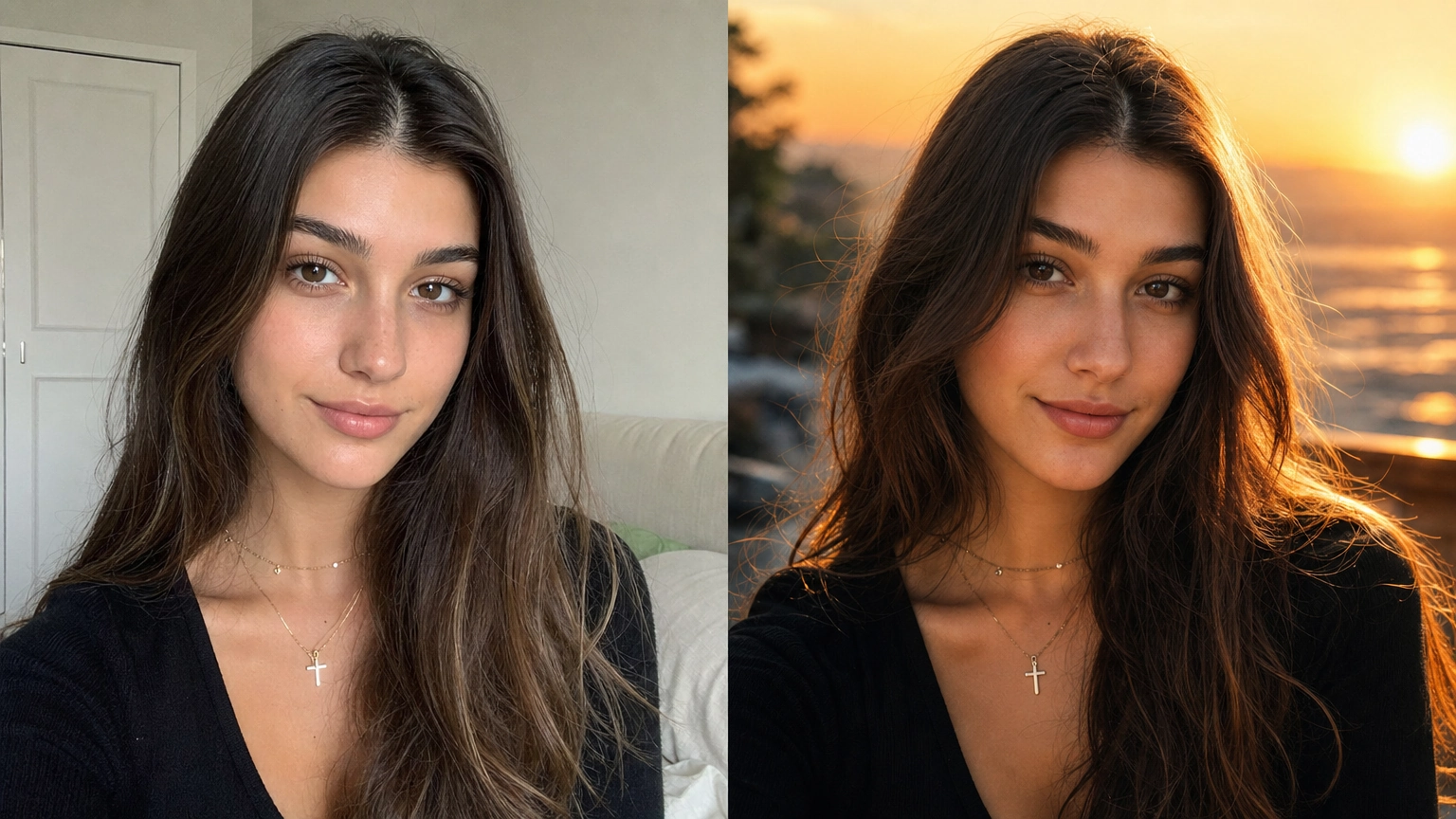
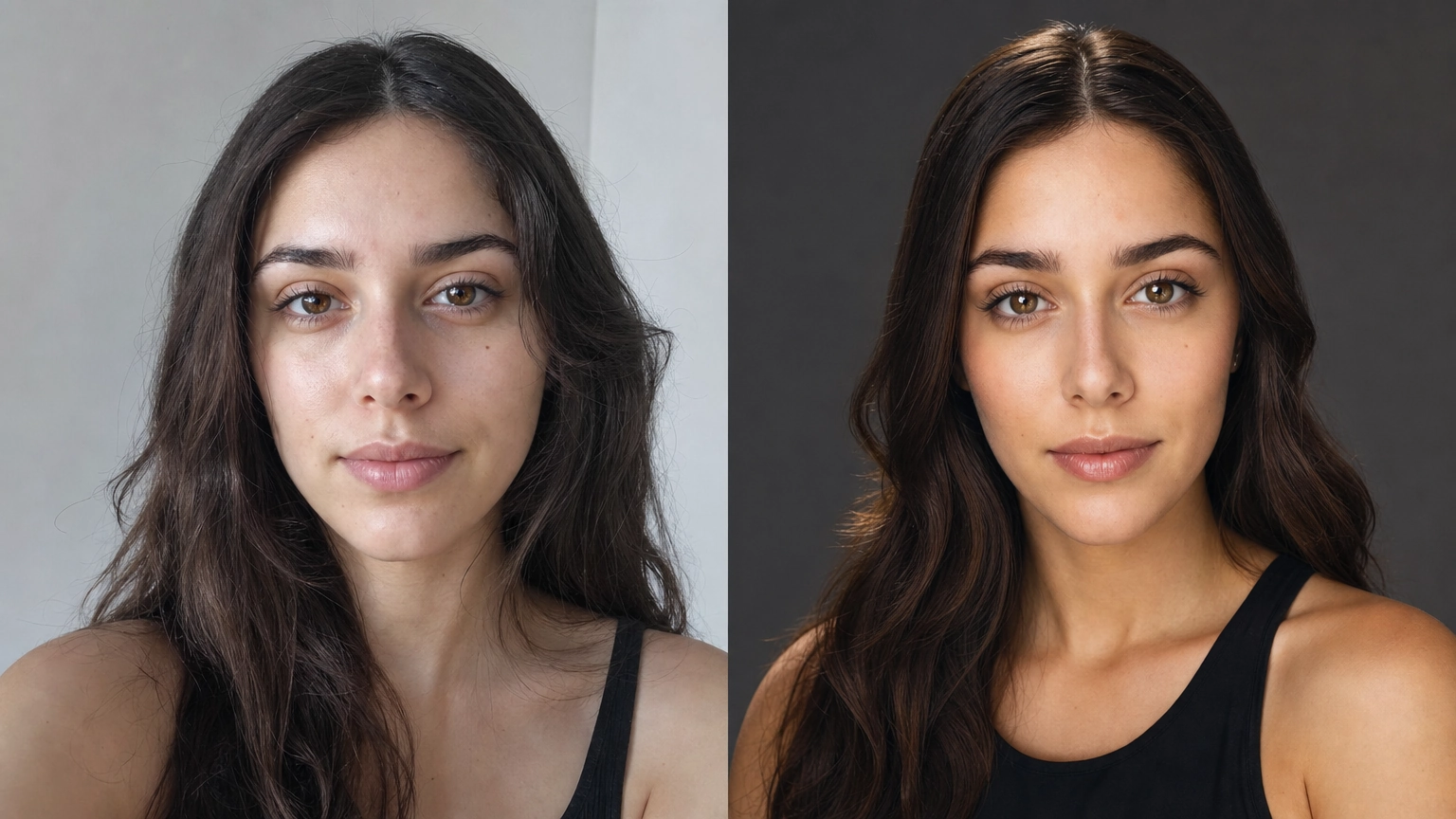
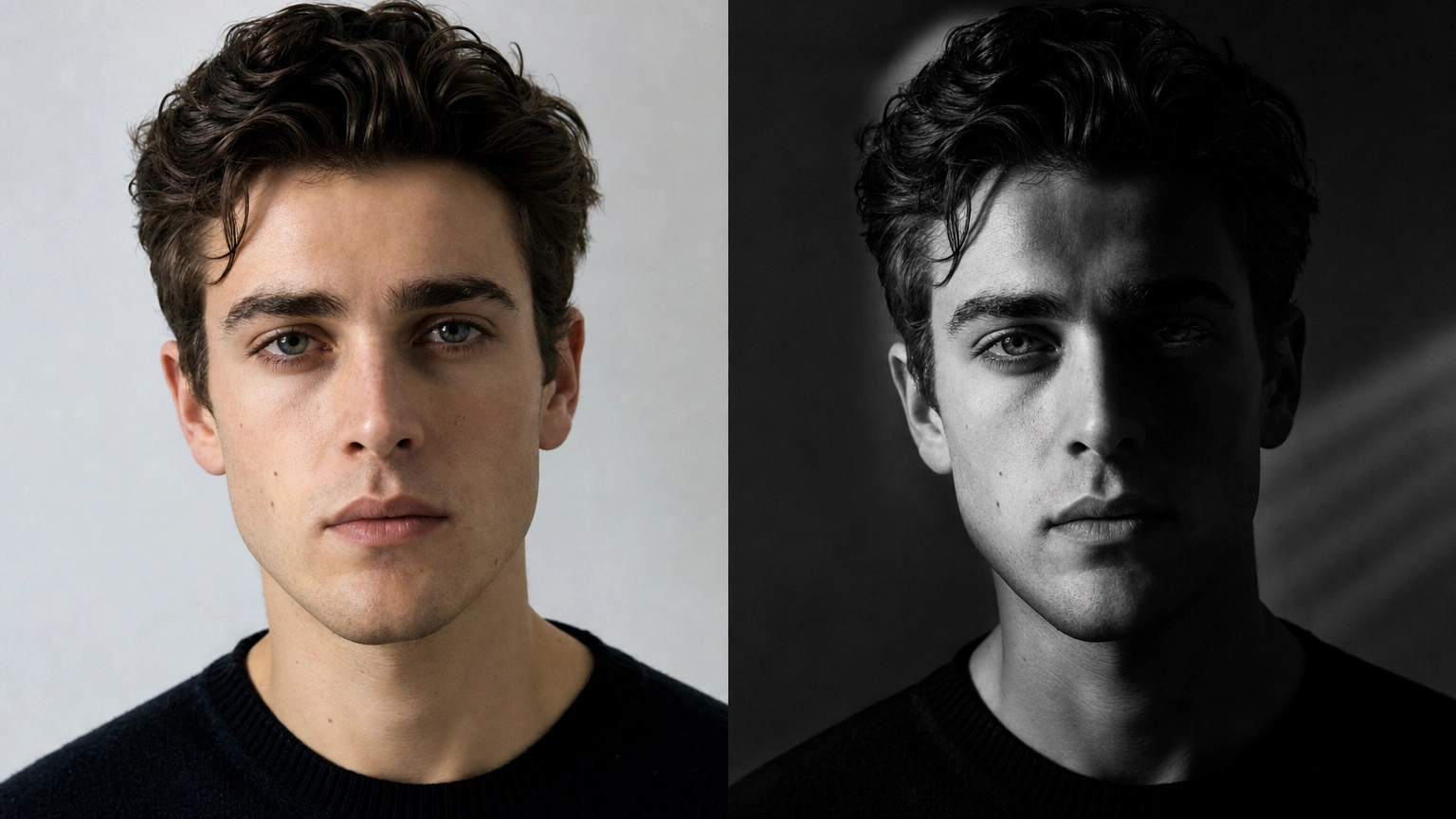
Close-up portrait, natural daylight, soft focus background, warm skin tones, relaxed expression, shot on 85mm lensProfessional headshot, neutral gray background, soft studio lighting, sharp focus, business casual attireCandid outdoor portrait, golden hour lighting, gentle breeze in hair, shallow depth of fieldBlack and white portrait, dramatic side lighting, strong shadows, serious expressionEditorial fashion portrait, bold color palette, confident pose, magazine-style lightingEnvironmental portrait, subject in their workspace, natural window light, candid moment, documentary styleBeauty portrait, soft diffused lighting, clean skin texture, minimal makeup, close crop on faceCouple portrait, warm evening light, relaxed natural pose, soft bokeh background
Gemini Image Editing & Photo Restyle Prompts
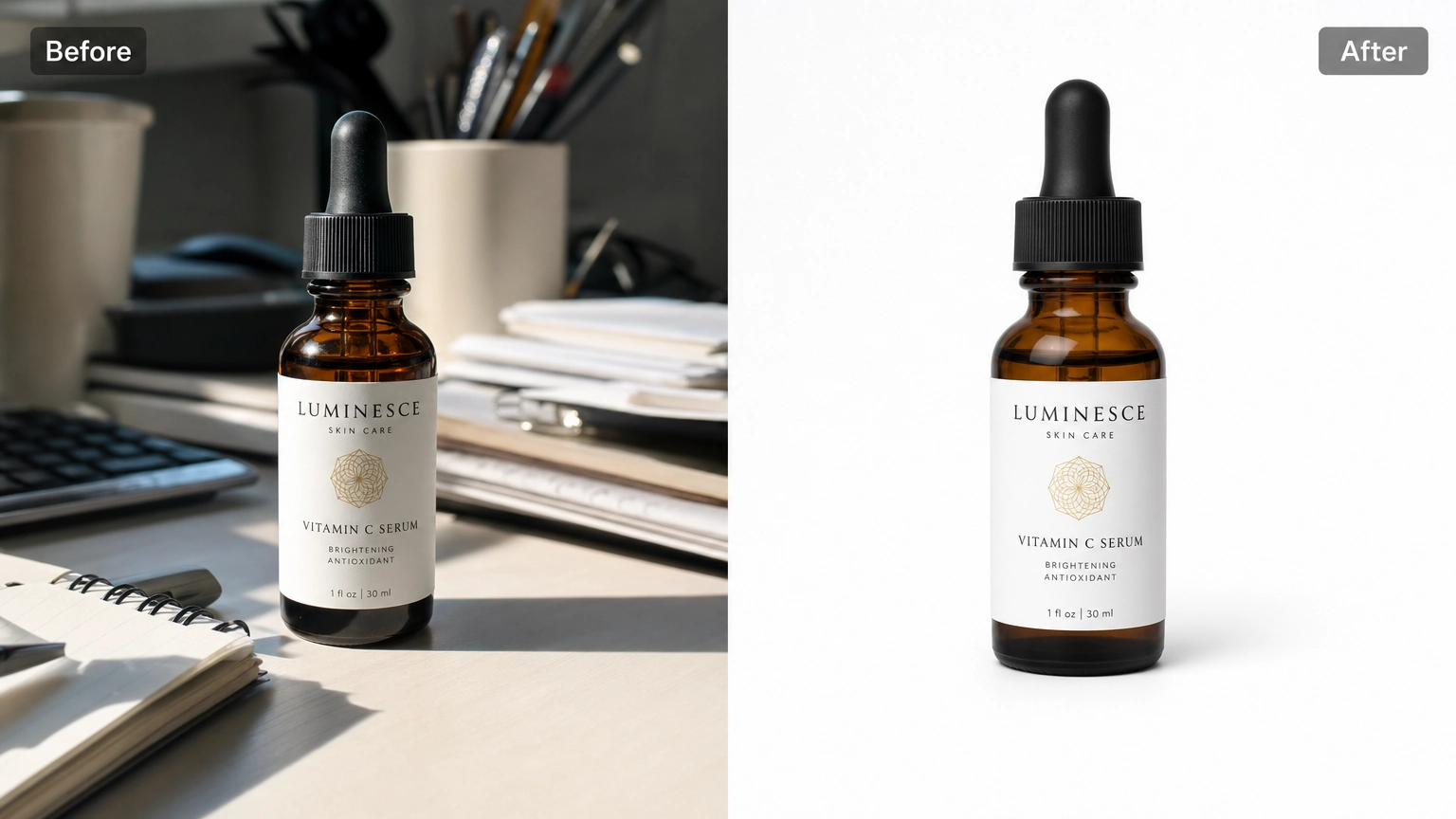
Turn this photo into a black-and-white film photograph with visible grainChange the background to a softly blurred city street at night, keep the subject unchangedAdjust lighting to golden hour, warm tones, soft shadows, keep composition the sameAdd a slight vintage film look, faded colors, light grain, soft contrastRemove the background and replace with a plain white studio backdropChange the season in this photo to autumn, warm orange and red tones in the backgroundSharpen and enhance detail without changing colors or compositionReplace an overcast sky with a clear blue sky, adjust lighting to match
Stylized / Creative Prompts
Same subject, reimagined as a watercolor painting, soft edges, pastel paletteCinematic still, moody lighting, teal and orange color grade, shallow depth of fieldStudio Ghibli-inspired illustration style, soft colors, gentle expressionDouble exposure effect, subject blended with a forest silhouetteRetro 1970s film photography look, warm faded tones, soft grainPencil sketch style, visible linework, light shading, minimal colorPop art style, bold outlines, flat saturated colors, halftone textureFantasy illustration style, dramatic lighting, painterly detail, rich color palette
Family & Couple Prompts
Family portrait, warm natural light, everyone relaxed and smiling, soft outdoor backgroundFather and daughter portrait, golden hour lighting, candid affectionate moment, soft focus backgroundFather and son portrait, natural light, genuine smiles, casual outdoor settingCouple portrait, close and relaxed pose, warm evening light, soft bokeh backgroundSibling portrait, playful candid moment, bright natural daylight, matching casual outfitsMulti-generation family photo, soft studio lighting, neutral background, everyone facing camera, warm tones
Photo Restoration & Retouch Prompts
Restore this old, faded photo: correct the colors naturally, reduce grain, keep the original expression and identity unchangedSharpen and enhance detail on this photo without changing colors, lighting, or compositionRepair scratches and creases on this old photograph while preserving the original facial features exactlyRemove background clutter from this photo, keep the subject and lighting exactly as they are
Trending & Cinematic Style Prompts
Reimagine this portrait as a moody film noir scene, high contrast black and white, dramatic shadowsNeon cyberpunk style portrait, vibrant pink and blue lighting, futuristic urban backgroundTrending boy-style portrait, bold confident pose, editorial lighting, modern streetwear aestheticTrending girl-style portrait, soft glam lighting, warm tones, trendy stylingFestive portrait with warm string lights and diya lamps in the background, traditional attire, golden warm lighting
Anatomy of a Strong Gemini-Style Prompt
Weak prompts and strong prompts often describe the same idea, they just differ in how much the model has to guess.
Weak: A photo of a woman with nice lighting
This leaves framing, lighting direction, mood, and style entirely up to the model, which means unpredictable results every time you regenerate.
Strong: Close-up portrait of a woman, soft window light from the left, warm skin tones, relaxed natural expression, shallow depth of field
Same basic idea, but every ambiguous word has been replaced with something concrete: framing (close-up), light source and direction (window light, from the left), mood (relaxed, natural), and a technical detail (shallow depth of field) that shapes how the background renders.
The pattern to reuse:
[Subject and framing] + [lighting source and direction] + [mood or style] + [one or two technical or compositional details]
You don't need every category in every prompt, but subject and lighting are almost always worth including. They do the most work in narrowing down what the model produces. For more on getting photorealistic results specifically, see our realistic photo prompts guide.
Fixing Common Prompt Problems
Output looks generic or stock-photo-like. Add a specific, slightly unusual detail (a particular light source, an unusual angle, a texture) rather than more general adjectives like "beautiful" or "high quality," which don't give the model anything concrete to act on.
Colors or mood are off. Name the exact lighting condition (golden hour, overcast, studio softbox, neon) instead of a vague mood word (moody, vibrant). Lighting descriptions translate more reliably than mood words.
Edits change more of the photo than intended. When editing an existing image, explicitly state what should stay the same: "keep the subject and pose unchanged" or "keep composition the same" prevents the model from re-interpreting the whole scene.
Faces or hands look distorted. Add a negative prompt: no distortion, no extra fingers, no blurry facial features. This won't fix every case, but it measurably reduces common AI artifacts on portraits.
Result is close but not quite right. Change one variable at a time. If lighting is wrong, adjust only the lighting phrase and regenerate rather than rewriting the entire prompt, it's faster to isolate what's working.
Tips for Better Gemini-Style Prompts
- Be specific, not just descriptive. "Nice lighting" tells the AI nothing useful; "soft golden-hour side lighting" does.
- One change at a time when editing. If you're modifying an existing photo, isolate what you want changed (background, lighting, style) rather than rewriting everything at once.
- Use negative prompts to clean up output. Phrases like "no distortion, no extra limbs, no blurry text" help rule out common AI artifacts.
- Iterate. Few prompts nail it on the first try. Small wording changes (swap "dramatic" for "soft," or "close-up" for "half-body") often fix an off result faster than starting over.
Try These Prompts on Fiddl.art
These prompts work on any capable image generation model, and you can run them directly on Fiddl.art, which gives access to 30+ image and video models including GPT-Image 2, Seedream 4.5, and Nano Banana Pro. No subscription required — see how the pay-as-you-go model works if you're new to it.
Already have a rough idea instead of a full prompt? Fiddl.art's prompt improver can take a short description and sharpen it into a stronger prompt before you generate.
FAQ
What is a Gemini AI photo prompt?
A Gemini-style photo prompt is a written description used to generate or edit an image with AI, describing the subject, lighting, style, and composition in enough detail for the model to produce a consistent, usable result.
Can I use these prompts on any AI image generator?
Yes. These prompts describe the desired output in plain language, so they work across most modern image generation models, not just one specific tool.
How do I make my own Gemini AI photo prompt?
Start with the subject and framing, then add lighting, mood, and any specific details you want (clothing, setting, camera angle). The more concrete the description, the more consistent the result.
How do I use these prompts with Google Gemini's photo editor?
Upload your reference image, then paste the prompt into the chat. State clearly what should change and what should stay the same, and describe the lighting, lens, and style you want. Google Gemini's photo editor works directly from natural-language prompts like the ones on this page.
Why didn't my prompt produce the result I expected?
Vague prompts produce vague results. Add specifics (lighting, angle, style) one at a time, and use negative prompts to rule out common issues like distortion or extra detail the model added on its own.