Product photography has always been one of the more expensive parts of running an ecommerce business. A studio shoot — photographer, lighting, backdrop, editing — can cost hundreds of dollars per product. And if you need seasonal variants, lifestyle versions, and marketplace-specific formats, that cost multiplies fast.
Fiddl.art's AI Product Photo Generator removes the scheduling constraint entirely. Upload one product image, pick a scene, and generate polished ecommerce visuals in seconds — without a studio, a photographer, or a long prompt.
What Is an AI Product Photo Generator?
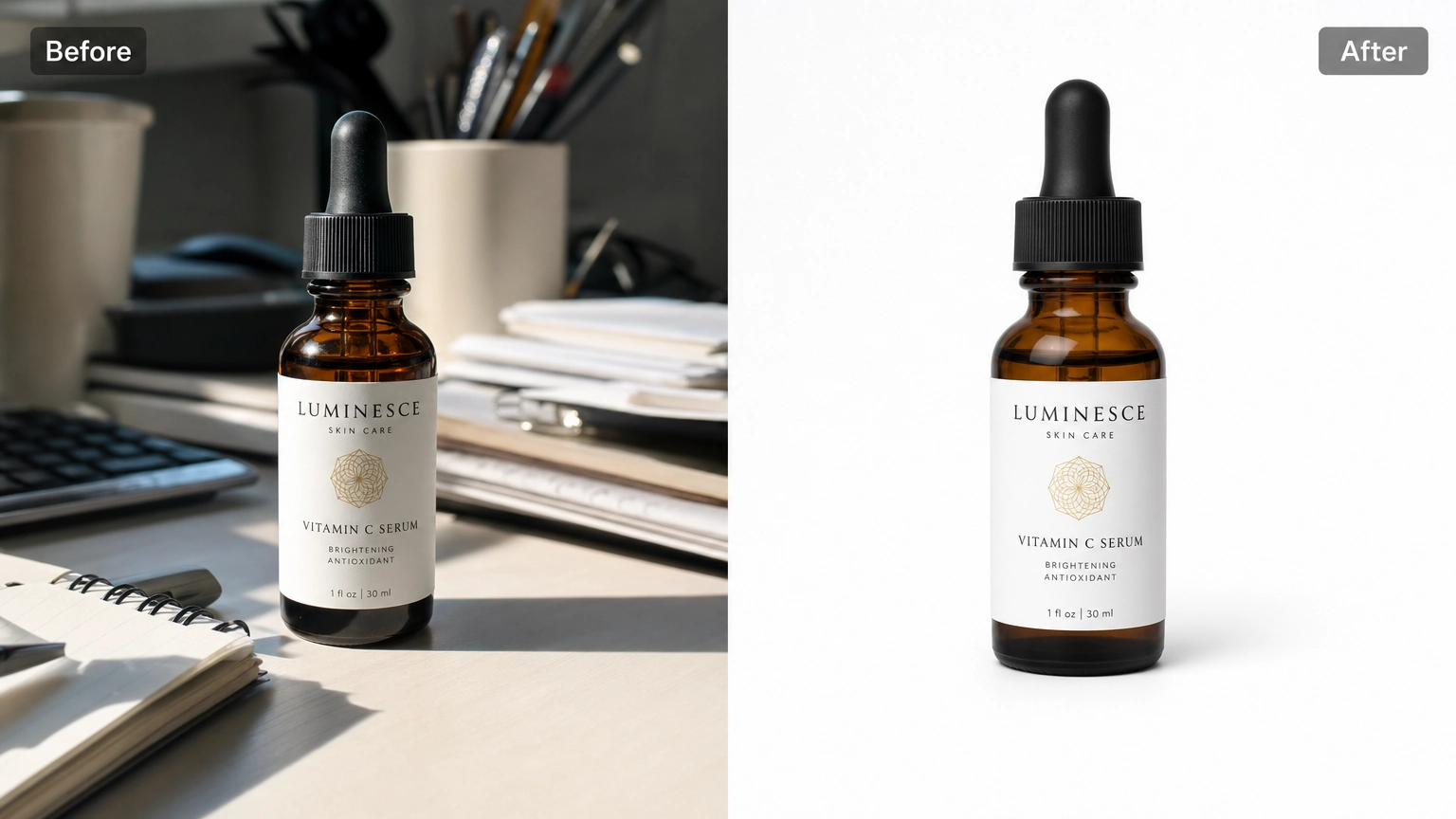
An AI product photo generator turns an existing product image into new ecommerce visuals. You upload one product photo, choose a scene or preset, and the tool generates polished variations while preserving your product's identity — its shape, color, label, logo, packaging, and proportions.
It is not creating a new product from scratch. It is placing your actual product into a new visual context. The product stays recognizable. The scene, background, lighting, and composition change around it.
How It Works
The workflow is three steps.
Step 1: Upload one product image
Start with a clear product photo, a package shot, or a product cutout. Use the cleanest, sharpest version you have — the AI works with what you upload, so image quality matters. If you have a version with the background already removed, that works well too.
Step 2: Choose a scene and format
Pick a preset that matches your output goal. One tap sets the whole look — no typing needed. Presets cover the most common product photography needs:
- White marketplace listing — clean catalog output for listings, comparison grids, and storefront thumbnails
- Minimal studio shadow — subtle ground shadow, studio-style background, minimal distraction
- Additional presets for lifestyle scenes, premium cosmetics, outdoor adventure, holiday campaigns, and social ads
Then choose your format: square marketplace, portrait listing, vertical story, or landscape banner. Set the quantity — the default is 4 variants, but you can type any number per run.
The optional prompt field is available if you want to add campaign-specific direction on top of the preset. For standard catalog and listing work, the preset alone is enough. If you want to sharpen your prompting skills for more advanced use, see our AI art prompts beginner guide and AI image prompt examples.
Step 3: Generate and refine variants
The tool generates your chosen number of product photo variations. From there you can open, remix, use as an ad, or download the finished image. Results are private by default — nothing is shared publicly unless you choose to.
Pricing: Credits per Generation
The default run generates 4 variants at 160 credits. You can adjust the quantity — credits scale with however many variants you choose to generate. Fiddl.art gives you the flexibility to choose how you pay — go pay-as-you-go, subscribe, or mix both. It's completely up to you. For strategies on getting the most out of credits, see our guide to pay-as-you-go AI image generation.
What the AI Preserves — and What to Review
The tool works to preserve your product's shape, color, label, logo, packaging, and proportions. The scene changes. The product does not.
That said, results still need review — especially around small text and fine label details. AI edits can introduce subtle inconsistencies in text rendering and intricate packaging graphics. Always check the output before publishing to a live listing.
Aspect Ratios and Customization Options
Different platforms have different image requirements. Fiddl.art's AI Product Photo Generator lets you choose one aspect ratio per run — whether that's square for marketplace thumbnails, portrait for product listings, or wide for banner formats. If you need multiple aspect ratios, run the tool again with the same source image.
Below the aspect ratio, you can fine-tune the output with three toggles:
- Keep product size — maintains the original product dimensions in the output
- Add realistic shadow — adds a natural ground shadow for a studio-style result
- Leave copy space — leaves room in the image for text overlays, useful for ads and banners
Frequently Asked Questions
What is an AI product photo generator?
It turns one product photo into polished ecommerce visuals — new backgrounds, scenes, and lighting — while keeping your product's shape, color, label, and packaging intact.
Can I use it for marketplace and Shopify product photos?
Yes. Choose from 1:1, 4:5, 9:16, or 16:9 aspect ratios to match your platform. Run the tool again with the same image to generate a different aspect ratio.
Will the AI change my logo, label, or packaging?
It works to preserve them, but always review the output — AI can introduce inconsistencies around small text and fine label details.
Do I need to write a long prompt?
No. Presets handle the scene direction. The prompt field is optional for extra campaign direction.
How many images does it generate?
4 variants by default at 160 credits. You can adjust the quantity — credits scale accordingly.
Are my product images kept private?
Yes. Because product images may include private commercial material, unreleased packaging, or brand assets, your product images are kept private by default.
How much does it cost?
Yes. All product images are private by default.
Start Generating Product Photos
If you have a product photo ready, you can start immediately. Open Fiddl.art's AI Product Photo Generator, upload your product image, pick a preset, and generate your first batch of variants. New to Fiddl.art? See our guide on how to create AI art with Fiddl.art to get familiar with the platform first.
Run the white marketplace listing preset first to cover your core listing needs. Then return with the same source image to generate lifestyle and social variants separately.
The same product image. Multiple scenes. No studio required.