Low-quality photos are a common problem. A portrait comes out blurry. An event photo is too dark. An old family picture loses detail over time. A product image looks soft and unprofessional.
An AI photo enhancer helps solve these problems by improving the quality of an existing image. Modern tools can sharpen blurry photos, reduce noise, restore old photographs, recover facial detail, improve low-light images, and enhance product photography in seconds.
Whether you're restoring old memories, improving social media content, or preparing images for professional use, AI photo enhancement can help you get better results without advanced editing skills. You can try Fiddl.art's AI Photo Enhancer to sharpen blurry photos, restore old scans, and improve image quality in just a few clicks.
What Is an AI Photo Enhancer?
An AI photo enhancer is a tool that improves the quality of an existing image using machine learning.
Instead of manually adjusting sharpness, brightness, contrast, and noise reduction, the AI analyzes the image and applies corrections automatically.
Common improvements include:
- Fixing blurry photos
- Improving low-light images
- Reducing image noise and grain
- Restoring old photographs
- Recovering facial detail
- Enhancing product photos
- Improving overall image quality
Unlike an AI image generator, a photo enhancer works with an existing photo rather than creating a new one.
Why Use an AI Photo Enhancer?
Photo enhancement is useful whenever an image is almost good enough but needs improvement before publishing, sharing, or printing.
Common use cases include:
Portrait Photography
Improve facial detail, sharpen soft focus, and make portraits appear more professional.
Old Photo Restoration
Restore faded prints, scanned family photos, and damaged images while preserving their original character.
Product Photography
Enhance labels, textures, edges, and product details for ecommerce listings and marketing materials.
Event Photography
Improve photos taken in challenging lighting conditions such as weddings, concerts, restaurants, and indoor events.
Social Media Content
Create cleaner, more professional-looking photos for Instagram, Facebook, LinkedIn, and marketing campaigns.
How AI Photo Enhancement Works
Modern AI photo enhancers analyze image content and identify common quality issues.
Depending on the image, the system may:
- Recover lost detail
- Sharpen soft edges
- Reduce visible noise
- Improve lighting and contrast
- Restore facial features
- Repair aging and degradation in scanned photos
Rather than applying the same filter to every image, advanced systems use specialized enhancement models designed for specific types of content.
For example, a portrait may benefit from face recovery, while a product photo may require sharper edges and label preservation.
Key Features to Look For
Not all AI photo enhancers produce the same results.
When evaluating tools, look for:
Specialized Enhancement Modes
Different image problems require different solutions.
Look for tools that support:
- Blur correction
- Low-light enhancement
- Face enhancement
- Old photo restoration
- Product image enhancement
Ease of Use
A good enhancer should produce quality results without requiring complex editing knowledge.
Detail Preservation
The best tools improve image quality while preserving important elements such as facial features, product labels, and original image composition.
Flexible Outputs
The ability to generate multiple versions allows you to compare results and choose the strongest enhancement.
Top AI Photo Enhancer Tools
1. Fiddl.art
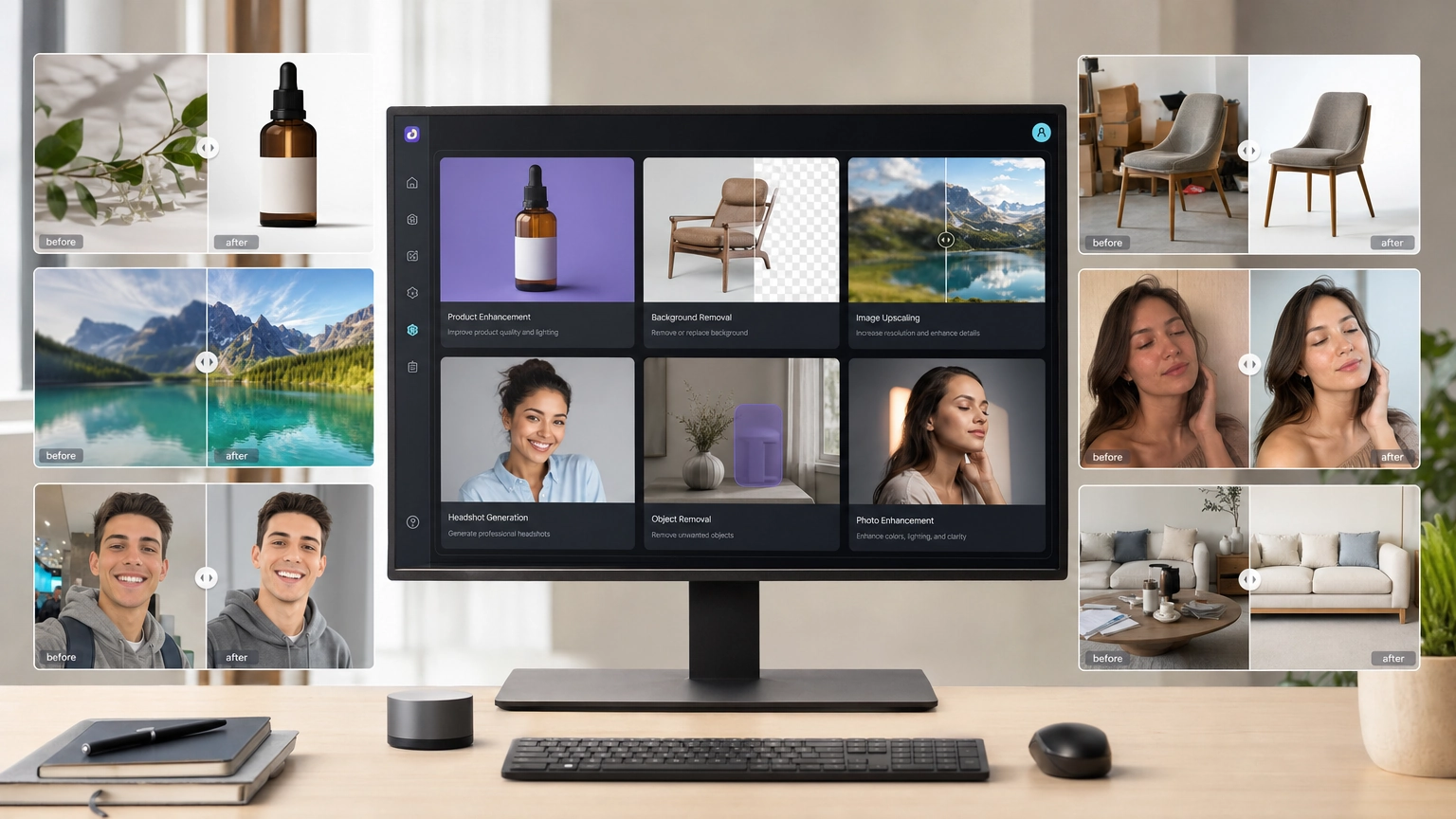
Fiddl.art offers a dedicated AI Photo Enhancer designed to improve existing photos without requiring professional editing software.
Available enhancement modes include:
- Auto Enhance
- Unblur and Sharpen
- Low-light Fix
- Face Detail
- Old Photo Cleanup
- Product Clarity
These modes help users fix blurry photos, restore old photographs, improve low-light images, recover facial detail, and enhance product photography with a simple workflow.
Best for:
- Portrait enhancement
- Product photography
- Old photo restoration
- Social media content
- Marketing images
2. Topaz Photo AI
Topaz Photo AI is popular among photographers who need advanced sharpening, denoising, and image restoration workflows.
Best for:
- Professional photography
- Desktop workflows
- High-volume image editing
3. Magnific AI
Magnific AI focuses on aggressive image enhancement and creative detail generation.
Best for:
- Creative projects
- AI-generated images
- Concept art
4. Upscayl
Upscayl is a free, open-source image enhancement tool that runs locally.
Best for:
- Privacy-conscious users
- Offline workflows
- Budget-friendly enhancement
5. Let's Enhance
Let's Enhance provides cloud-based image enhancement for businesses, ecommerce stores, and marketing teams.
Best for:
- Product catalogs
- Batch processing
- Marketing workflows
Common Photo Problems AI Can Fix
Blurry Photos
AI sharpening and blur correction can improve edge definition and recover detail in slightly soft images.
Low-Light Images
Noise reduction and exposure enhancement help recover detail from dark photos.
Old Family Photos
Restoration tools can reduce fading, scratches, grain, and age-related degradation.
Product Photos
Enhancement can improve label clarity, texture visibility, and overall product presentation. For ecommerce workflows, enhanced photos can be combined with an AI product photo generator to create listing images, marketing creatives, and lifestyle shots.
Portrait Detail
Face enhancement tools can improve eye clarity, skin texture, and facial definition. If you're creating professional profile pictures, an AI headshot generator can help create polished source images before enhancement.
AI Photo Enhancer Examples
Fixing a Blurry Portrait
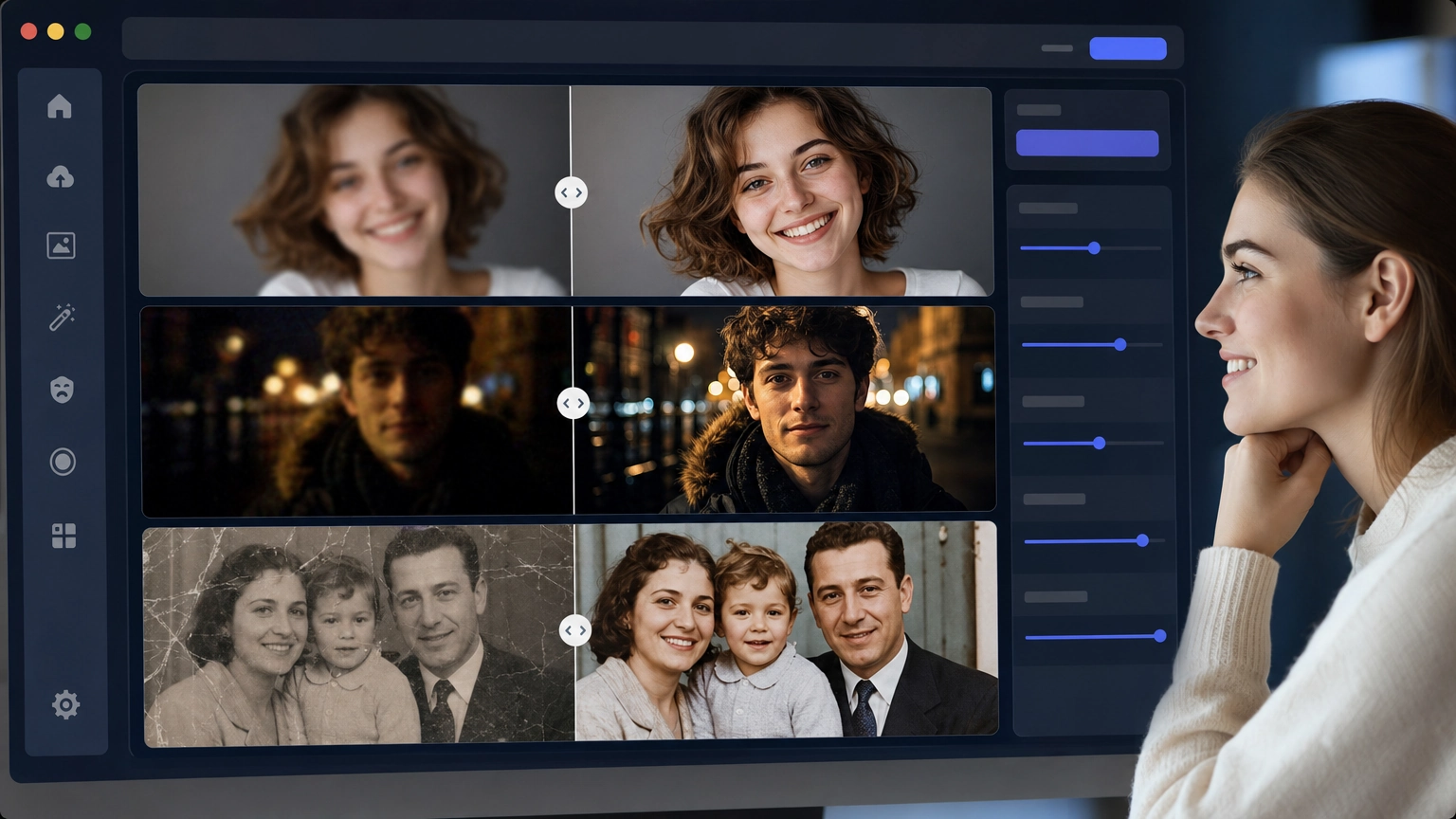
A portrait taken with slight motion blur can often be improved using sharpening and face-detail enhancement. Facial features become clearer while maintaining a natural appearance.
Restoring an Old Family Photo
Old scanned photographs frequently suffer from fading, scratches, and grain. Restoration tools can recover lost detail and improve overall clarity.
Improving a Product Photo
Product enhancement can sharpen labels, improve texture visibility, and make ecommerce images appear more professional.
Enhancing a Low-Light Event Photo
Photos taken in restaurants, weddings, concerts, and indoor events often contain noise and lost shadow detail. Low-light enhancement can improve visibility and recover image quality without excessive brightening.
Frequently Asked Questions
Can AI fix blurry photos?
Yes. AI photo enhancers can improve slightly blurry or soft-focus images by recovering edge definition and sharpening important details.
Can AI restore old photographs?
Yes. Many photo enhancers include restoration features designed to reduce fading, scratches, grain, and image degradation.
Can AI improve dark photos?
Yes. Low-light enhancement modes can recover shadow detail and reduce visible noise in underexposed images.
Are AI photo enhancers difficult to use?
Most modern tools are designed for beginners and require only a photo upload and a few clicks.
Can AI improve product photos?
Yes. Product enhancement modes can improve texture, label visibility, and image clarity for ecommerce and marketing use.
Related Guides
- AI Headshot Generator
- AI Product Photo Generator
- AI Image Prompts
- Realistic Photo Prompts
- Free AI Image Generator
Conclusion
AI photo enhancement has become one of the fastest ways to improve image quality without manual editing.
Whether you're restoring old family photographs, improving portraits, enhancing product photography, or fixing low-light images, the right tool can help you turn low-quality photos into professional-looking results in minutes.
If you want a simple workflow with dedicated enhancement modes for portraits, products, old photos, and low-light images, Fiddl.art's AI Photo Enhancer provides an easy way to get started.