Practical guide · Updated 2026-10-29
How to make a LinkedIn headshot from a selfie
A useful profile photo should still look like the person someone will meet. AI can explore a cleaner background, professional clothing, and different lighting, but it can also change facial details. Keep identity and a natural expression ahead of an overly polished result.
Open AI LinkedIn Photo & Headshot GeneratorBefore you start
Choose a recent, sharp selfie with soft light and a face that is large enough to inspect. Avoid filters, sunglasses, extreme angles, and other people in the frame. A straightforward source usually gives you a more reliable reference than a heavily edited photograph.
Step by step
Upload one selfie
Open the headshot generator and add your photograph. Use your own image or one you have permission to edit, and sign in when prompted.
Choose a professional style
Select a preset that fits the actual context. A neutral studio portrait may suit a company directory, while a softer background can work for a personal profile. Keep the clothing believable for the role.
Adjust only if the preset needs help
Customize contains the additional controls. Keep a first attempt simple, especially around background and clothing, so you can judge whether the model preserves the face.
Generate and review before cropping
Check the displayed estimate and generate explicitly. Choose a result that preserves your appearance, then crop for the destination profile rather than accepting the most dramatic variation.
Before and after
AI-created source photos, processed with the tool's configured model. Results vary with the input.
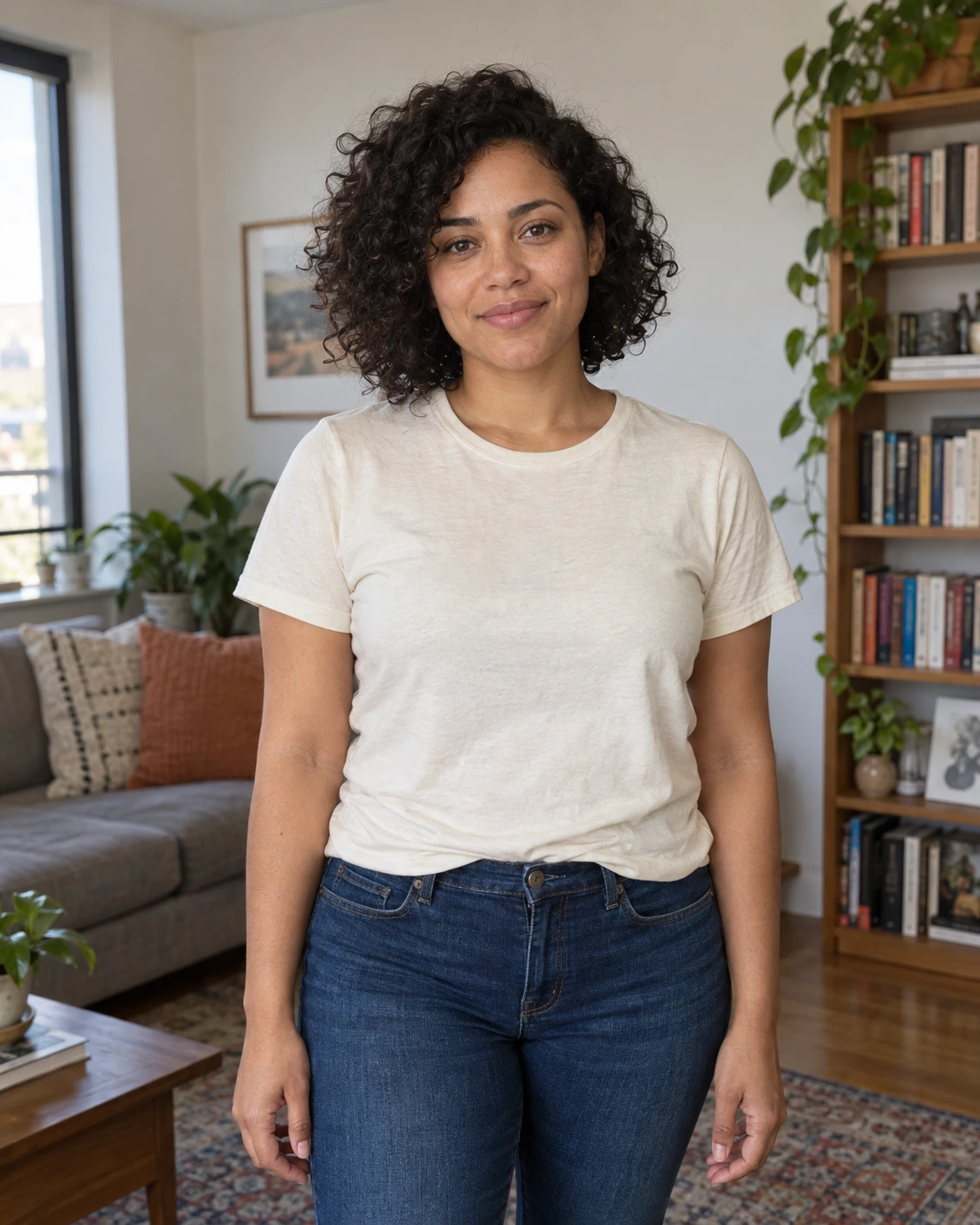 Before
 After
AfterModel and settings
google/nano-banana-pro · LinkedIn professional
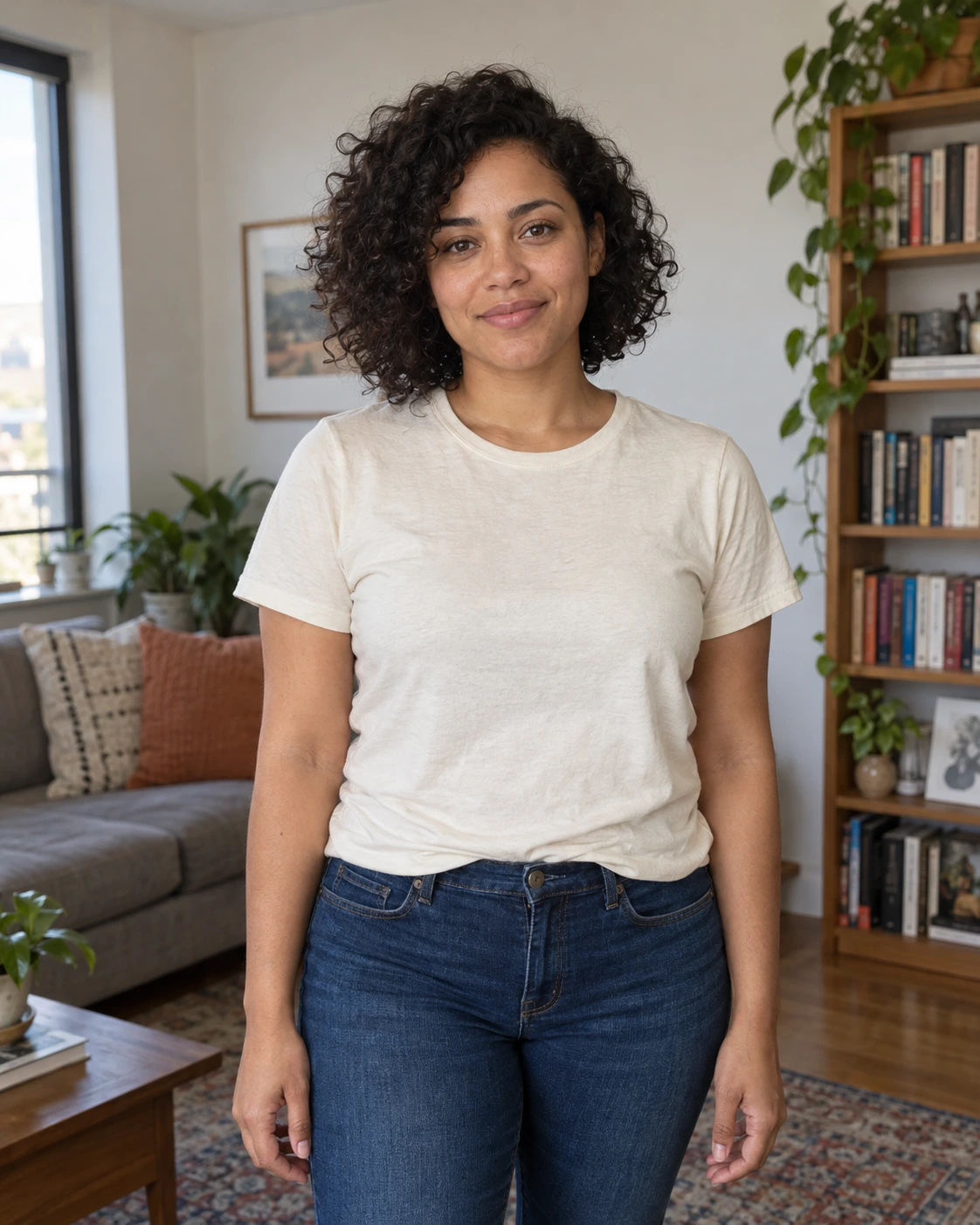 Before
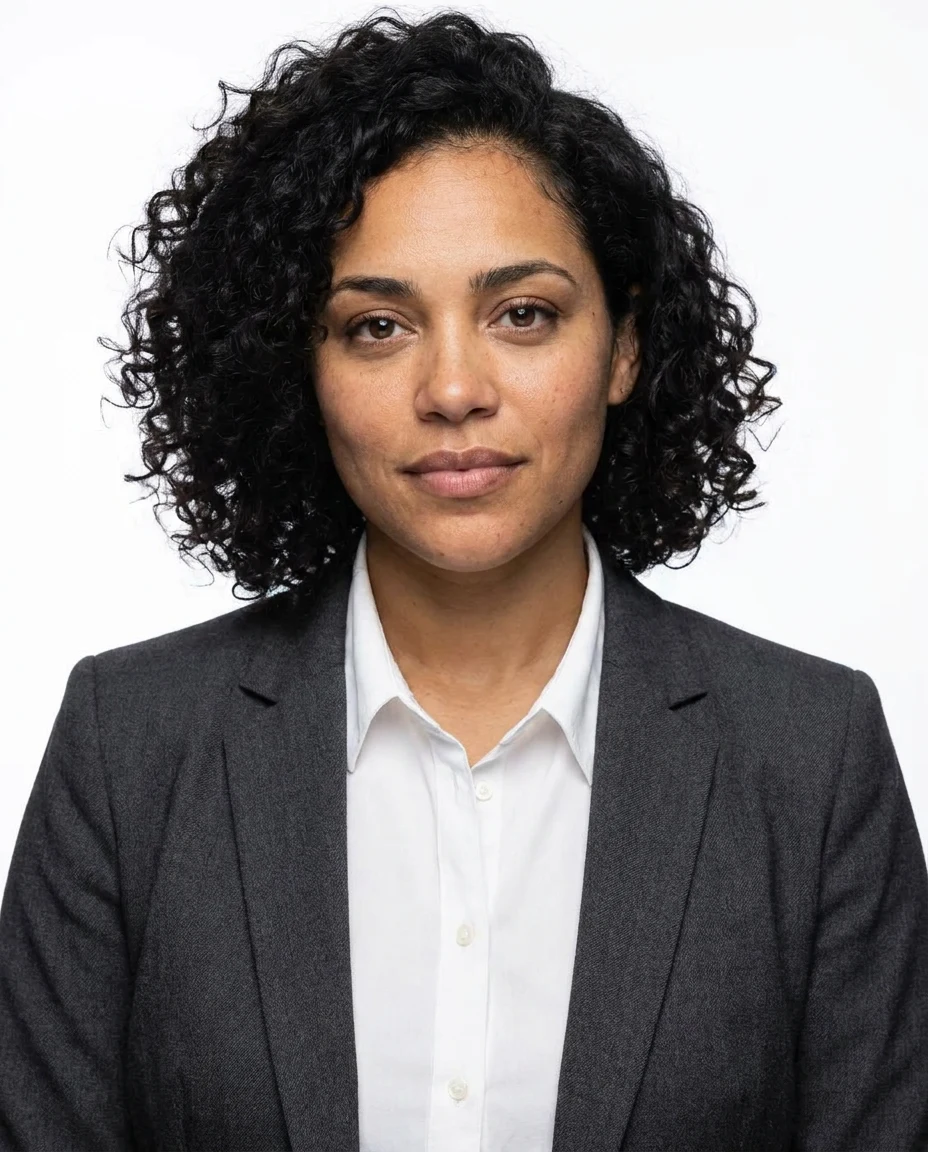 After
AfterModel and settings
google/nano-banana-pro · Company profile portrait
What to check in the result
Compare eyes, eyebrows, nose, jawline, skin tone, and any glasses or distinctive features against the selfie. Check ears, teeth, hands, and clothing edges for artifacts. Preview a circular crop and a small thumbnail, leaving enough space above the head to avoid cutting it off.
If the result needs another attempt
If the person no longer looks like you, reject the output and try a clearer source with a less stylized preset. Avoid using enhancement to disguise a changed face. The gallery uses a fictional AI-created adult as the source; it demonstrates the workflow without publishing a customer's portrait.
Generation does not start until you choose the tool's processing action. Availability, free allowances, and point estimates appear in the tool; review them before starting.
Try AI LinkedIn Photo & Headshot Generator