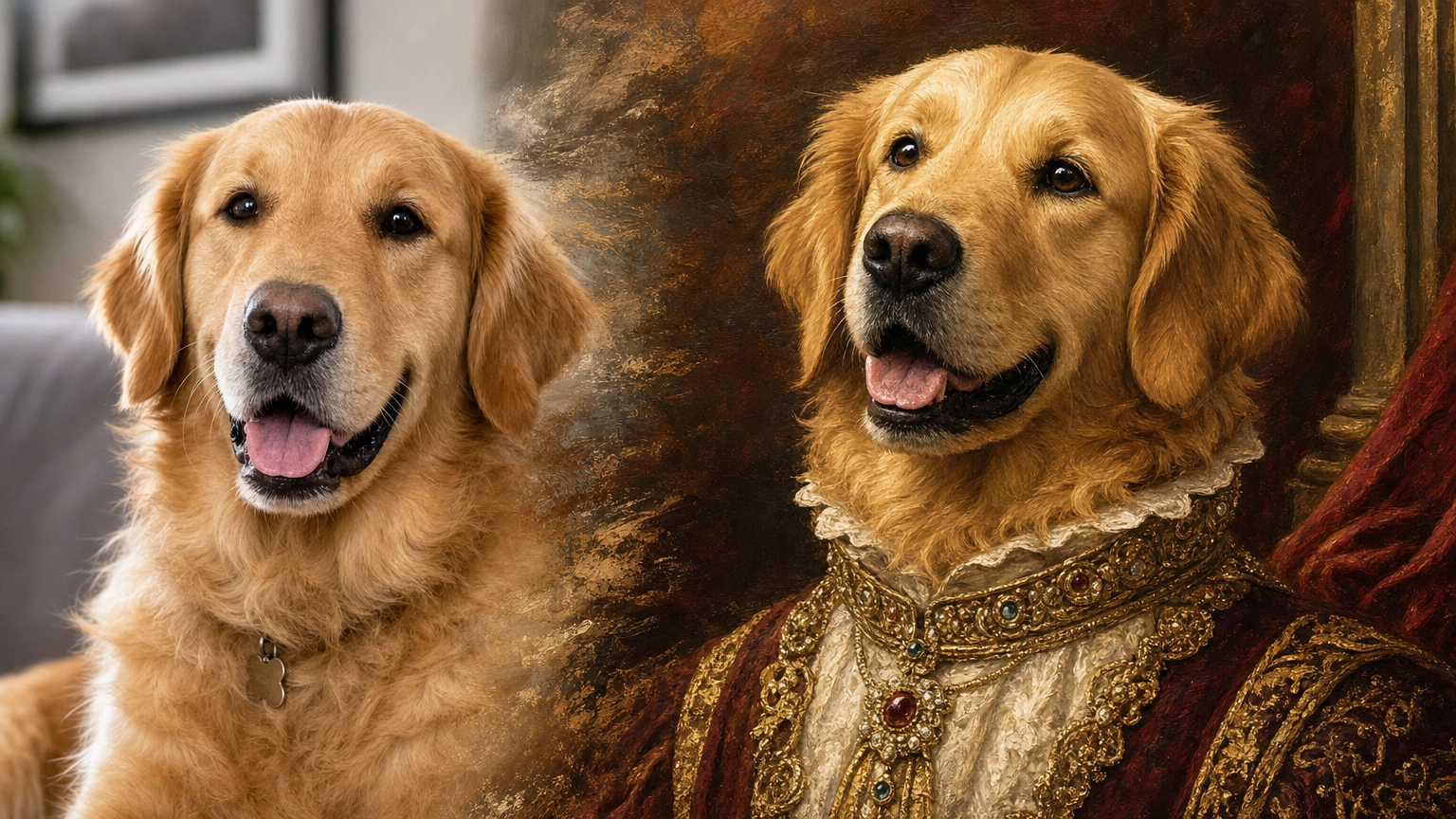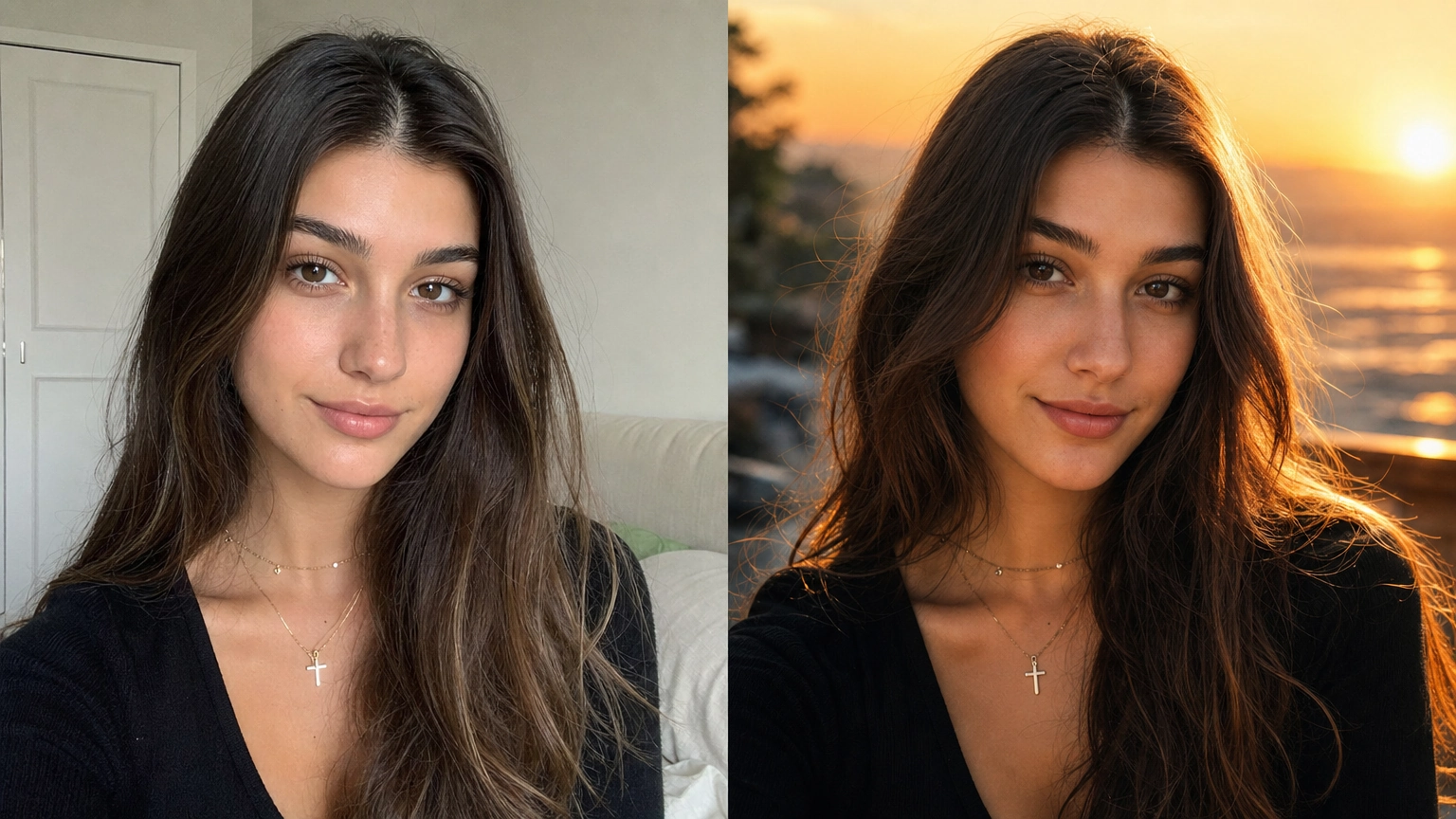
Coming up with great AI image prompts shouldn't feel like guesswork.
Whether you're designing product photos, social media graphics, YouTube thumbnails, portraits, logos, or anime artwork, the quality of your results depends less on using fancy adjectives and more on telling the model exactly what you're trying to create.
This guide is focused specifically on GPT Image 2 — the prompt patterns, keywords, and structures that get the most out of this particular model on Fiddl.art. GPT Image 2 is the same model that powers ChatGPT's native image generation, so these prompts work whether you're using GPT Image 2 directly or through ChatGPT.
If you're comparing prompts across multiple models (Nano Banana 2, Seedream 4.5, FLUX), check out our full AI image prompt library instead.
After generating hundreds of AI images across multiple models in Fiddl.art, one pattern consistently stands out:
The best prompts start with the image's purpose—not its style.
Instead of writing:
A beautiful woman standing in a forest.
Write:
Luxury skincare campaign hero image featuring a confident woman walking through a misty forest during golden hour. Editorial fashion photography captured with an 85mm DSLR lens.
The second prompt immediately tells GPT Image 2:
- what the image is for,
- who the subject is,
- what style to use,
- how it should be photographed,
- and what emotion it should communicate.
That extra context helps produce more consistent, professional-looking results with fewer revisions.
What You'll Find in This Guide
Unlike many prompt collections that simply list dozens of examples, this guide focuses on teaching you how to build better prompts while giving you plenty of copy-and-paste examples to get started.
Inside you'll find:
- ✅ 60+ premium GPT Image 2 prompts
- ✅ Reusable prompt templates
- ✅ Prompt recipes for different image types
- ✅ Photography, marketing, logo, anime, UI, and branding prompts
- ✅ A GPT Image 2 vs. FLUX.2 vs. Nano Banana 2 vs. Seedream comparison
- ✅ Common prompting mistakes to avoid
- ✅ Practical customization tips for every category
Whether you're a marketer, designer, content creator, e-commerce seller, or hobbyist, these prompts are designed to save time while helping you create better images.
GPT Image 2 Prompt Cheat Sheet
You don't need to memorize hundreds of prompts.
Instead, learn the keywords that consistently improve results.
Use this table whenever you're writing or refining a prompt.
| Goal | Helpful Keywords |
|---|---|
| Photorealistic Images | DSLR, RAW photo, ultra realistic, natural skin texture, shallow depth of field, 85mm lens |
| Product Photography | commercial product photography, softbox lighting, seamless background, studio lighting |
| Luxury Branding | editorial, premium, elegant, marble, gold accents, minimalist |
| Cinematic Scenes | anamorphic lens, volumetric lighting, dramatic shadows, cinematic color grading |
| Portrait Photography | catchlights, natural expression, editorial portrait, rim lighting |
| Food Photography | overhead shot, editorial food photography, morning light, shallow depth of field |
| Social Media | vibrant colors, bold composition, negative space for text, mobile-friendly |
| Logos | flat vector, geometric, clean typography, scalable design |
| Anime | expressive eyes, cel shading, painterly backgrounds, vibrant palette |
| Architecture | travertine stone, oak wood, polished concrete, floor-to-ceiling windows |
These aren't magic words.
They're descriptive cues that give GPT Image 2 more information about the visual style you're trying to achieve.
The GPT Image 2 Prompt Formula
Most successful prompts follow the same structure.
Think of them as recipes rather than random descriptions.
Purpose

↓

Subject

↓

Style

↓

Camera

↓

Lighting

↓

Environment

↓

Composition

↓

Output Quality
Or use this reusable template:
Create a [purpose].

Subject:
[main subject]

Style:
[photorealistic, editorial, anime, illustration, etc.]

Camera:
[lens, angle, framing]

Lighting:
[soft daylight, studio lighting, golden hour]

Environment:
[background or location]

Composition:
[close-up, centered, rule of thirds, overhead]

Text:
[exact wording if applicable]

Output:
[4K, commercial quality, print-ready]
One practical lesson we've learned while testing prompts across multiple models in Fiddl.art is that defining the image's purpose first often produces better compositions than leading with visual adjectives.
For example:
❌ Beautiful cinematic image of coffee.
✅ Homepage hero image promoting a premium organic coffee subscription. Editorial product photography, warm morning sunlight, shallow depth of field, generous copy space.
The second prompt gives GPT Image 2 enough context to make smarter creative decisions.
GPT Image 2 vs. Other AI Image Models
If you're using Fiddl.art, you can choose from multiple AI image models depending on your creative goal. While GPT Image 2 is an excellent all-around model, other models may be better suited for highly stylized artwork, character consistency, or rapid concept generation.
The table below provides a general comparison to help you decide which model to start with.
| Creative Task | GPT Image 2 | FLUX.2 [max] | Nano Banana 2 | Seedream 4.5 |
|---|---|---|---|---|
| Product Photography | ⭐ Excellent | ✅ Very Good | ✅ Very Good | ⭐ Excellent |
| Marketing & Advertising | ⭐ Excellent | ✅ Very Good | ✅ Very Good | ✅ Very Good |
| Social Media Graphics | ⭐ Excellent | ✅ Very Good | ✅ Very Good | ✅ Very Good |
| Images with Readable Text | ⭐ Excellent | Good | ✅ Very Good | ⭐ Excellent |
| Photorealistic Portraits | ⭐ Excellent | ⭐ Excellent | ⭐ Excellent | ✅ Very Good |
| Character Consistency & Editing | Good | ✅ Very Good | ⭐ Excellent | ✅ Very Good |
| UI & App Mockups | ⭐ Excellent | ✅ Very Good | ✅ Very Good | ✅ Very Good |
| Logos & Brand Concepts | ⭐ Excellent | ✅ Very Good | Good | Good |
| Anime & Manga | ✅ Very Good | ⭐ Excellent | ✅ Very Good | ✅ Very Good |
| Character Design Sheets | ✅ Very Good | ⭐ Excellent | ✅ Very Good | ✅ Very Good |
| Fantasy & Concept Art | ✅ Very Good | ⭐ Excellent | ✅ Very Good | ⭐ Excellent |
| Architecture & Interior Design | ⭐ Excellent | ✅ Very Good | ✅ Very Good | ✅ Very Good |
| Speed for Brainstorming | ✅ Very Good | ✅ Very Good | ✅ Very Good | ⭐ Excellent |
Note: This comparison is intended as a general guide based on each model's typical strengths. Results may vary depending on your prompt, generation settings, and desired visual style.
Quick Recommendations
| If you want to create... | Recommended Model |
|---|---|
| Product photos for e-commerce | GPT Image 2 |
| Marketing banners & ads | GPT Image 2 |
| Images with readable text | GPT Image 2 |
| Professional portraits | GPT Image 2 |
| Consistent characters across edits | Nano Banana 2 |
| Anime illustrations | FLUX.2 [max] |
| Character concept art | FLUX.2 [max] |
| Fantasy environments | FLUX.2 [max] |
| Rapid brainstorming & variations | Seedream 4.5 |
One of Fiddl.art's biggest advantages is that you can use the same prompt across multiple models. If one model doesn't produce the style you're looking for, simply switch models instead of rewriting your prompt from scratch. This makes it easy to compare outputs and choose the one that best fits your project.
Want a closer look at what makes this model different? See our full GPT Image 2 overview for a deeper breakdown of its strengths.
Product Photography Prompts
Product photography is one of GPT Image 2's strongest use cases because it understands realistic lighting, clean compositions, premium materials, and commercial aesthetics.
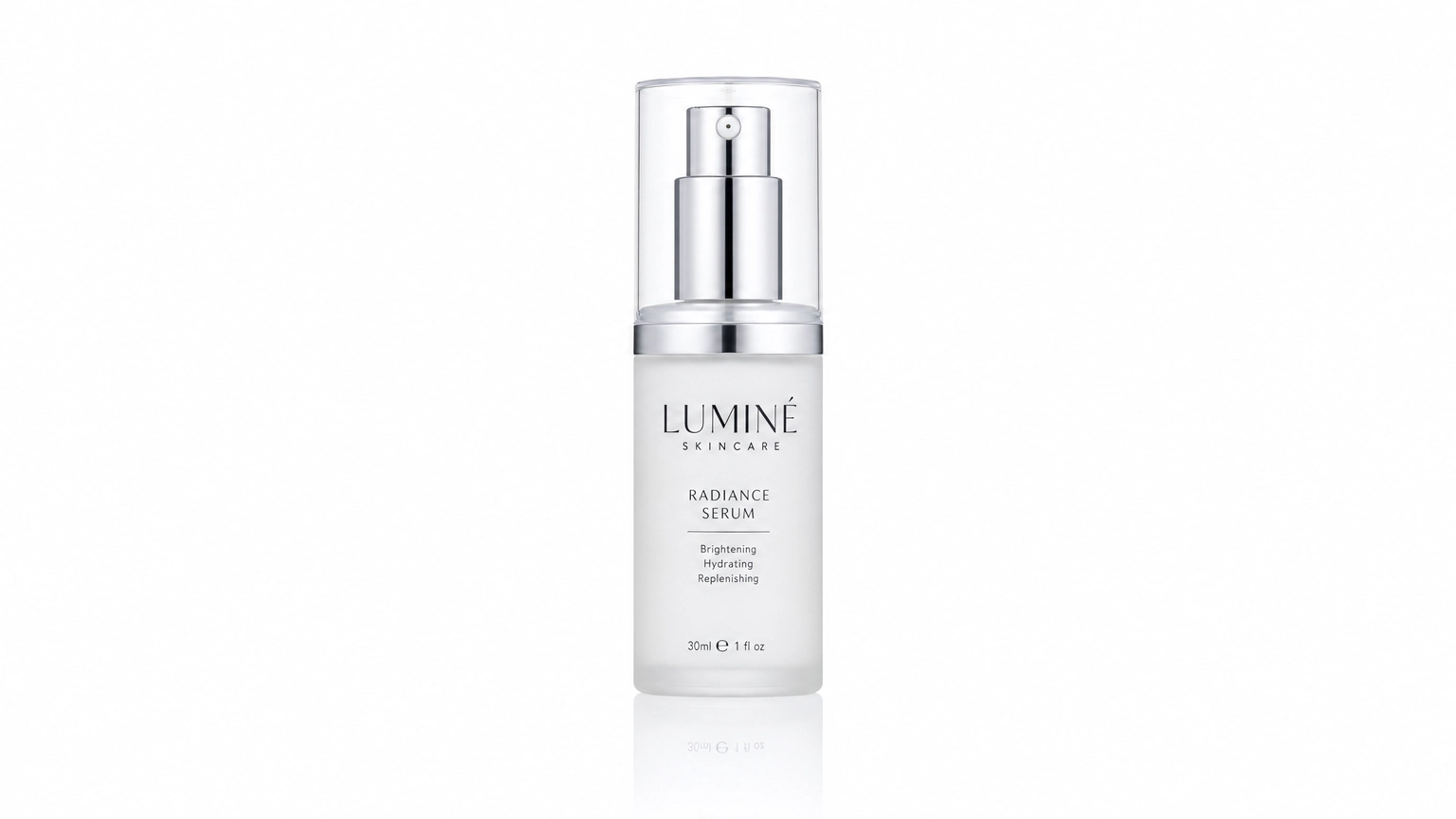
The prompts below are designed for Shopify stores, Amazon listings, Etsy products, advertising campaigns, and brand websites.
1. E-commerce Product Shot
Copy & Paste Prompt
Commercial product photography of a minimalist skincare bottle centered on a seamless white background. Studio softbox lighting, subtle reflection, sharp focus, Amazon-listing quality, realistic packaging texture, clean negative space for text overlay.
Why it works
Marketplace listings need a clean, distraction-free hero shot. Naming the seamless background and "Amazon-listing quality" up front tells GPT Image 2 to prioritize clarity over mood.
Customize it
- Swap the product category (electronics, food, apparel).
- Add a shadow style (soft drop shadow vs. reflective surface).
- Specify packaging color and material.
2. Beauty & Cosmetics Product
Copy & Paste Prompt
Luxury cosmetics product photography featuring a matte black lipstick tube styled beside soft pink rose petals. Diffused studio lighting, marble surface, shallow depth of field, editorial beauty branding, ultra-realistic textures.
3. Jewelry Close-Up
Copy & Paste Prompt
Macro product photography of a gold pendant necklace draped over dark velvet fabric. Dramatic rim lighting, sharp reflective highlights, luxury jewelry catalog style, ultra-detailed metal texture.
4. Tech & Electronics Product
Copy & Paste Prompt
Commercial photography of a wireless headphone set floating against a gradient charcoal background. Studio lighting with soft rim glow, precise reflections, modern tech branding, e-commerce hero shot quality.
5. Apparel Flat Lay
Copy & Paste Prompt
Overhead flat-lay product photography of a folded linen shirt, paired with minimalist accessories, on a light neutral textile background. Soft natural lighting, clean styling, e-commerce fashion catalog aesthetic.
Portrait Photography Prompts
GPT Image 2 excels at portrait photography because it understands lighting, composition, facial expressions, clothing, and environmental storytelling remarkably well.
One pattern we've consistently observed is that portraits become noticeably stronger when you define who the image is for before describing the subject.
For example:
Instead of
Beautiful woman smiling
Try
Professional LinkedIn headshot for a technology executive
The model immediately understands the purpose of the image and adjusts the composition accordingly.
Want more portrait-specific prompts and framing techniques? Check out our dedicated guide to AI portrait prompts.
6. Professional LinkedIn Headshot
Copy & Paste Prompt
Professional LinkedIn headshot of a confident technology executive wearing a navy business suit. Modern office background softly blurred. Natural window lighting, 85mm DSLR portrait lens, realistic skin texture, genuine smile, shallow depth of field, premium corporate photography.
Why it works
Professional headshots depend on believable facial proportions, soft lighting, and clean backgrounds. Defining the image as a LinkedIn headshot encourages GPT Image 2 to generate a more business-appropriate composition.
Customize it
- Change the profession.
- Change wardrobe.
- Replace office with outdoor urban environment.
- Use darker background for executive branding.
7. Luxury Fashion Editorial
Copy & Paste Prompt
Luxury fashion editorial featuring a confident woman walking through a modern European city during golden hour. Designer clothing, cinematic composition, natural movement, editorial magazine photography, captured using an 85mm lens with warm sunlight and soft shadows.
Why it works
Editorial photography benefits from storytelling. The environment and movement help create a premium fashion aesthetic rather than a static portrait.
8. Outdoor Adventure Portrait
Copy & Paste Prompt
Adventure travel portrait of a young woman standing on a mountain overlook during sunrise. Hiking gear, dramatic clouds, warm golden light, realistic photography, ultra detailed landscape, natural expression, National Geographic style.
9. Cozy Lifestyle Portrait
Copy & Paste Prompt
Lifestyle portrait of a young man reading a book beside a large rain-covered window in a cozy apartment. Soft morning light, warm coffee tones, Scandinavian interior, realistic photography, candid expression, shallow depth of field.
10. Creative Artist Portrait
Copy & Paste Prompt
Portrait of a digital artist working inside a modern creative studio surrounded by colorful artwork, drawing tablet, and warm ambient lighting. Editorial photography, authentic workspace, cinematic color grading, ultra realistic.
Marketing & Advertising Prompts
Marketing creatives require something different from traditional photography.
The image isn't simply meant to look beautiful—it has to communicate a message instantly.
One of the easiest ways to improve advertising images is to define the marketing objective before describing the visual style.
Instead of writing
Modern coffee image
Try
Facebook advertisement promoting premium organic coffee subscription.
GPT Image 2 immediately understands the purpose of the composition.
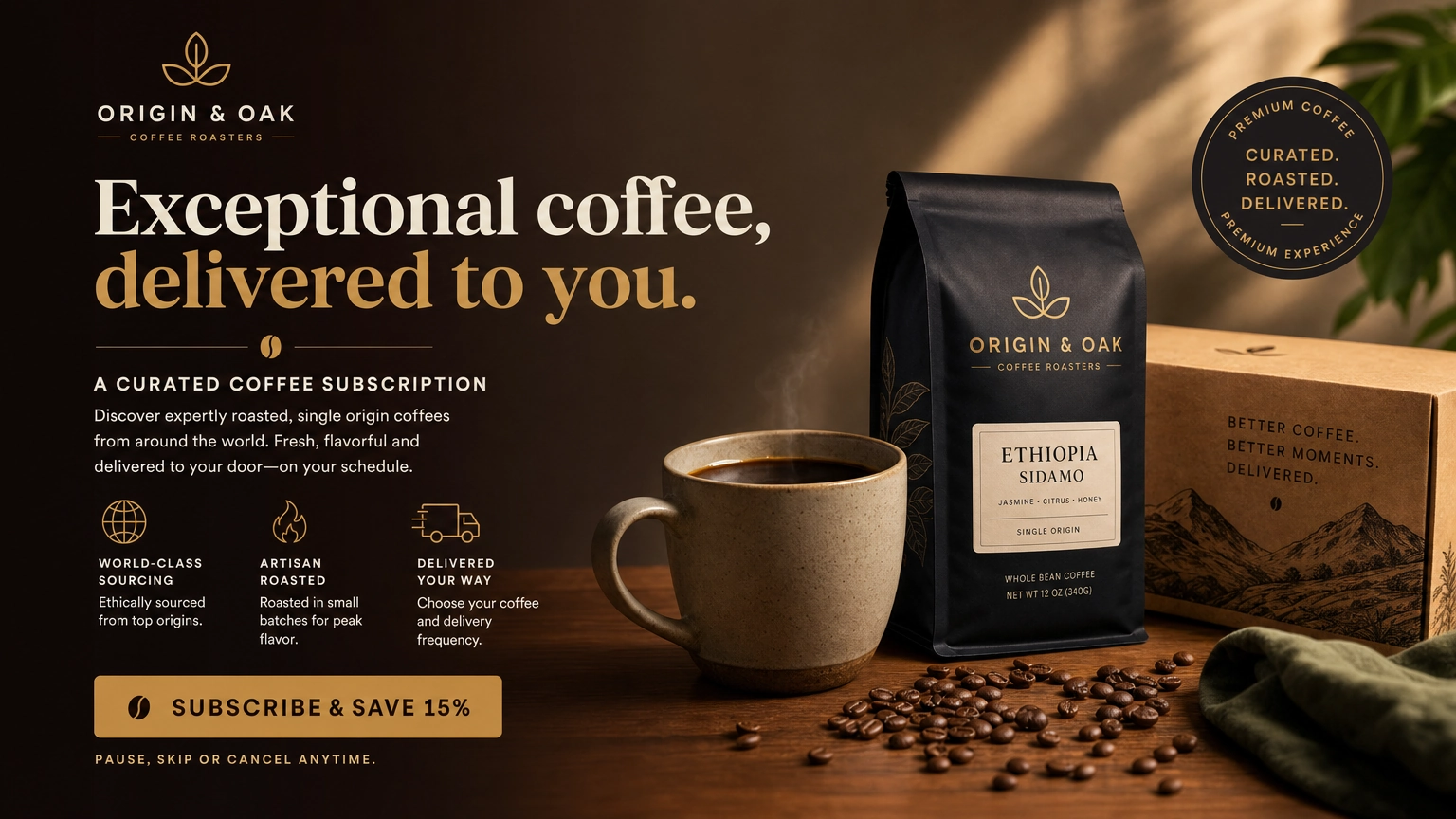
11. Facebook Advertisement
Copy & Paste Prompt
Facebook advertisement promoting a premium organic coffee subscription service. Rich coffee beans surrounding a modern coffee bag, warm natural lighting, bold clean composition with generous copy space, vibrant commercial photography, high click-through-rate aesthetic.
Pro Tip
Always leave empty space for headlines.
Marketing images perform better when text isn't competing with the subject.
12. Instagram Carousel Cover
Copy & Paste Prompt
Instagram carousel cover promoting AI productivity tips. Bold modern typography, vibrant gradient background, large readable title area, minimalist icons, premium social media graphic design, clean composition optimized for mobile viewing.
13. Black Friday Sale Banner
Copy & Paste Prompt
Premium Black Friday promotional banner featuring luxury electronics on a dark background with dramatic lighting, gold accents, clean typography space, commercial advertising design, ultra-high contrast.
14. Luxury Real Estate Campaign
Copy & Paste Prompt
Luxury real estate advertisement showcasing a contemporary beachfront villa during sunset. Palm trees, infinity pool, warm cinematic lighting, elegant architecture photography, magazine-quality realism, premium lifestyle branding.
15. Fitness Coaching Advertisement
Copy & Paste Prompt
Professional fitness coaching advertisement featuring an athletic trainer inside a modern gym. Dynamic movement, motivational atmosphere, bold composition, dramatic lighting, premium sports commercial photography.
Social Media Content Prompts
Social media images need to stop the scroll within seconds.
Instead of maximizing realism alone, focus on contrast, simplicity, and a strong visual hierarchy.
16. Pinterest Pin
Copy & Paste Prompt
Pinterest-style vertical graphic promoting minimalist home office ideas. Bright neutral colors, Scandinavian workspace, modern typography, premium lifestyle photography, highly shareable composition.
17. Instagram Story Background
Copy & Paste Prompt
Minimalist Instagram Story background featuring soft pastel gradients, subtle paper texture, elegant shadows, clean modern design with generous negative space for text overlays.
18. Viral Quote Graphic
Copy & Paste Prompt
Modern inspirational quote background featuring dramatic mountain sunrise, cinematic lighting, clean composition, bold typography space, premium social media design.
19. X (Twitter) Header
Copy & Paste Prompt
Professional technology-themed X header featuring futuristic blue lighting, abstract AI network graphics, clean minimalist composition, premium branding aesthetic, wide panoramic layout.
20. LinkedIn Banner
Copy & Paste Prompt
Professional LinkedIn banner for an AI consultant featuring modern geometric patterns, subtle technology elements, premium blue and white branding, generous whitespace, clean corporate design.
Quick Prompt Upgrade Checklist
Before clicking Generate, ask yourself:
- ✓ Did I explain the image's purpose?
- ✓ Is the subject clearly defined?
- ✓ Did I specify the style?
- ✓ Did I choose lighting?
- ✓ Did I describe the environment?
- ✓ Did I specify composition?
- ✓ Is there enough empty space for text if needed?
- ✓ Did I mention the intended platform (Instagram, LinkedIn, Amazon, YouTube, etc.)?
If the answer is yes to most of these questions, GPT Image 2 will usually produce a much stronger first result.
Anime & Manga Prompts
GPT Image 2 can produce stunning anime-inspired illustrations when you focus on storytelling rather than simply writing "anime style."
Instead of only describing a character's appearance, define the scene, mood, lighting, and emotional context. This usually leads to richer, more cinematic results.
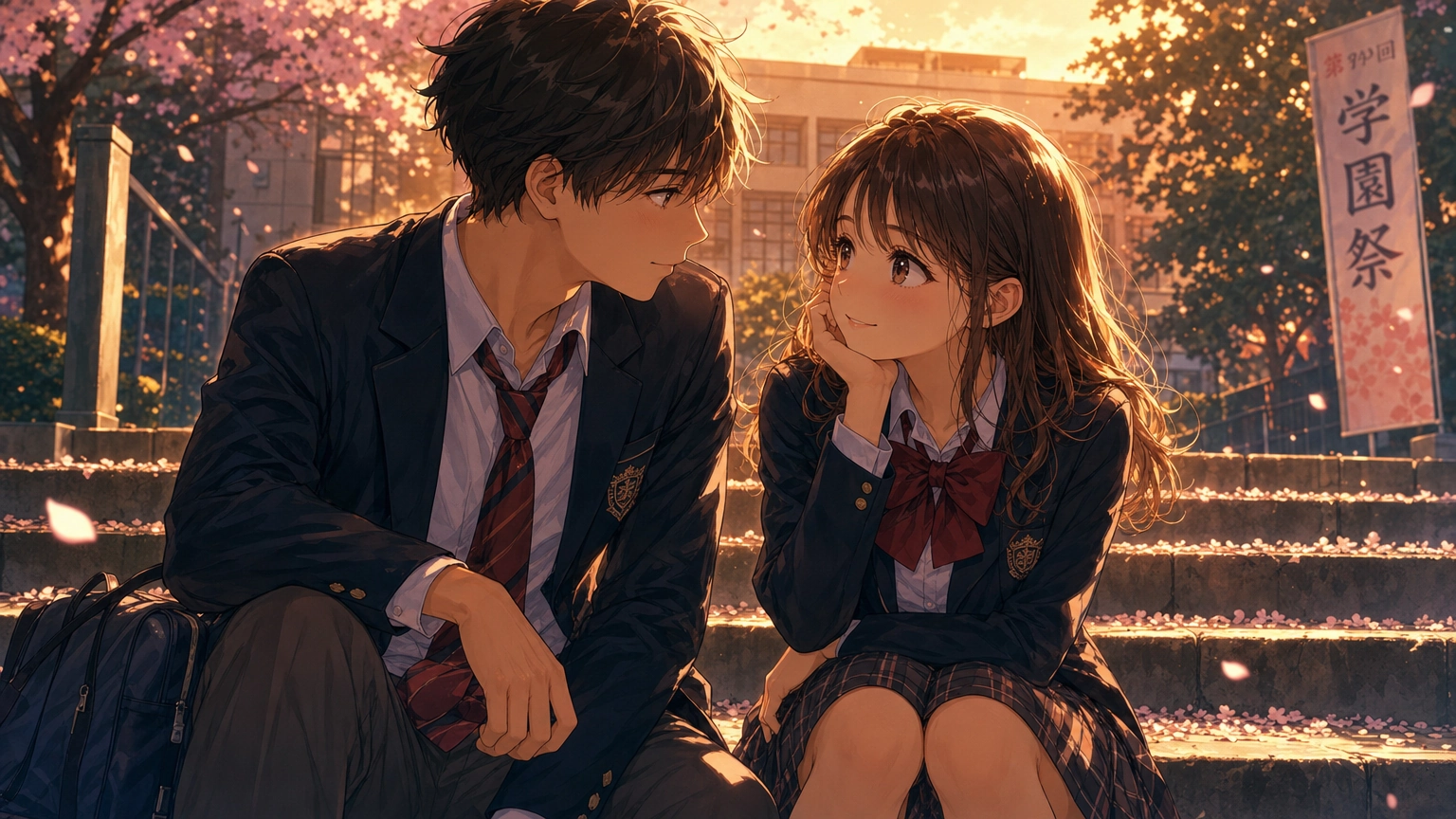
21. Modern Romance Anime Scene
Copy & Paste Prompt
Romantic anime illustration of two university students sitting together on wide concrete steps outside a grand academic building during golden hour. Warm sunlight filtering through lush green trees, cinematic composition, expressive eyes, detailed clothing folds, premium modern romance manga style, soft painterly shading, realistic campus environment.
Why it works
Instead of focusing solely on appearance, the prompt creates a complete narrative scene. GPT Image 2 tends to produce stronger compositions when the relationship between the characters is clear.
Customize it
- Change the season.
- Change the location.
- Add rain or cherry blossoms.
- Switch to evening lighting.
22. Fantasy Hero
Copy & Paste Prompt
Young fantasy knight standing atop ancient castle ruins overlooking distant mountains. Flowing cape, ornate silver armor, glowing enchanted sword, cinematic sunset, dramatic clouds, epic fantasy illustration with painterly lighting.
23. Cozy Slice-of-Life Café
Copy & Paste Prompt
Anime-style illustration of a cozy neighborhood café during a rainy afternoon. Warm lights glowing through large windows, customers reading books, steaming coffee cups, soft reflections on wet streets, comforting atmosphere.
24. Cyberpunk Street
Copy & Paste Prompt
Anime cyberpunk city at night featuring neon signs, holographic advertisements, rain-soaked streets, reflective puddles, futuristic motorcycles, cinematic perspective, vibrant electric blue and magenta lighting.
25. Studio Ghibli-Inspired Countryside
Copy & Paste Prompt
Peaceful countryside landscape inspired by classic hand-painted animation. Rolling green hills, wildflowers, stone cottages, gentle afternoon breeze, warm sunlight, whimsical atmosphere, painterly textures.
Tip: Rather than naming a studio directly, describe the visual characteristics you want (hand-painted backgrounds, soft lighting, whimsical countryside, watercolor textures, expressive characters).
Character Reference Sheet Prompts
Character sheets are invaluable for comics, visual novels, animation, and game development because they establish consistency before creating scenes.
Instead of asking for a single portrait, request multiple standardized views.
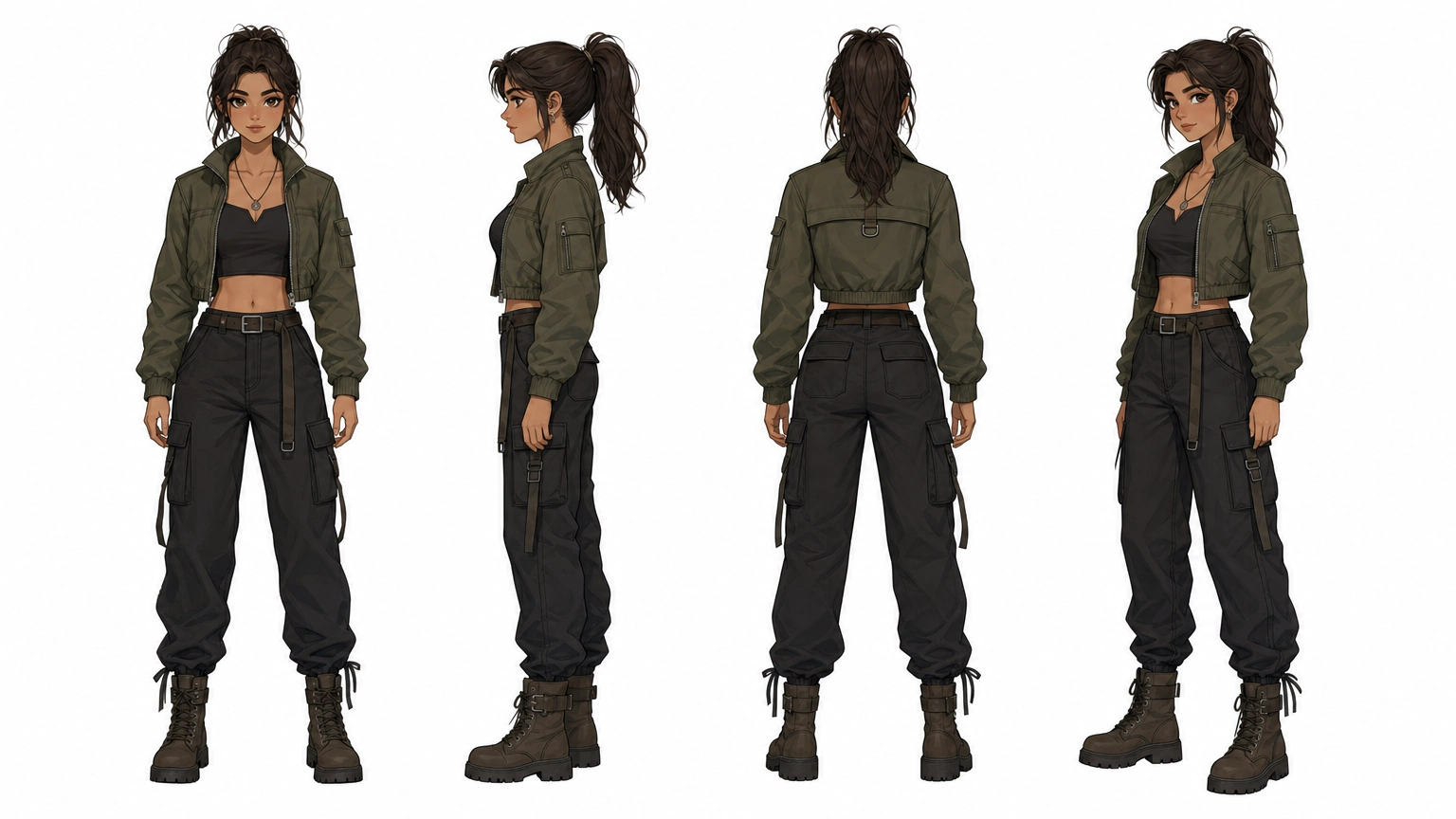
26. Character Turnaround Sheet
Copy & Paste Prompt
Professional character reference sheet showing the same young woman from the front, side, back, and three-quarter views. Neutral standing pose, white background, consistent facial proportions, clothing details clearly visible, animation production reference style.
Why it works
By explicitly requesting multiple angles and a neutral pose, GPT Image 2 is guided toward creating a structured reference sheet rather than unrelated portraits.
27. Facial Expression Sheet
Copy & Paste Prompt
Character design reference showing the same female character displaying happy, sad, surprised, angry, determined, embarrassed, and laughing expressions. Clean white background, animation production sheet, consistent hairstyle and facial proportions.
28. Fantasy Character Design Sheet
Copy & Paste Prompt
Comprehensive fantasy character design sheet featuring front view, back view, equipment close-ups, weapon details, color palette, fabric textures, boots, gloves, and accessories. Professional concept art presentation.
29. Superhero Costume Variations
Copy & Paste Prompt
Character concept sheet displaying five alternate superhero costume designs for the same character while preserving identical facial features and proportions. Professional game development concept art.
30. Children's Book Character
Copy & Paste Prompt
Friendly illustrated animal character shown from multiple angles with expressive facial variations, simplified shapes, colorful presentation, children's picture book illustration style.
Cinematic Scene Prompts
Many AI-generated images fail because they feel static.
Instead of describing only the subject, describe the scene as if you're directing a movie.
31. Rainy City at Night
Copy & Paste Prompt
Cinematic nighttime city street during heavy rain. Neon reflections covering wet pavement, pedestrians carrying umbrellas, dramatic lighting, shallow depth of field, realistic movie still, atmospheric storytelling.
32. Desert Adventure
Copy & Paste Prompt
Explorer walking across enormous golden sand dunes during sunrise. Long shadows, blowing sand, cinematic wide-angle composition, dramatic sky, epic adventure film aesthetic.
33. Space Exploration
Copy & Paste Prompt
Astronaut standing on an alien planet overlooking massive glowing rings surrounding a distant gas giant. Volumetric lighting, realistic space suit, cinematic science fiction concept art.
34. Medieval Marketplace
Copy & Paste Prompt
Bustling medieval town marketplace filled with merchants, colorful fabrics, wooden stalls, horses, townspeople, warm afternoon sunlight, ultra detailed cinematic fantasy environment.
35. Japanese Alley
Copy & Paste Prompt
Quiet traditional Japanese alley after rainfall. Lanterns reflecting on wet stone pavement, wooden buildings, subtle mist, cinematic evening atmosphere, realistic photography style.
Food Photography Prompts
Food photography is one of the easiest ways to create visually compelling AI images because lighting and composition strongly influence appetite appeal.
36. Gourmet Burger
Copy & Paste Prompt
Professional commercial food photography featuring a gourmet cheeseburger on a rustic wooden table. Melted cheese, fresh vegetables, visible steam, dramatic side lighting, shallow depth of field, restaurant advertising quality.
37. Luxury Dessert
Copy & Paste Prompt
Elegant chocolate dessert plated in a Michelin-star restaurant. Dark ceramic plate, gold utensils, dramatic spotlight, macro photography, premium culinary magazine style.
38. Healthy Breakfast
Copy & Paste Prompt
Bright healthy breakfast scene featuring avocado toast, fresh fruit, yogurt, coffee, natural morning sunlight, Scandinavian kitchen, editorial food photography.
39. Artisan Coffee
Copy & Paste Prompt
Close-up specialty coffee poured into a handcrafted ceramic mug. Latte art, visible steam, cozy café atmosphere, shallow depth of field, realistic editorial photography.
40. Fine Dining Seafood
Copy & Paste Prompt
Luxury seafood dinner plated with artistic presentation. Elegant restaurant interior softly blurred, warm candlelight, premium food magazine photography, ultra realistic textures.
Architecture & Interior Design Prompts
Architectural images benefit enormously from clear descriptions of style, materials, lighting, and camera perspective.
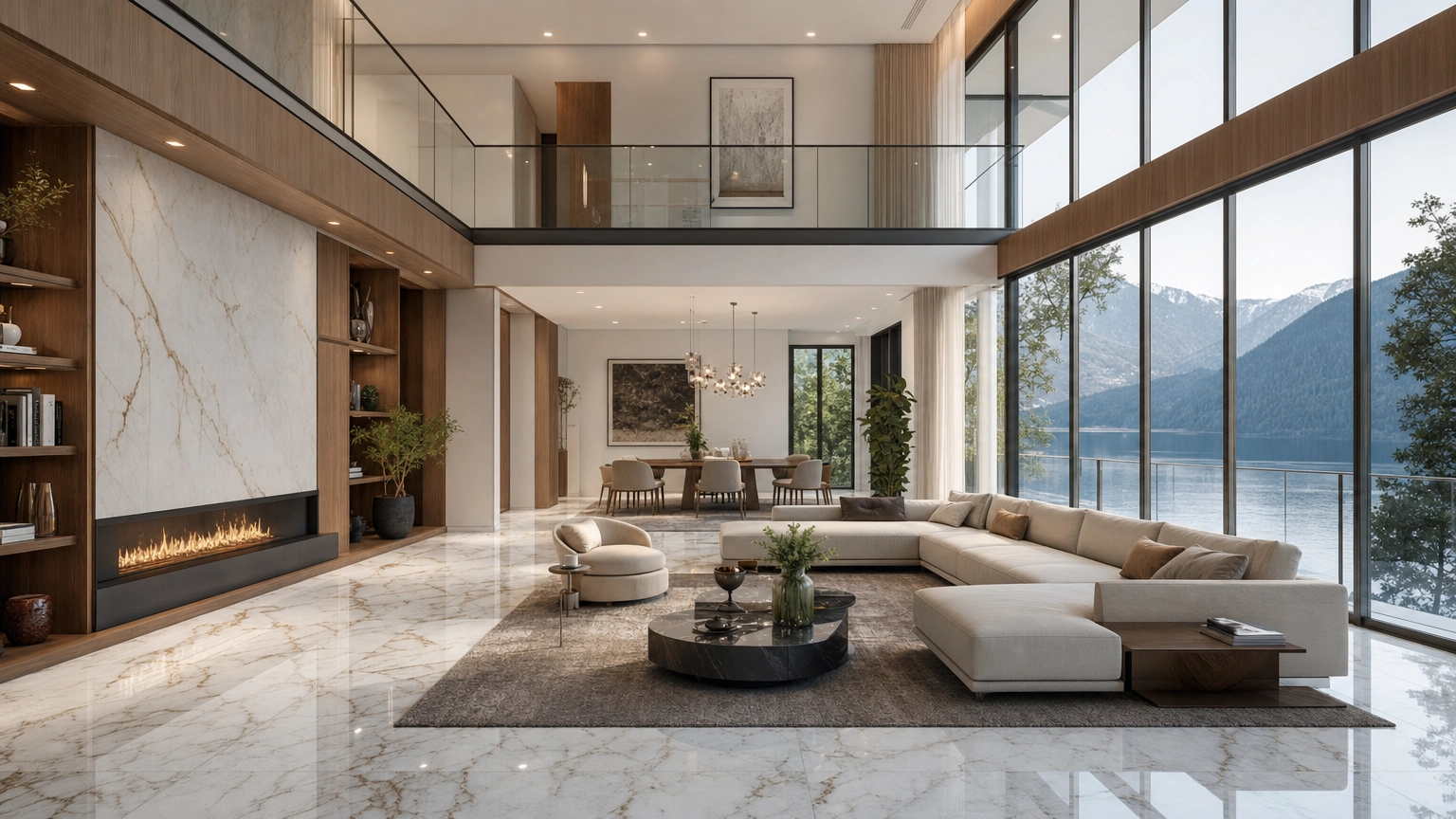
41. Modern Luxury Living Room
Copy & Paste Prompt
Ultra-realistic luxury living room featuring floor-to-ceiling windows, Italian marble flooring, warm oak accents, minimalist furniture, soft natural afternoon lighting, architectural magazine photography.
42. Scandinavian Bedroom
Copy & Paste Prompt
Minimalist Scandinavian bedroom with neutral color palette, natural wood furniture, linen bedding, indoor plants, soft morning light, cozy editorial interior photography.
43. Contemporary Kitchen
Copy & Paste Prompt
High-end modern kitchen featuring matte black cabinetry, white quartz countertops, pendant lighting, premium appliances, architectural digest photography style.
44. Beachfront Villa
Copy & Paste Prompt
Luxury tropical villa overlooking crystal-clear ocean waters. Infinity pool, palm trees, warm sunset lighting, contemporary architecture, premium real estate photography.
45. Boutique Hotel Lobby
Copy & Paste Prompt
Elegant boutique hotel lobby featuring marble reception desk, designer furniture, indoor greenery, dramatic chandelier, luxury hospitality photography.
Pro Tip: Describe Materials, Not Just Style
One of the easiest ways to make GPT Image 2 produce more believable environments is to specify physical materials instead of relying only on adjectives.
Instead of writing:
Modern luxury house
Try:
Contemporary home with white stucco walls, black aluminum-framed windows, natural oak ceiling beams, polished concrete floors, and travertine stone accents.
Concrete details like materials, finishes, and textures help the model generate environments that feel grounded and architecturally coherent.
Logo & Brand Identity Prompts
GPT Image 2 is excellent for brainstorming logo concepts, brand mascots, iconography, and visual identities.
However, remember that AI-generated logos are best used for concept exploration. Final production logos often require refinement in vector software.
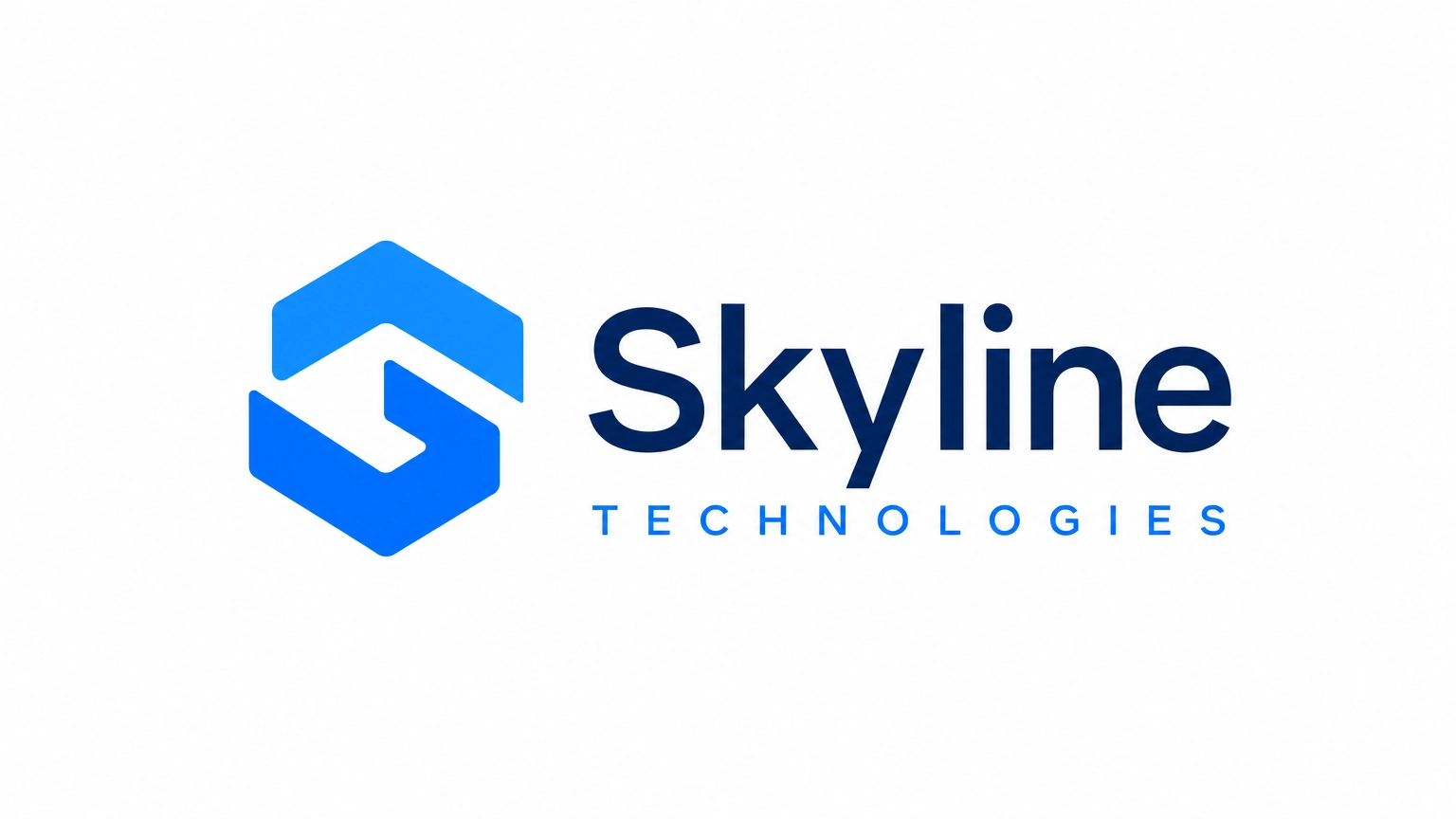
The prompts below help generate strong starting points for branding projects.
46. Modern Technology Startup Logo
Copy & Paste Prompt
Minimalist technology startup logo featuring a clean geometric icon combined with modern sans-serif typography. Flat vector style, blue and white color palette, scalable branding design, transparent background appearance, premium SaaS branding.
Why it works
Instead of asking for "a cool logo," the prompt defines:
- Industry
- Style
- Typography
- Color palette
- Intended use
These details help GPT Image 2 generate more cohesive concepts.
47. Luxury Jewelry Brand
Copy & Paste Prompt
Elegant luxury jewelry brand logo featuring refined serif typography combined with a minimalist gold monogram. High-end editorial branding, premium packaging presentation, timeless aesthetic.
48. Coffee Shop Branding
Copy & Paste Prompt
Modern artisan coffee shop logo combining hand-drawn coffee plant elements with minimalist typography. Warm earthy palette, Scandinavian branding style, premium café identity.
49. Fitness Brand Logo
Copy & Paste Prompt
Bold athletic logo featuring geometric energy-inspired iconography, clean typography, modern sports branding, black and electric blue palette, scalable vector appearance.
50. Children's Brand Mascot
Copy & Paste Prompt
Friendly illustrated animal mascot designed for children's educational products. Bright colors, expressive face, simplified shapes, memorable branding character.
Packaging Design Prompts
Packaging is more than a product container—it communicates brand positioning before customers ever use the product.
GPT Image 2 performs particularly well when prompts specify both the packaging format and the intended audience.
51. Luxury Skincare Packaging
Copy & Paste Prompt
Premium skincare packaging featuring matte white boxes with embossed gold foil typography, minimalist branding, luxury cosmetics presentation, editorial product photography, realistic mockup.
52. Coffee Bag Design
Copy & Paste Prompt
Specialty coffee packaging featuring modern minimalist graphics, kraft paper bag, premium branding, Scandinavian typography, realistic product mockup.
53. Chocolate Box
Copy & Paste Prompt
Luxury chocolate gift box with elegant dark green packaging, gold foil accents, ribbon presentation, premium confectionery branding, commercial product photography.
54. Wine Bottle Label
Copy & Paste Prompt
Sophisticated wine bottle featuring modern serif typography, minimalist label design, textured paper finish, premium vineyard branding, elegant editorial presentation.
55. Eco-Friendly Packaging
Copy & Paste Prompt
Sustainable product packaging created from recycled kraft materials featuring minimalist green branding, biodegradable aesthetic, realistic product mockup, modern eco-conscious design.
Sticker & Icon Prompts
Small graphics often require more precision than large illustrations.
Instead of describing a finished image, focus on the icon's function.
56. Productivity App Icons
Copy & Paste Prompt
Modern productivity application icon set featuring minimalist calendar, checklist, folder, reminder, and analytics symbols. Flat vector design, rounded corners, premium mobile interface style.
57. Cute Sticker Pack
Copy & Paste Prompt
Collection of adorable food-themed stickers featuring smiling sushi, coffee cups, croissants, donuts, and bubble tea. Thick white outline, pastel color palette, printable sticker sheet.
58. Weather Icons
Copy & Paste Prompt
Professional weather icon collection featuring sun, clouds, rain, snow, wind, and thunderstorms. Clean flat vector style, consistent visual language, modern mobile application interface.
59. Finance Dashboard Icons
Copy & Paste Prompt
Minimal monochrome icon set featuring investments, banking, budgeting, reports, savings, and analytics. Professional enterprise software design system.
60. Social Media Reaction Icons
Copy & Paste Prompt
Modern reaction icon collection featuring hearts, comments, bookmarks, likes, shares, and notifications. Rounded design language, vibrant gradients, premium mobile UI style.
UI & App Mockup Prompts
GPT Image 2 can quickly visualize interfaces during early design exploration.
These prompts are useful for brainstorming layouts before moving into Figma or other design tools.
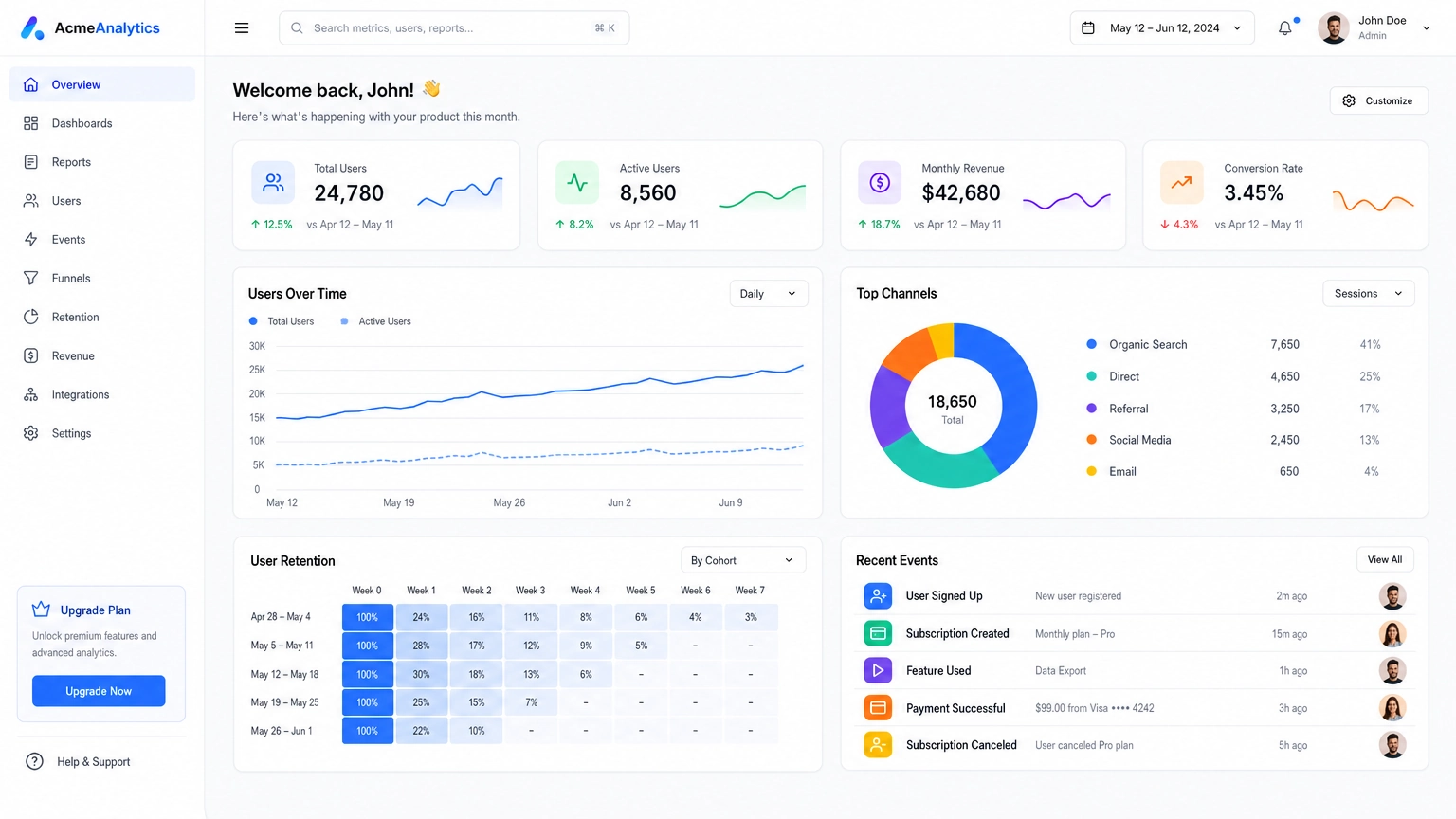
61. SaaS Dashboard
Copy & Paste Prompt
Modern SaaS analytics dashboard featuring KPI cards, charts, user management panel, clean white interface, blue accent colors, professional enterprise software UI, realistic desktop mockup.
62. Banking Mobile App
Copy & Paste Prompt
Premium mobile banking application interface featuring account balances, spending charts, transaction history, minimalist design, iOS-inspired visual style.
63. Fitness App
Copy & Paste Prompt
Modern fitness tracking application showing workout statistics, heart rate graphs, daily goals, clean interface, vibrant gradients, premium mobile UI.
64. E-commerce Homepage
Copy & Paste Prompt
Luxury online fashion store homepage featuring hero banner, product cards, category navigation, premium typography, elegant shopping experience, responsive web design.
65. Travel Booking App
Copy & Paste Prompt
Modern travel booking mobile application featuring destination cards, hotel search interface, flight booking workflow, minimalist user experience, premium app presentation.
Advanced Prompt Optimization
The biggest difference between beginners and experienced prompt writers isn't vocabulary.
It's structure.
The strongest GPT Image 2 prompts typically answer these questions:
- What is the image for?
- Who is the subject?
- Where does it take place?
- What style should it use?
- How should it be lit?
- What camera perspective fits best?
- What emotion should it communicate?
- What should viewers notice first?
When those answers are clear, GPT Image 2 usually produces stronger compositions on the first generation.
Common Prompt Mistakes
❌ Starting with style instead of purpose
Instead of:
Beautiful cinematic image
Try:
Homepage hero image for a luxury hotel featuring...
❌ Using vague adjectives
Instead of:
Amazing
Describe:
- materials
- lighting
- lens
- environment
- composition
❌ Ignoring composition
Always specify things like:
- close-up
- overhead
- centered
- wide angle
- rule of thirds
- symmetrical
- negative space
These directions help the model arrange visual elements more effectively.
❌ Forgetting the intended platform
Instead of:
Create an advertisement
Write:
Instagram Story
or
Amazon product listing
or
YouTube thumbnail
Different platforms require different compositions and aspect ratios.
Practical Workflow
Here's a simple process you can follow whenever you create images with GPT Image 2:
- Start with a clear objective.
- Use the prompt formula from this guide.
- Generate an initial image.
- Refine only one or two elements at a time.
- Save successful prompts for future projects.
- Organize prompts into reusable templates by use case.
Prompt writing is an iterative process. Small, intentional adjustments usually produce better results than rewriting an entire prompt from scratch.
Frequently Asked Questions
What makes a good GPT Image 2 prompt?
The strongest GPT Image 2 prompts explain what the image is supposed to accomplish before describing how it should look.
Instead of listing dozens of descriptive adjectives, begin with the image's purpose, then specify the subject, environment, lighting, composition, and any text requirements.
For example:
Create a YouTube thumbnail promoting AI productivity tools...
is generally more effective than
Beautiful futuristic AI image...
because the model understands the intended outcome before focusing on aesthetics.
How long should a GPT Image 2 prompt be?
Long prompts are not automatically better.
A well-structured prompt containing 80–150 carefully chosen words usually produces the most consistent results for complex scenes. The copy-and-paste prompts in this guide are intentionally shorter starting templates — treat them as a base to expand with more specific detail (exact wording, brand colors, precise camera settings) once you know what you're refining toward.
Focus on clarity rather than length.
Can GPT Image 2 generate realistic photographs?
Yes.
GPT Image 2 performs particularly well when prompts include realistic photography terminology such as:
- DSLR photography
- 85mm portrait lens
- RAW photo
- natural lighting
- shallow depth of field
- editorial photography
- commercial product photography
The more specific your photographic direction, the more convincing the final image tends to become.
Can GPT Image 2 generate readable text?
GPT Image 2 is significantly better at rendering text than many earlier image generation models.
It can often produce:
- posters
- advertisements
- menus
- flyers
- packaging
- social media graphics
However, for important marketing materials, it's still a good idea to proofread all generated text carefully before publishing.
Can GPT Image 2 create logos?
Yes.
GPT Image 2 is useful for brainstorming logo concepts, icon ideas, and brand identities.
However, AI-generated logos should generally be treated as creative concepts rather than final production assets. Most businesses will still refine their chosen design in vector editing software before publishing.
What industries benefit most from GPT Image 2?
GPT Image 2 is versatile enough for many creative workflows, including:
- Marketing
- E-commerce
- Product photography
- Social media
- Branding
- UI design
- Architecture
- Interior design
- Publishing
- Education
- Entertainment
- Game development
The key is adapting your prompts to match the final deliverable.
Why do some prompts produce inconsistent results?
Inconsistent outputs usually happen because the prompt leaves important creative decisions to the model.
Adding details about:
- purpose
- composition
- lighting
- camera angle
- environment
- mood
- image format
helps GPT Image 2 produce more predictable generations.
Can I use GPT Image 2 images commercially?
Commercial usage depends on the platform, licensing terms, and the assets included in the generated image.
If you're creating images for business purposes, always review the current licensing policies before publishing or selling AI-generated artwork.
Final Thoughts
GPT Image 2 isn't simply another AI image generator.
Its biggest advantage is how well it understands intent.
The more clearly you describe the job the image needs to perform, the better the results become.
Throughout this guide, you've learned a reusable prompt framework along with dozens of professional examples covering product photography, branding, portraits, anime, architecture, marketing, social media, UI design, and more.
Rather than memorizing prompts, think in reusable building blocks:
- Purpose
- Subject
- Style
- Camera
- Lighting
- Environment
- Composition
- Output
Once you understand this structure, you'll be able to create your own prompts for almost any creative project.
Want prompts for other models too? Our full AI image prompt library covers the same categories for Nano Banana 2, Seedream 4.5, and FLUX.
Create Better GPT Image 2 Images with Fiddl.art
If you're ready to put these prompts into practice, Fiddl.art makes it easy to experiment, refine, and iterate without switching between multiple AI tools.
With support for GPT Image 2 alongside other leading image generation models, you can compare outputs, refine your prompts, upscale your favorite generations, and continue editing—all within a single creative workflow.
Whether you're producing product photography, marketing assets, concept art, social media graphics, or branding materials, the prompts in this guide provide a strong starting point for achieving more consistent, professional-quality results.
Try several prompt variations, save your favorites, and build your own prompt library over time. Small refinements often make the biggest difference.