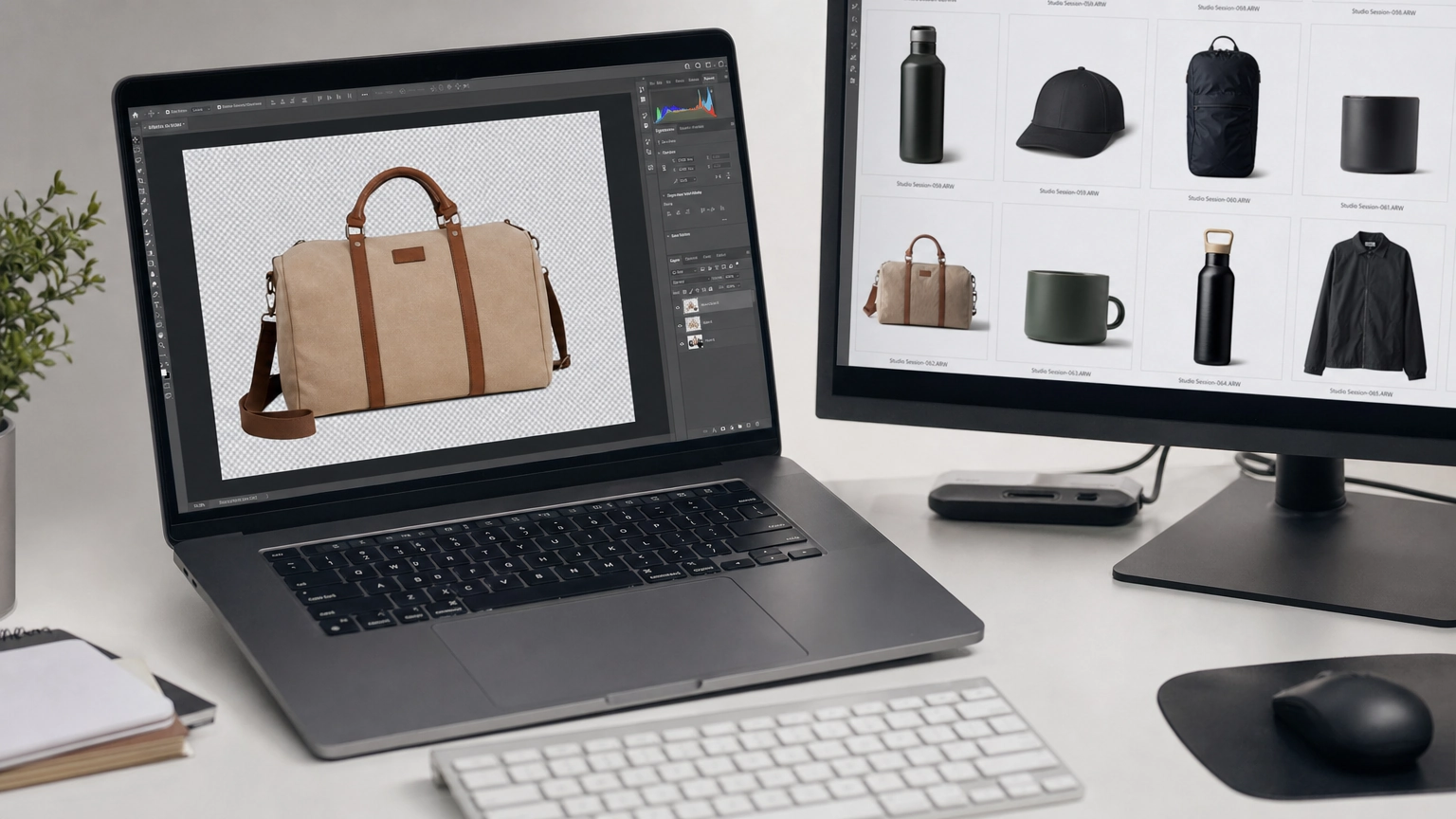
Picking the best AI background remover comes down to three things: how well it handles tricky edges like hair and fur, whether it gives you full-resolution output, and how much it costs at scale. The tools below are ranked and compared so you can match the right one to your workflow fast.
Clean product images, polished headshots, and professional marketing visuals all start with a solid background removal step. In 2026, the technology has matured to a point where AI handles most of the cutting work automatically. But not every tool handles the hard cases equally well, and that gap matters a lot when you're processing hundreds of images per week.
What Makes an AI Background Remover Actually Good
Before diving into specific tools, it helps to understand what separates a strong result from a mediocre one. The best tools use deep learning architectures like U-Net, DeepLabV3, and Meta's Segment Anything Model, all trained on millions of images. That training depth is what allows them to distinguish flyaway hair strands from a white background or separate a glass vase from a marble countertop.
Key performance factors to evaluate:
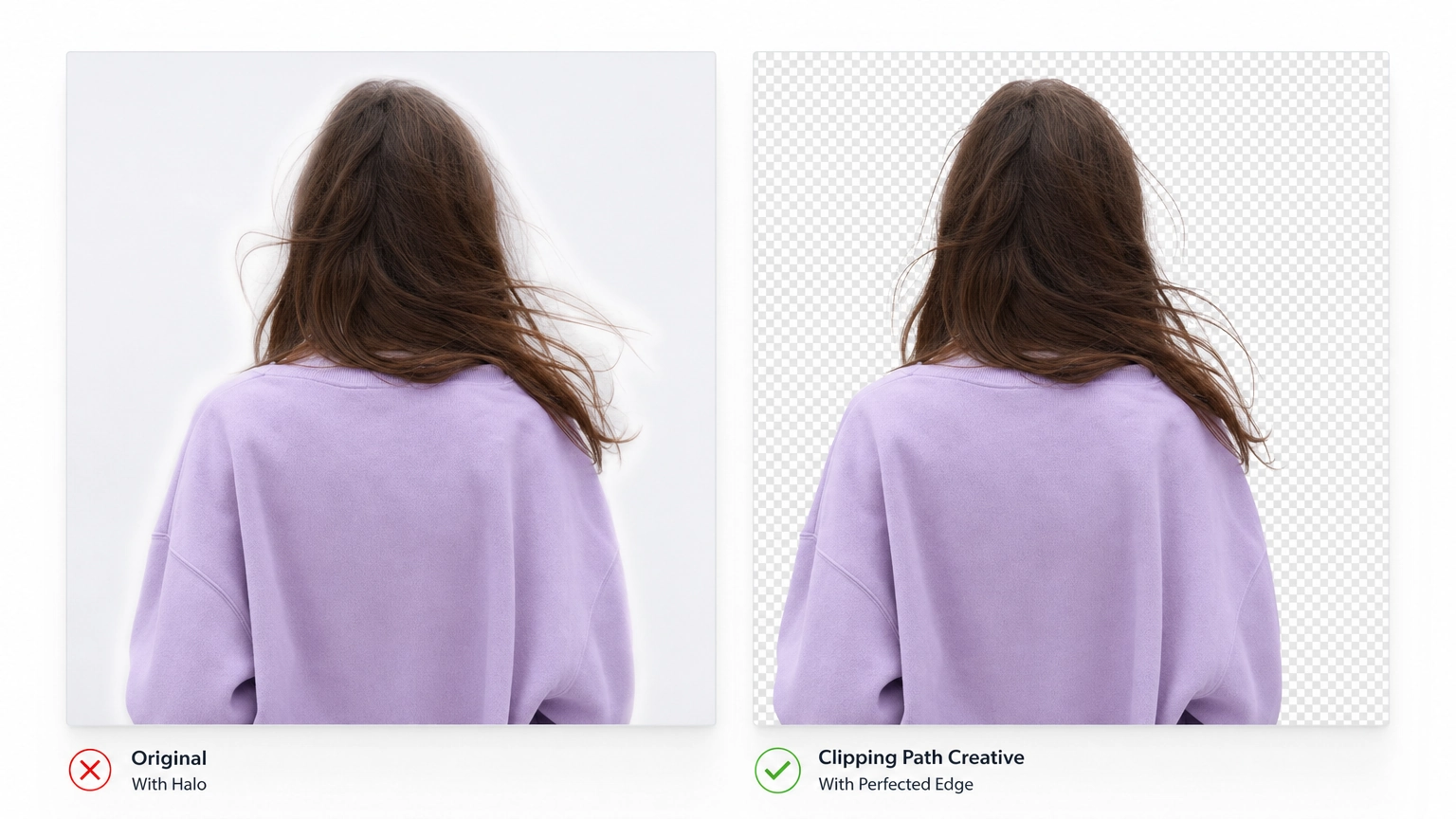
- Edge accuracy: Does the tool preserve fine hair, fur, and soft edges, or does it leave a halo artifact?
- Transparency handling: Can it work with semi-transparent objects like glasses or gauze fabric?
- Resolution output: Does the free tier limit you to compressed images?
- Batch processing: Can you run 50+ images in a single session?
- Output formats: Does it export PNG with a transparent background, or only JPG?
When you explore AI image editing tools, you'll notice background removal is often the first step in a broader editing pipeline. Getting it right upfront saves hours of manual touchup later.
Top AI Background Removal Tools Broken Down by Use Case
1. Remove.bg: Still the Accuracy Benchmark
Remove.bg pioneered one-click background removal in 2018 and, in 2026, it still leads on pure accuracy for tricky subjects. In testing across complex hair and semi-transparent objects, it consistently produces the cleanest edges of any tool in this list, with the least manual touchup required afterward.
Key features: Single-click removal, API access, batch processing, Photoshop and Figma plugins.
Best for: Photographers and designers who need reliable accuracy on complex subjects.
Pros:
- Best-in-class hair strand detection
- Wide integration ecosystem
- Consistent results across varied lighting conditions
Cons:
- Free tier limits output to low resolution and adds a watermark
- Credit-based pricing gets expensive fast at real volume
Pricing: Free tier available (preview-quality, watermarked); paid subscription plans run roughly $0.20–$0.27 per image depending on tier, billed through a monthly credit system. Higher-resolution exports can consume multiple credits per image.
2. Photoroom: Built for E-Commerce Workflows
Photoroom goes beyond background removal and lets you drop products onto AI-generated studio backdrops instantly. For e-commerce teams managing large SKU libraries, the batch processing speed and backdrop generation are genuinely valuable additions. You can remove a background and replace it with a lifestyle scene in the same session.
Key features: Batch processing, AI backdrop generation, mobile app, team collaboration.
Best for: E-commerce sellers, Shopify store owners, product photographers handling volume.
Pros:
- Removes background and replaces it in one workflow
- Strong mobile app for on-the-go shooting
- Batch mode handles large product catalogs efficiently
Cons:
- Backdrop quality varies by product type
- Subscription required for full-resolution and watermark-free output
Pricing: Free plan available; Pro starts at approximately $9.99/month.
3. Clipdrop: Best Free Full-Resolution Option
Clipdrop stands out for giving you full-resolution, watermark-free downloads on the free tier — a real advantage over Remove.bg's resolution-limited free output for a solo creator or small team watching their budget. Clipdrop was originally acquired by Stability AI in 2022, then changed hands again in 2024 when Jasper acquired it, so it's worth checking current product ownership and roadmap if long-term platform stability matters for your workflow.
Key features: Full-resolution free downloads, additional AI editing tools bundled in, API access.
Best for: Solo creators and developers who need quality output without a paid subscription.
Pros:
- Full-resolution on free tier
- No watermarks
- Bundled with other editing tools like relight and upscale
Cons:
- Accuracy on fine hair slightly behind Remove.bg in edge cases
- Two ownership changes in recent years adds some uncertainty around long-term support and pricing
Pricing: Free with usage limits; Pro plan at approximately $9.99/month.
4. Sparkpix.ai: No-Signup Free Option With Full Resolution
Sparkpix.ai is built around a simple promise: upload, remove, download, no account and no watermark required. It's one of the fastest tools in this list for a one-off removal, and its free tier doesn't cap resolution the way Remove.bg's does.
Key features: No sign-up required, full-resolution free output, browser-based, additional AI photo tools (upscaling, restoration, style transfer) bundled in.
Best for: Freelancers and casual creators who want a quick, no-friction removal without creating an account.
Pros:
- No account needed, no watermark, full-resolution free downloads
- Very fast turnaround for single images
- Bundled with other editing tools beyond background removal
Cons:
- Batch processing is more limited than dedicated e-commerce tools
- Edge accuracy on the hardest hair and fur cases trails Remove.bg
Pricing: Free tier with no account required; paid plan around $8.99/month for higher usage.
5. Fiddl.art: AI Background Removal as Part of a Creative Ecosystem
If you want background removal connected to a full creative workflow, Fiddl.art is built differently from standalone tools. Their AI background remover is a one-click tool that sits inside a broader platform where you can generate images, train custom models through Forge, and publish your work to earn Fiddl Points, making it especially useful when you're creating visuals with an AI image generator for marketing.
Key features: One-click background removal, preview against backgrounds before downloading, dedicated product preset for ecommerce edges.
Best for: Occasional creators who want pay-as-you-go flexibility, without a required subscription, inside a broader creative ecosystem with publishing and community features.
Pros:
- Background removal is part of a larger toolkit including upscaling, headshot generation, and product shots
- Earn points by completing missions and publishing work
- Dedicated product preset preserves packaging shape, labels, logos, and reflections for ecommerce use
Cons:
- Less focused on pure volume batch processing compared to Photoroom
Pricing: Pay-as-you-go or optional subscription; points earned through missions, streaks, and published work can also be applied toward usage.
Side-by-Side Comparison Table
| Tool | Free Full-Res Output | Batch Processing | Best Use Case | Starting Paid Price |
|---|---|---|---|---|
| Remove.bg | No | Yes | Accuracy-first workflows | ~$0.20–$0.27/image |
| Photoroom | No | Yes | E-commerce product catalogs | ~$9.99/month |
| Clipdrop | Yes | Limited | Budget-conscious solo creators | ~$9.99/month |
| Sparkpix.ai | Yes (no account needed) | Limited | No-friction one-off removals | ~$8.99/month |
| Fiddl.art | Yes | No | Occasional creators who want pay-as-you-go flexibility inside a creative ecosystem | Pay-as-you-go / subscription |

Things to Know
- Hair, fur, and semi-transparent objects like glass are still the hardest subjects for any AI tool. Even top tools occasionally need manual touchup on complex images.
- Free tiers vary a lot on resolution. Remove.bg limits free output to low resolution, while Clipdrop and Sparkpix.ai both offer full-resolution free downloads — worth checking before you assume "free" means "usable."
- Batch processing speed varies significantly between tools. Photoroom handles large catalogs better than most competitors.
- Video background removal is improving fast. By late 2026, per-frame matting quality is approaching what was previously only possible in post-production software.
- If you're also creating professional AI portraits, an AI headshot generator paired with a background remover gives you a complete headshot workflow without a studio.
Frequently Asked Questions
Q: Which AI background remover produces the cleanest edges on hair?
Remove.bg consistently leads for hair edge accuracy among the tools covered here.
It uses a deep learning model trained specifically to detect fine strands and semi-transparent subjects. For extremely complex cases, combining Remove.bg with a quick manual touchup in Photoshop covers the remaining edge cases cleanly.
Q: Can I use an AI background remover for commercial product photography?
Yes, all major tools covered here allow commercial use, though licensing terms vary by platform.
Always review the terms of service for whichever tool you choose, especially if you're processing images for a client. Fiddl.art, Clipdrop, and Photoroom all explicitly support commercial workflows.
Q: How much does it cost to remove backgrounds at volume, say 500 images per month?
At volume, Remove.bg's per-image credit pricing runs roughly style=background:#12121200– style=background:#12121235 for 500 images depending on tier, while Photoroom's flat monthly plan is often more cost-effective at that scale.
If you're regularly processing hundreds of images, a subscription plan beats per-image pricing. Calculate your monthly volume before committing to a billing model.
Q: Do AI background removers work on video?
Yes, but video support is still evolving and quality varies significantly between tools.
Most tools handle short clips, but per-frame accuracy on video lags behind static image quality. By late 2026, some tools are pushing toward per-frame matting quality that rivals traditional compositing software.
Q: Is it safe to upload client images to cloud-based AI tools?
Most major platforms process and delete images shortly after processing, but you should verify the privacy policy before uploading sensitive client work.
For client confidentiality, check whether the tool stores images for model training purposes. Some enterprise plans offer explicit no-data-retention agreements.
The Bottom Line on the Best AI Background Remover
The best AI background remover for you depends on your volume, budget, and whether you need the tool to stand alone or fit inside a larger creative workflow. Remove.bg wins on raw accuracy. Photoroom wins for e-commerce batch workflows. Clipdrop and Sparkpix.ai both win for free full-resolution output, with Sparkpix.ai edging ahead on no-signup convenience. And Fiddl.art wins for creators who want pay-as-you-go flexibility with background removal connected to generation, publishing, and community.
Start by testing two or three tools on your actual images, specifically on your hardest subjects like fine hair or reflective products. That real-world test will tell you more than any ranking. If you're building out a full creative toolkit, Fiddl.art's integrated approach lets you remove backgrounds, generate new visuals, and earn points all from one platform.