What Is an AI Image Extender?
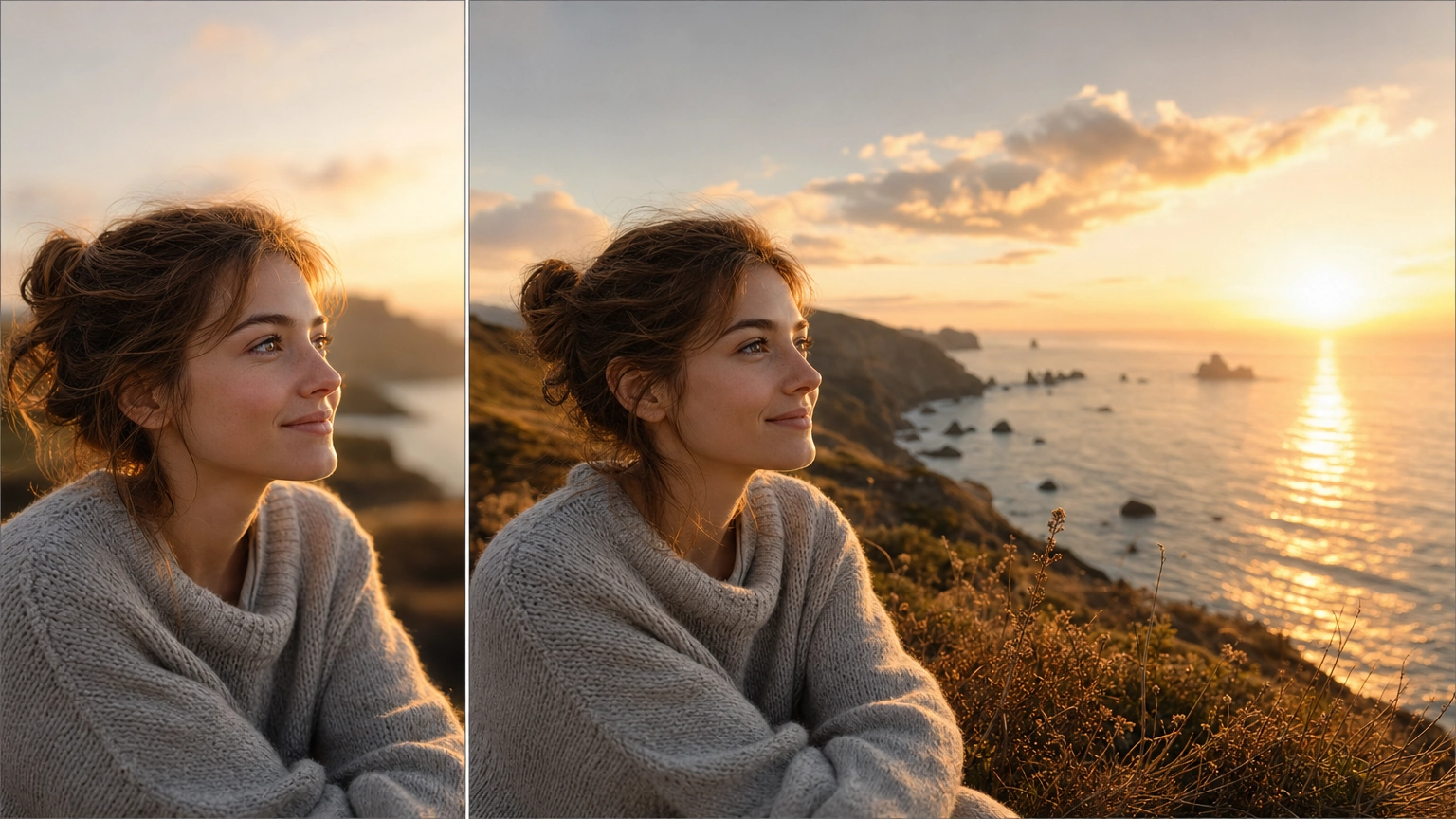
An AI image extender expands a photo beyond its original edges. It creates new content that matches the source image's lighting, style, and composition. Instead of stretching or cropping, it adds extra canvas space.
A square photo can become a widescreen banner. A tight product shot can gain breathing room. A cropped portrait can become a landscape scene. Most tools let you pick a target aspect ratio and describe what should appear in the new space.
How We Compared These Tools
We checked aspect ratio options and whether you can control what fills the new space. We also reviewed pricing, privacy defaults, and if you need a trial or account to download. No tool here is perfect. Each one has a real trade-off worth knowing before you pick one.
| Tool | Aspect Ratio Presets | Custom Prompt | Private by Default | Download Restrictions | Pricing |
|---|---|---|---|---|---|
| Fiddl.art | 5 (1:1, 4:5, 9:16, 16:9, 21:9), one-tap | Yes | Yes | None | Pay-as-you-go credits |
| Canva Magic Expand | Multiple, manual selection | Limited | No | Free tier available | Subscription for full access |
| Photoroom AI Expand | Multiple, template-based | No | No | Free tier available | Subscription for full access |
| Fotor AI Image Extender | Multiple | No | No | Trial required to download | Subscription |
| Getimg.ai (Uncrop) | Multiple | Yes | No | Free credits to start | Credits, then subscription |
| Freepik | Manual pixel entry | Yes (chatbot interface) | No | Free tier available | Subscription for full access |
| Kapwing AI Image Extender | Prompt-based ("bigger," "wider") | Yes | No | Free tier available | Subscription for full access |
Fiddl.art
Best for: one-tap simplicity and pay-as-you-go pricing without a forced subscription.
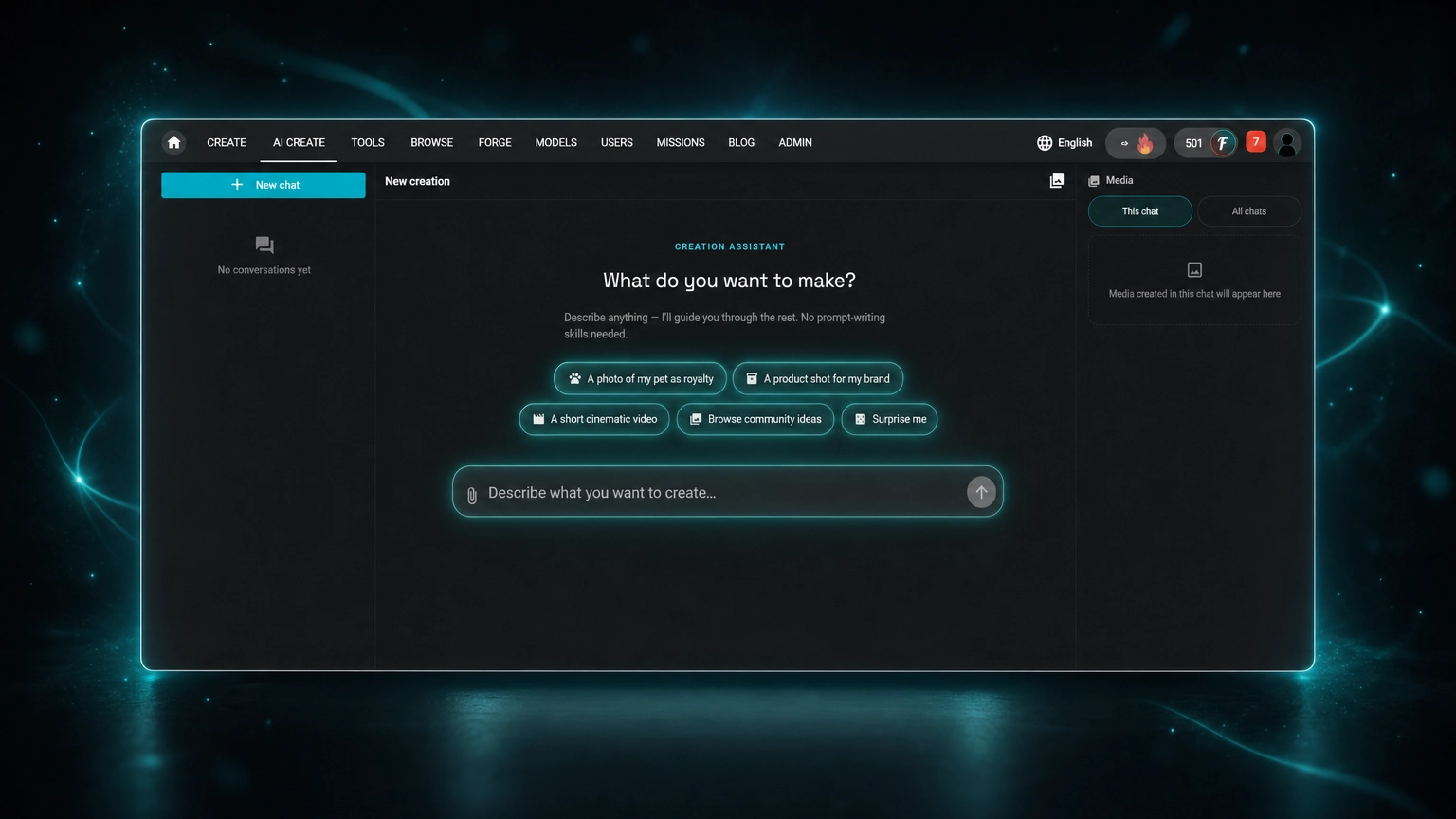
Fiddl.art's extender skips the setup most other tools require. Pick "Make it wide," "Make it vertical," or "Make it square." It fills the target aspect ratio automatically, no manual pixel entry or corner dragging needed.
You can add an optional prompt to describe what should appear in the new space, for example "continue the beach at sunset." It also works well without a prompt.
Two things stand out against the rest of this list. First, it's private by default, something none of the other tools here advertise as a standing policy. Second, there is no subscription and no forced free trial to unlock your download. You pay per generation with credits, about 30 for a standard extend, and get your result right away.
In testing, the tool kept hands, feet, and other fine details intact at the edges. It did not distort them, a problem we saw with at least one competitor on this list. A real strength, but results still depend on the source photo. Photos with cluttered or unclear edges make any extender work harder.
The trade-off: it's a focused tool, not a full editor. No masking, layering, or pixel-level retouching is present here. If you need detailed manual control beyond aspect-ratio expansion, you'll still want a dedicated image editor alongside it.
Canva Magic Expand
Best for: users already inside the Canva ecosystem.
Magic Expand extends images inside Canva's design tools. This is convenient if you already build layouts there. It supports full-image expansion and specific segment extension, giving you more flexibility than a simple aspect ratio swap.
The trade-off: Canva's full functionality is only available with its subscription tiers, and the tool is built to support Canva's broader design workflow rather than stand alone as a dedicated extender.
Photoroom AI Expand
Best for: e-commerce and product photo resizing at scale.
Photoroom's AI Expand is built into its resize tool, letting you upload a product photo, tap resize, and choose from a wide range of aspect ratios for different platforms. You can save your sizing preferences as a template and apply it across a whole product catalog, useful if you resize dozens of listings at once.
The trade-off: it's optimized specifically for product photography workflows, and full access requires a subscription.
Fotor AI Image Extender
Best for: fast, no-frills image expansion, if you don't mind the friction.
Fotor offers straightforward uncropping and outpainting with a dual-result feature that generates two variations per request, giving you options to choose from.
The trade-off, and it's a real one: the free version carries distracting ads, and the only way to download your finished image is by activating a free trial. One review also noted issues with hands and feet coming out distorted in certain generations, worth checking carefully if your photo includes people.
Getimg.ai (Uncrop)
Best for: proven reliability at scale.
Getimg.ai's Uncrop tool has over 10 million users, which speaks to how widely it's been tested. It expands images in all directions while keeping the original subject intact, and offers free credits to try before committing to anything paid.
The trade-off: like most tools on this list, ongoing heavy use requires a paid plan once your free credits run out.
Freepik
Best for: users who want a chatbot-style interface for describing extensions.
Freepik's extender lets you control canvas size and add detail through a conversational, chatbot-style interface, which some users find more natural than manual sliders.
The trade-off: you can't drag the canvas corners directly. Instead, you type exact pixel dimensions manually, slower and less intuitive than a one-tap aspect ratio preset.
Kapwing AI Image Extender
Best for: simple prompt-based resizing without distortion.
Kapwing adapts images to any aspect ratio without the stretching or warping some other tools struggle with. Simple prompts like "bigger" or "wider" work, or you can specify an exact ratio like 9:16. It also saves automatic version history, so you can revert to a previous result.
The trade-off: it's part of Kapwing's broader video and editing suite, so full functionality ties into that larger subscription rather than standing alone as a lightweight tool.
Frequently Asked Questions
What is an AI image extender?
An AI image extender expands an uploaded photo into a larger or differently shaped canvas. Instead of stretching pixels, it generates new surrounding detail that matches the original image's lighting, style, and composition.
Is uncrop the same as image extending?
Yes, they describe the same core task. Uncropping restores or invents space beyond the current image edges, while image extending or outpainting expands the canvas to a new aspect ratio. Different tools use different names for the same underlying process.
Do I need to create an account to use an AI image extender?
It depends on the tool. Several options on this list, including Fotor, require activating a free trial before you can download your result. Fiddl.art doesn't require a subscription or forced trial, you generate and download directly using pay-as-you-go credits.
Will an image extender stretch or distort my original photo?
A well-built extender shouldn't. The prompt is designed to keep the original content and add new detail only in the expanded area, not stretch existing pixels. That said, quality varies by tool, and some reviewers have flagged distortion issues with hands, feet, and other fine detail on certain platforms.
Can I use an AI image extender for product photos?
Yes. Product photos can be extended into banners, marketplace crops, and ad formats. Keep any custom prompt focused on the background or surface so the product itself stays recognizable and unchanged. If you need to clean up or swap the background first, our background remover guide covers that step.
Does an AI image extender replace a full photo editor?
No. Designers built these tools for fast aspect-ratio expansion, not detailed retouching. Masking, layering, and pixel-level corrections still require a dedicated image editor.
Which AI Image Extender Should You Use?
If you already use Canva or Photoroom for other work, their built-in expand tools are the easiest option. If you need proven scale, Getimg.ai's Uncrop has the user base to back it up.
But if you need a fast, one-tap tool without a subscription commitment or a forced trial just to download your result, Fiddl.art's AI Image Extender is worth trying. Upload a photo, pick wide, vertical, or square, and see the result in seconds.
For more on creating images from scratch instead of extending existing ones, see our guide to free AI image generation without a subscription. If product photography is your main use case, our AI product photo generator covers that workflow specifically, and our AI image upscaler guide is worth pairing with an extended image if you also need higher resolution.